Power BI Streamlines Azure Data Factory-to-Fabric Migration with New Assessment Tool

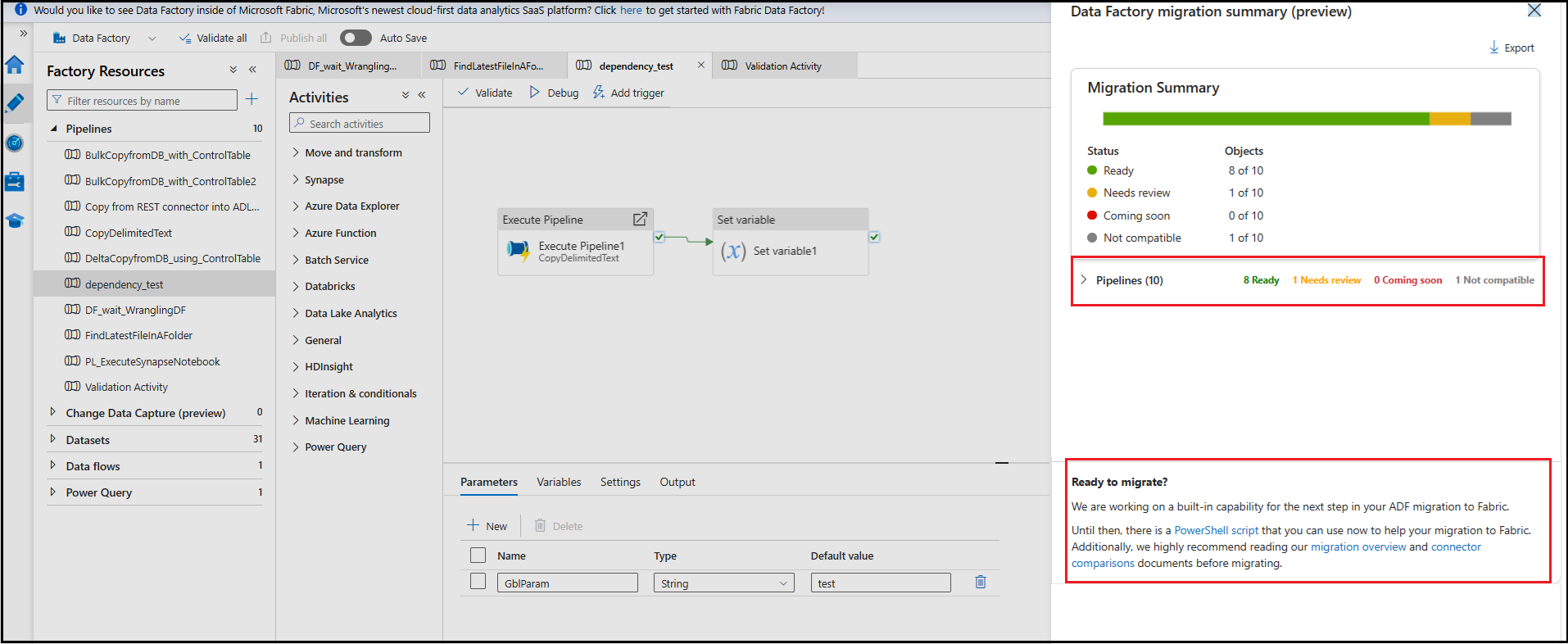
Power BI has released a new assessment tool designed to help organizations evaluate their Azure Data Factory pipelines before migrating to Fabric Data Factory. The tool identifies which pipelines are migration-ready, which require updates, and which features aren’t yet supported—enabling Power BI users to plan their transition with greater clarity and confidence.
Here’s what you need to know:

  • Why Perform a Migration Assessment?

    The assessment tool highlights pipelines and activities that are ready, need updates, or aren’t yet supported, helping you plan and track your migration with confidence.

  • How to Run the Assessment

    Open your Azure Data Factory in the Azure Portal and select Run upgrade assessment (preview) from the authoring canvas toolbar to begin the evaluation.

  • Reviewing the Results

    A side pane will display your pipelines and activities, allowing you to expand each item for status details and required remediation.

  • Exporting the Assessment Summary

    Export the results as a CSV to view each pipeline’s migration status—Ready, Needs review, Coming soon, or Not compatible.

  • What’s Next?

    Use the PowerShell upgrade tool for early migration, plan remediation for flagged items, and stay informed as Fabric Data Factory continues to expand feature support.

Take your analytics further with Power BI. Discover powerful BI capabilities and reach out to us to get started.
Visual Studio 2026 Brings a Faster Git Experience

Visual Studio 2026 makes switching branches, stashing changes, committing, and managing pull requests far more seamless — all inside the IDE, without dropping into external tools. Even complex workflows like juggling bug-fixes and code reviews are now more fluid, thanks to performance optimizations and integrated tooling for Git.

Here’s what’s new and how it helps you work smarter:

  • Create topic branches fast

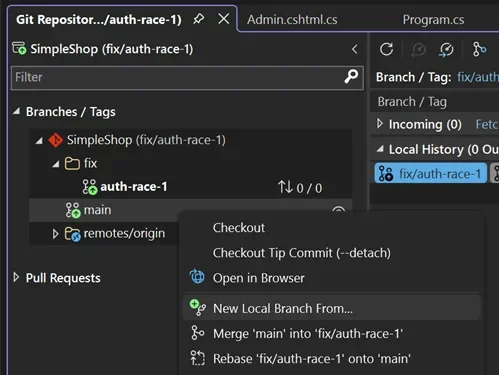
    Right-click main in the Git Repository Window → New Local Branch From → name it fix/auth-race-1. You’re switched instantly, with the new 2026 Git status bar keeping you updated on branch and sync status at a glance.

  • Stash changes and stay flexible

    Head to the Git Changes Window → select modified files → Stash All with a note like “WIP: Auth fix before demo.” Your working directory stays clean while you move between tasks.

  • Pop stashes and review effortlessly

    Restore your work via the Stash tab → Pop Stash. Add a quick quality check by hitting the Copilot Code Review button to generate helpful inline comments.

  • Commit faster with AI-generated messages

    Click Generate Commit Message in Git Changes. It auto-formats to your team’s standards and links to DevOps—saving you time and keeping history clean. One click to push and you’re good.

  • Create PRs and review inline

    After pushing, follow the banner in Git Changes to create a pull request. Add reviewers from the dropdown, click Create, and your work is ready for feedback.

Automate your processes and boost efficiency. Discover custom business applicationsreach out today!

GitHub Copilot Testing for .NET Arrives in Visual Studio Insiders

Microsoft has unveiled GitHub Copilot Testing for .NET, bringing AI-generated unit tests directly into Visual Studio Insiders. The new feature lets developers instantly create, build, and run tests with a single click, speeding up reliability and coverage. It marks a major step toward fully integrated, AI-assisted testing workflows for .NET teams.

Here’s what you need to know:

  • What is it?

    GitHub Copilot Testing for .NET is purpose-built for generating high-quality tests, understanding your code structure and project setup to create, build, and run tests across any scope—from a single method to your entire solution.

  • Why use it?

    It provides scalable AI-generated unit tests, deterministic and type-safe results, multi-framework support, and seamless Visual Studio integration, including automatic test recovery.

  • Getting started

    Install the latest Visual Studio 2026 Insiders Build, ensure your C# project builds cleanly, enable Copilot Testing under Tools > Options, and make sure you have a GitHub Copilot license.

  • How to choose what to test

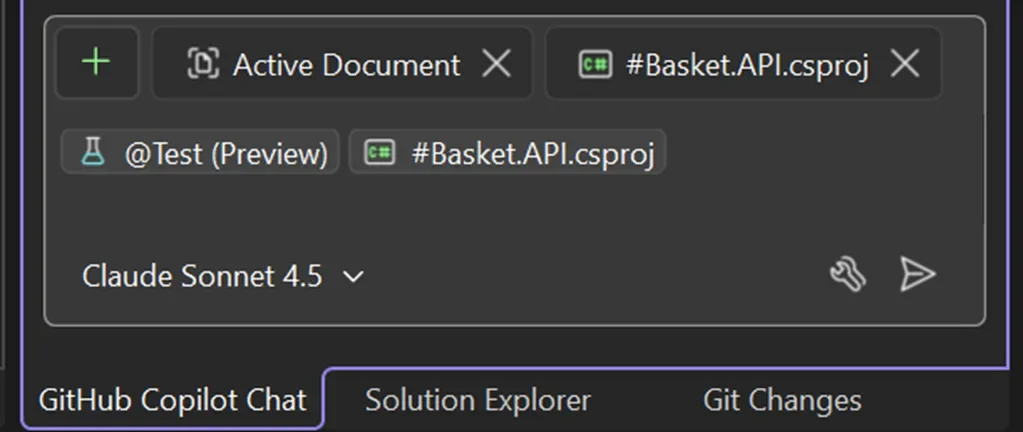
    Use @test #target in Copilot Chat to generate tests, where #target can represent a member, class, file, project, solution, or #changes for your Git diff.

  • What you’ll get

    You’ll receive a clear summary of created/updated tests, coverage changes, quality indicators, insights into testability gaps, and direct links to the generated test files for quick iteration.

Power up your Dynamics 365 and Power Platform with solutions built just for you. Let’s create the right application together — get in touch!

Power Apps “Plans”: A Smarter Way to Understand and Evolve Your Solutions

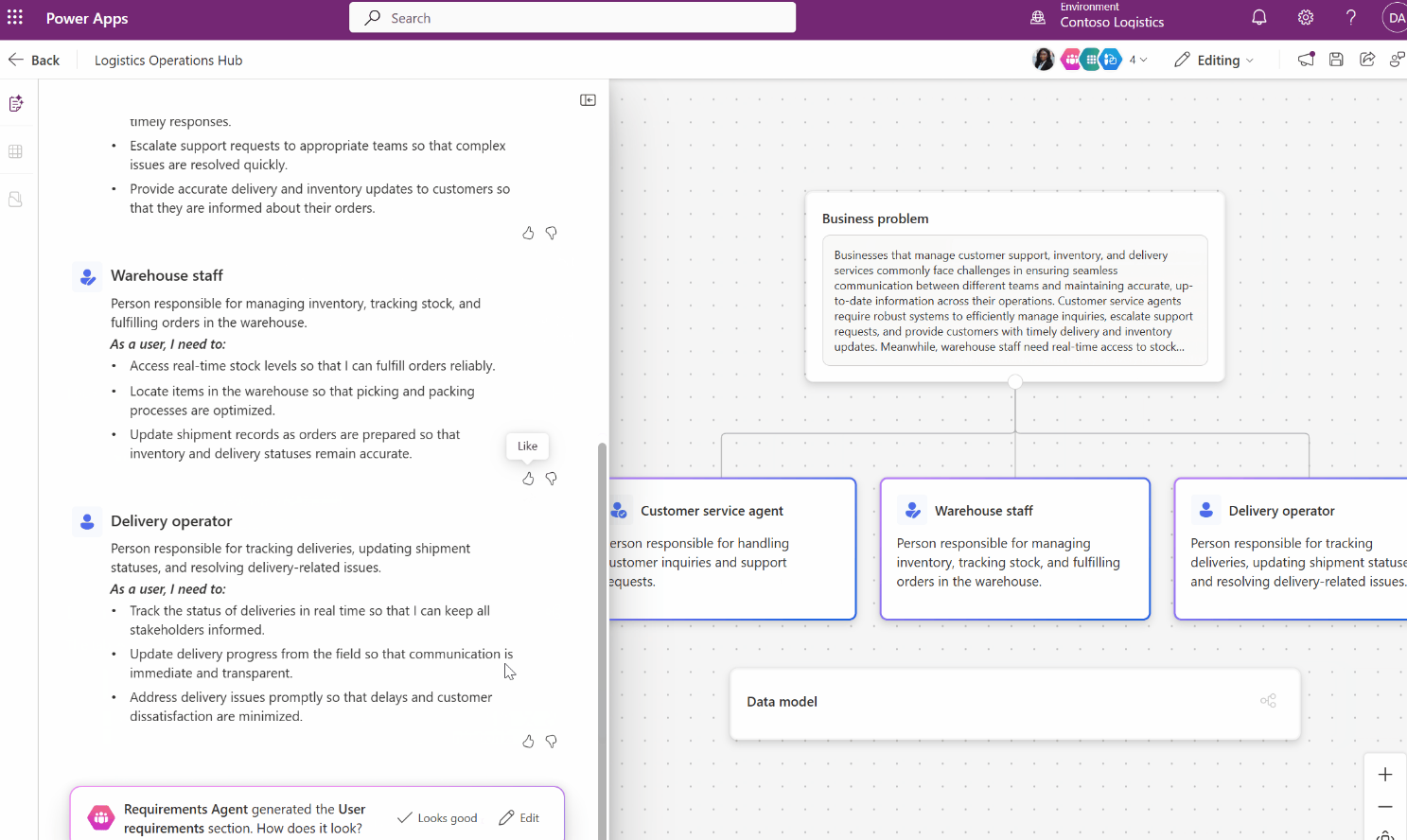
The new Plans feature gives developers a clear, auto-generated view of their existing solutions, making it easier to review and communicate how everything fits together. Instead of manually checking each app, table, and flow, Plans provides a structured blueprint you can refine and share. This helps teams save time, reduce errors, and confidently plan their next enhancements.

Here’s what you need to know:

  • Why it matters

    Save time with automatically generated plans, improve collaboration with a shared, visual blueprint, and accelerate innovation by quickly spotting gaps and opportunities.

  • What’s new

    The new Create a plan from your solution feature uses AI to analyse your solution and automatically generate business objectives, user roles, data model insights, and an overview of your apps, flows, and tables.

  • How it works

    Open Solutions in Power Apps, select your solution, and choose Create a plan from solution—just ensure it contains at least one app and one table, and Copilot will generate and save the plan based on whether the solution is managed or unmanaged.

  • Why use it?

    A structured, AI-generated plan speeds up decision-making and reduces risk — whether you’re onboarding new team members, preparing for an audit, or planning the next phase of your app lifecycle.

Discover how custom business applications can drive real impact. Talk to our team today!

Microsoft Unlocks Real-Time Web Context in Visual Studio Copilot Chat with New “URL Context” Feature

Visual Studio’s Copilot Chat now lets developers paste URLs directly into prompts, enabling it to pull live information from webpages for more accurate, context-aware responses. This update helps overcome the limits of relying solely on built-in training data, giving developers instant access to up-to-date documentation and project-specific resources.

Here’s what you need to know:

  • Use Web Into Copilot Chat

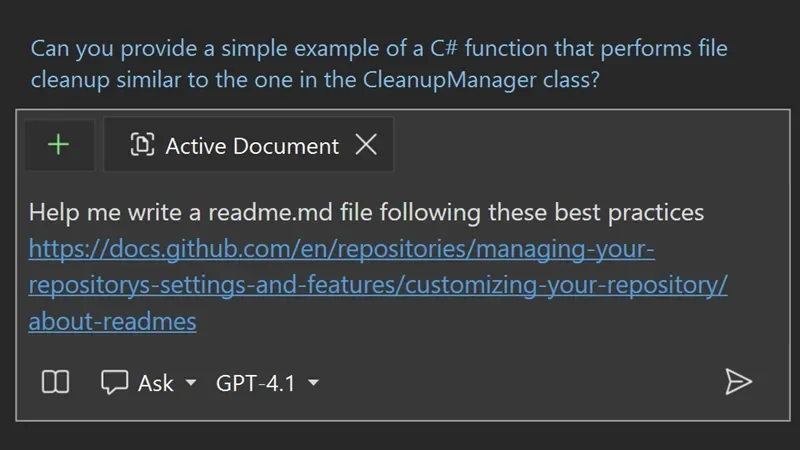
    With the new URL context feature, Copilot Chat can pull information directly from the web pages you provide. Just paste a URL into your prompt, and Copilot will use that page’s content to deliver more accurate, relevant, and real-time responses.

  • How to Use Reference URLs

    Paste your chosen URL into the chat, and Copilot will read and process the page to give you context-aware answers that extend beyond its built-in training.

  • Limitations

    Copilot’s ability to extract content depends on the webpage’s accessibility and structure. Pages requiring authentication or those with heavy dynamic elements may limit what Copilot can access or understand.

Curious how AI can transform your work in Dynamics 365 and Power Platform? Learn more about Infinity AI Agents and reach out to us!

Microsoft Rolls Out New Visual Studio Updates This November 2025

Microsoft has released its latest round of Visual Studio updates, introducing fresh AI-driven enhancements designed to help developers work smarter and faster. These improvements aim to reduce repetitive, time-consuming tasks by providing intelligent assistance right inside the coding workflow.

Discover what’s new in this month’s release:

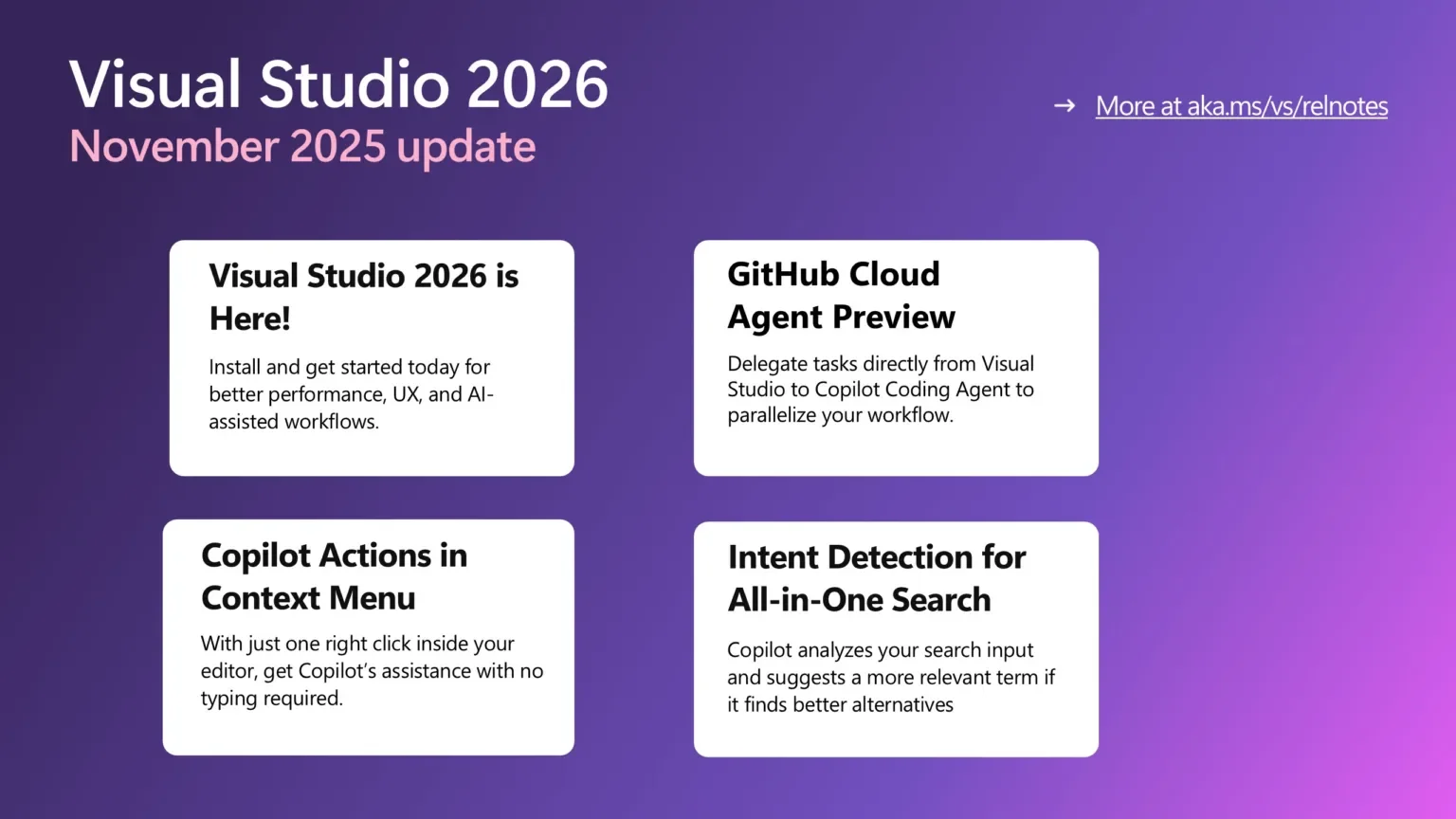
  • Visual Studio 2026 Is Here

    The latest version is now generally available, bringing performance boosts, a refreshed UI, and major advancements in AI-driven development to streamline your workflow.

  • GitHub Cloud Agent Preview

    Now in preview, the Cloud Agent can handle repetitive and time-consuming tasks for you. Just enable it from the Copilot badge → Settings & Options → Coding Agent to get started.

  • Copilot Actions via Context Menu

    Interact with Copilot instantly—no typing needed. Right-click, choose an action, and let Copilot assist you directly from your context menu.

  • Copilot Intent Detection for All-in-One Search

    The updated “Did you mean…” suggestions help you find more relevant results—especially when search results are empty or the top match isn’t quite right.

Explore what custom apps can do for your business—reach out to us today!

Dynamics 365 Customer Service Introduces Timeout Rules for Smarter Customer Service Automation

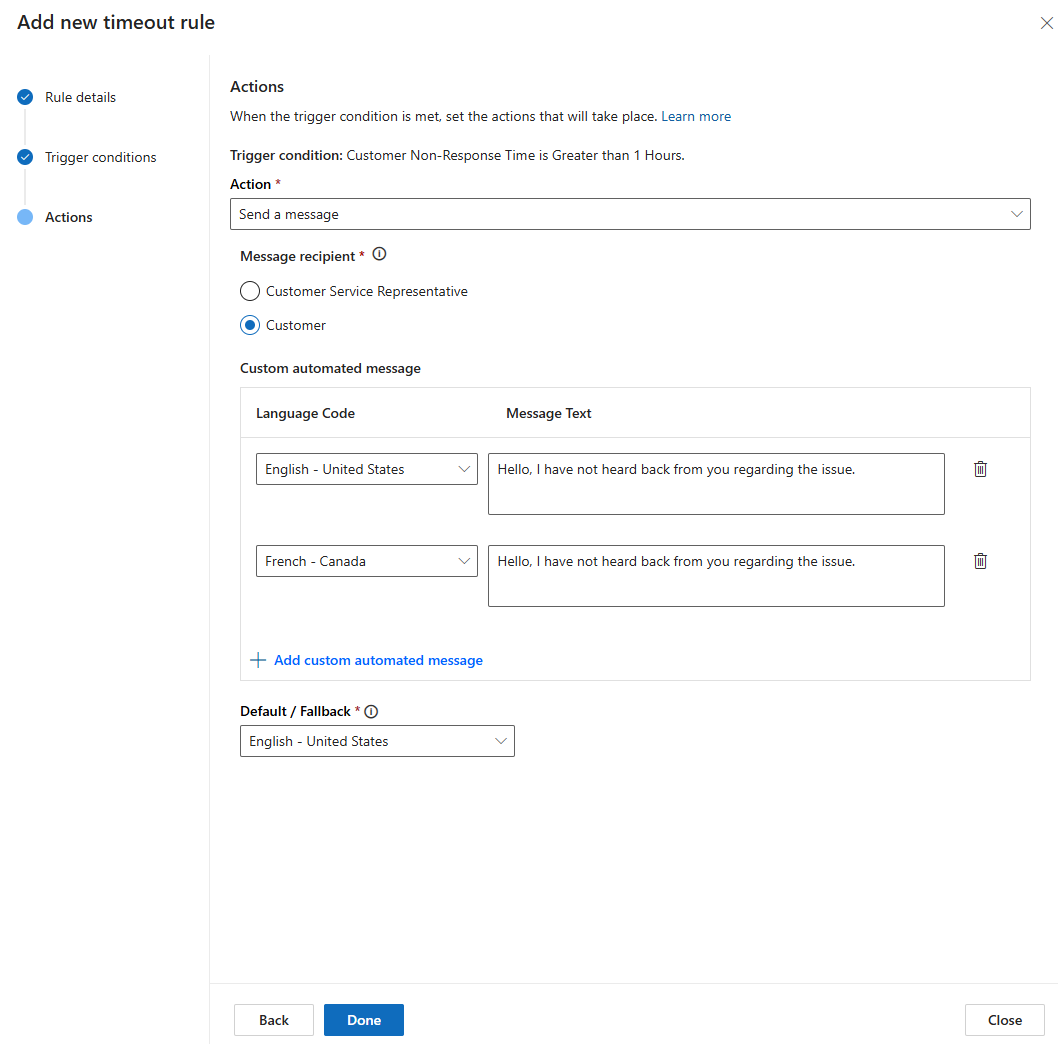
Microsoft is rolling out a new capability in Dynamics 365 Customer Service that enhances how teams automate responses during inactive conversations. The update introduces smarter timeout handling designed to keep support workflows moving smoothly. More details reveal how this feature strengthens overall service efficiency.

Here’s the quick rundown:

  • Why use it?

    Timeout rules help teams stay on top of SLAs, streamline workflows, and keep customer experiences consistent across all messaging channels.

  • How does it work?

    Think of scenarios like inactive chats — instead of letting them linger, timeout rules can automatically close them after a set period. No manual cleanup needed.

  • Expanded channel support

    Timeout rules now work across major channels including persistent chat, SMS, Teams, WhatsApp, LINE, Messenger, WeChat, Apple Messages for Business, and live chat.

  • Keep conversations moving

    You can automatically shift active conversations into a waiting state, helping your team focus on urgent issues first.

  • What’s next?

    More capabilities are on the way — including automatically releasing conversations back into the queue for quicker resolution.

Ready to see how a customer relationship management system can transform your organisation? Get in touch with us today!

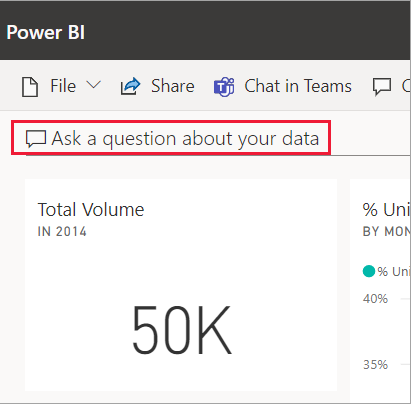
Power BI Q&A to Retire by December 2026: What You Need to Know

Microsoft announced on December 1, 2025 that the legacy natural-language feature Power BI Q&A will be fully deprecated in December 2026. Instead, users will be encouraged to adopt Power BI Copilot, which offers a more advanced, AI-driven way to query data and build visuals.

Here’s what you need to know:

  • Why the change?
    Microsoft is moving to Copilot to remove overlapping features and deliver a more modern, intuitive, and consistent AI experience across Power BI.

  • What’s affected?
    All Q&A experiences—reports, dashboards, and embedded analytics—along with Q&A Setup, will be phased out.

  • Deprecation timeline
    By December 2026, all Q&A visuals and setups will be removed, and existing ones across reports, dashboards, mobile, and embedded scenarios will no longer function.

  • What should you do next?
    Start transitioning to Copilot and Chat with your data, giving you a more powerful and seamless way to explore insights across Power BI.

Want to unlock more Power BI capabilities? Explore Business Intelligence and contact us today.

Dynamics 365 Customer Service & Dynamics 365 Contact Center Launch Autonomous Case Resolution

Customer expectations for fast, accurate, and personalized support are rising — and now Dynamics 365 Customer Service together with Dynamics 365 Contact Center are answering the call. The new autonomous case resolution feature empowers support teams by automatically generating email responses and resolving cases with minimal human intervention. This promises to cut resolution times drastically and let agents focus on more complex, high-value issues.

Here’s what you need to know:

  • Why it matters

    Resolve customer issues faster with minimal human intervention—efficiently, intelligently, and empathetically.

  • Faster resolution

    The agent instantly determines customer intent and drafts professional, empathetic responses using tailored templates for each scenario.

  • Seamless collaboration

    It works with other specialised agents to handle domain-specific tasks, keeping the entire case flow connected and efficient.

  • Smart escalation

    If customer intent isn’t identified, the case is escalated to a human rep. If the customer becomes unresponsive, a follow-up/closure sub-agent steps in to keep things moving.

  • Handles multiple intents

    Multiple concerns in one case? No problem. The agent resolves them sequentially, reducing duplication for support teams and ensuring a unified customer experience.

Ready to transform your case management with Dynamics 365? Get in touch with us today!

Copilot Rolls Out Smart Email-Template Suggestions in Dynamics 365 Customer Service

Microsoft has introduced a new Copilot-powered capability designed to refine how customer service teams create and send emails in Dynamics 365. The update aims to streamline communication workflows and elevate overall productivity. More details highlight how AI is reshaping everyday support tasks.

Here’s what you need to know:

  • Why this helps

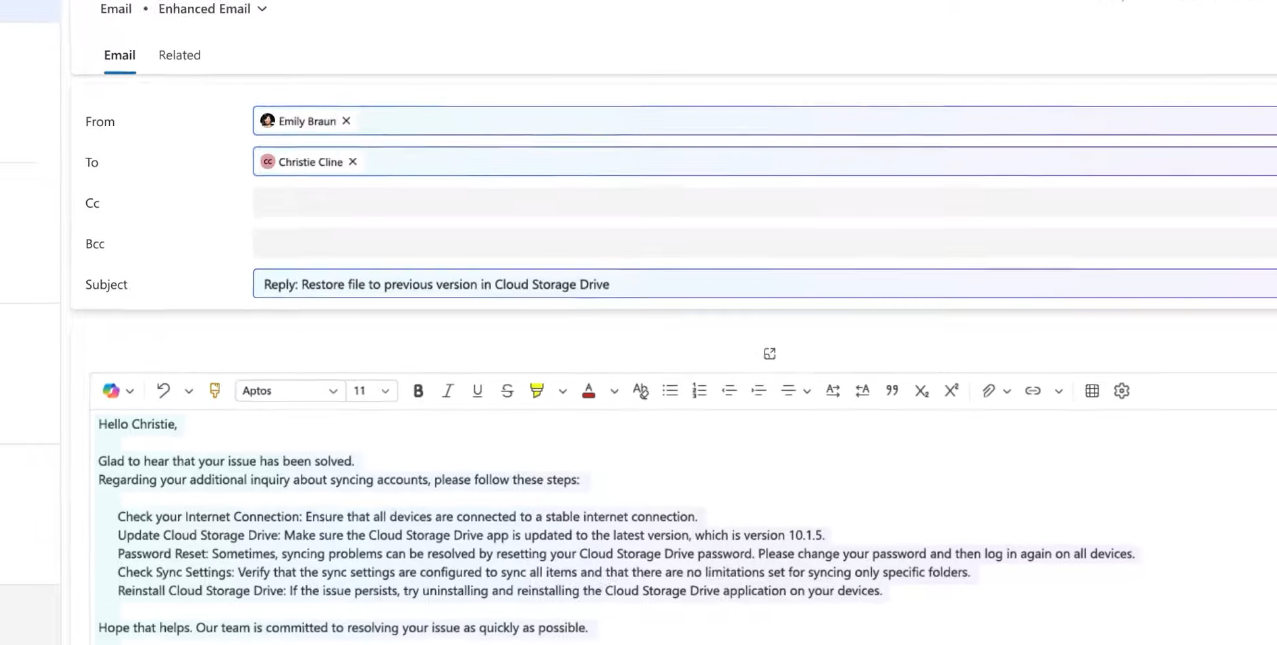
    Copilot looks at your email content, context, and intent, then suggests the best template so you can respond quickly and confidently.

  • Got a specific prompt in mind?

    Just type it into Inline Email Assist. Copilot will find the right template and even draft a contextualised email for you.

  • Smart recommendations, right where you work

    As you compose your message, Copilot suggests the best-fit templates based on the case details—no extra clicks needed.

  • Other capabilities

    If no template suits the situation, Copilot can create a draft from scratch, pull in relevant knowledge base content, and use template tagging to ensure responses are tailored. You still get full control to review and edit before sending.

See how much more you can achieve with Dynamics 365. Explore Customer Relationship Management and reach out to us today!