
Microsoft has unveiled GitHub Copilot Testing for .NET, bringing AI-generated unit tests directly into Visual Studio Insiders. The new feature lets developers instantly create, build, and run tests with a single click, speeding up reliability and coverage. It marks a major step toward fully integrated, AI-assisted testing workflows for .NET teams.
Here’s what you need to know:
What is it?
GitHub Copilot Testing for .NET is purpose-built for generating high-quality tests, understanding your code structure and project setup to create, build, and run tests across any scope—from a single method to your entire solution.
Why use it?
It provides scalable AI-generated unit tests, deterministic and type-safe results, multi-framework support, and seamless Visual Studio integration, including automatic test recovery.
Getting started
Install the latest Visual Studio 2026 Insiders Build, ensure your C# project builds cleanly, enable Copilot Testing under Tools > Options, and make sure you have a GitHub Copilot license.
How to choose what to test
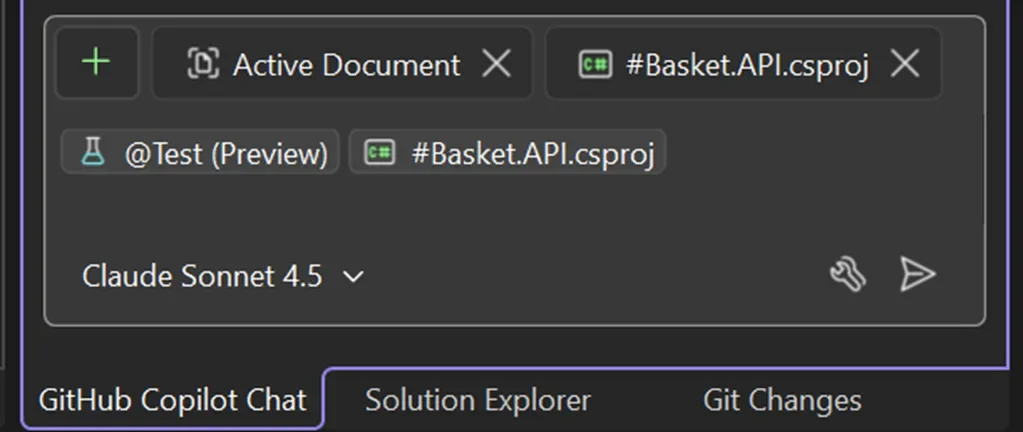
Use @test #target in Copilot Chat to generate tests, where #target can represent a member, class, file, project, solution, or #changes for your Git diff.
What you’ll get
You’ll receive a clear summary of created/updated tests, coverage changes, quality indicators, insights into testability gaps, and direct links to the generated test files for quick iteration.
Power up your Dynamics 365 and Power Platform with solutions built just for you. Let’s create the right application together — get in touch!