
The new Plans feature gives developers a clear, auto-generated view of their existing solutions, making it easier to review and communicate how everything fits together. Instead of manually checking each app, table, and flow, Plans provides a structured blueprint you can refine and share. This helps teams save time, reduce errors, and confidently plan their next enhancements.
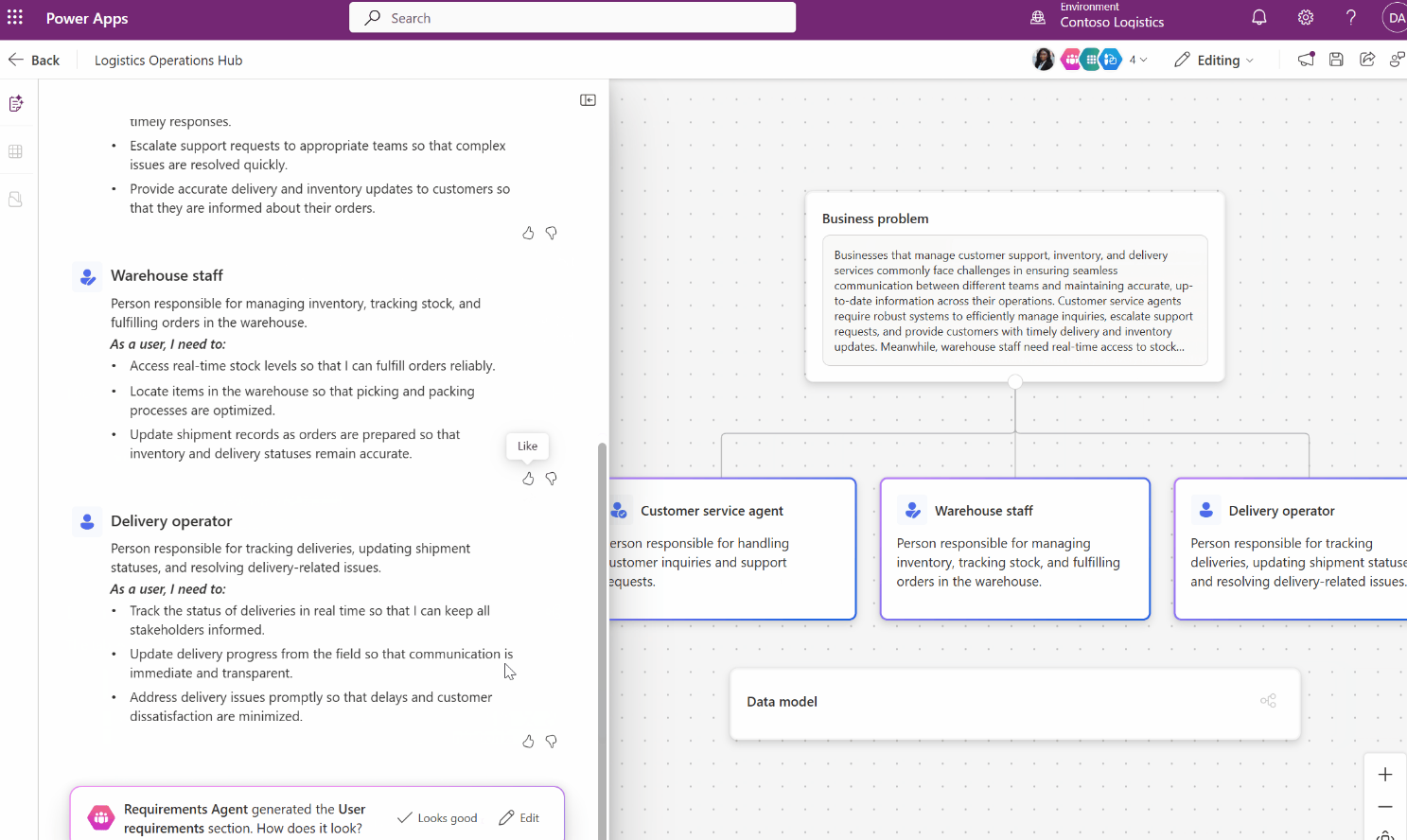
Here’s what you need to know:
Why it matters
Save time with automatically generated plans, improve collaboration with a shared, visual blueprint, and accelerate innovation by quickly spotting gaps and opportunities.
What’s new
The new Create a plan from your solution feature uses AI to analyse your solution and automatically generate business objectives, user roles, data model insights, and an overview of your apps, flows, and tables.
How it works
Open Solutions in Power Apps, select your solution, and choose Create a plan from solution—just ensure it contains at least one app and one table, and Copilot will generate and save the plan based on whether the solution is managed or unmanaged.
Why use it?
A structured, AI-generated plan speeds up decision-making and reduces risk — whether you’re onboarding new team members, preparing for an audit, or planning the next phase of your app lifecycle.
Discover how custom business applications can drive real impact. Talk to our team today!