
Visual Studio’s Copilot Chat now lets developers paste URLs directly into prompts, enabling it to pull live information from webpages for more accurate, context-aware responses. This update helps overcome the limits of relying solely on built-in training data, giving developers instant access to up-to-date documentation and project-specific resources.
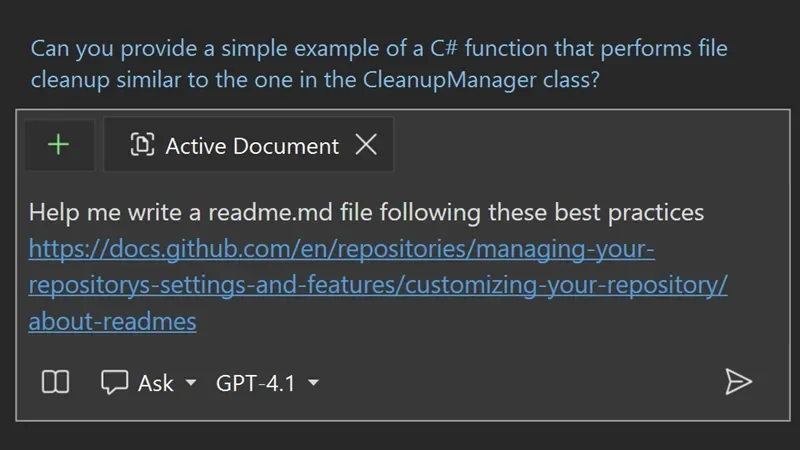
Here’s what you need to know:
Use Web Into Copilot Chat
With the new URL context feature, Copilot Chat can pull information directly from the web pages you provide. Just paste a URL into your prompt, and Copilot will use that page’s content to deliver more accurate, relevant, and real-time responses.
How to Use Reference URLs
Paste your chosen URL into the chat, and Copilot will read and process the page to give you context-aware answers that extend beyond its built-in training.
Limitations
Copilot’s ability to extract content depends on the webpage’s accessibility and structure. Pages requiring authentication or those with heavy dynamic elements may limit what Copilot can access or understand.
Curious how AI can transform your work in Dynamics 365 and Power Platform? Learn more about Infinity AI Agents and reach out to us!