Dynamics 365 Contact Center Levels Up with Advanced Transfer Features

Microsoft has introduced new transfer capabilities in Dynamics 365 Contact Center, designed to improve how service teams handle and route customer conversations. The update enables smoother transitions between agents, specialists, and external partners, helping reduce disruptions and improve resolution speed. These enhancements build on the platform’s broader push toward more efficient, AI-powered customer service operations.
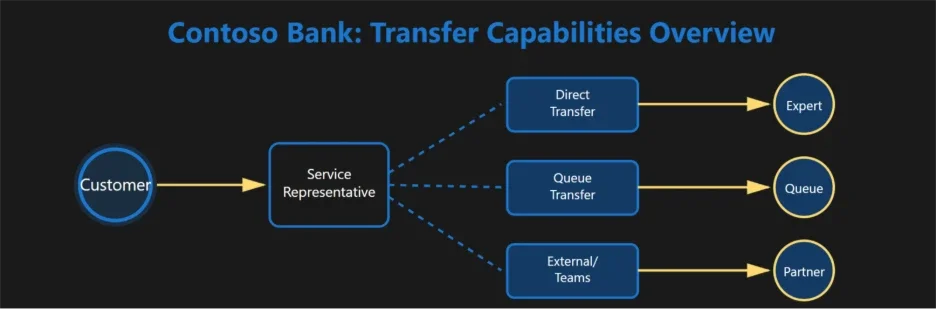
Here’s how your service team can stay in control:

Direct Transfer

Instantly move a conversation—voice or digital—to another representative without a consult step.

  • Warm Transfer

    Consult with an expert while the customer is on hold, ensuring a confident and well-informed handoff.

  • Transfer to Queues

    Route conversations into queues where intelligent logic assigns the best available representative based on expertise or workload.

  • Transfer to External Numbers (PSTN)

    Extend support beyond your organization by transferring calls directly to external phone numbers—without breaking the customer experience.

  • Transfer to Microsoft Teams Users

    Bridge your contact center with collaboration tools by routing conversations directly to Teams users.

  • Wrap-Up After Transfer

    Give representatives dedicated time to document interactions, update records, and complete compliance steps before taking the next request.

  • Filtered Transfer

    Reduce errors and speed up routing by showing only relevant queues or users—so your team can transfer with confidence.

Strengthen every customer interaction with a smarter Customer Relationship Management solution. Get in touch with us today.
Power BI Introduces TMDL View on the Web (Preview)

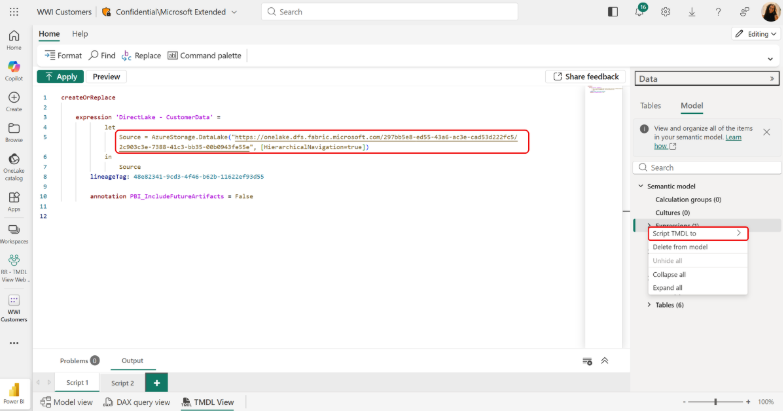
Microsoft has introduced TMDL View on the Web (Preview), bringing a code-first semantic modeling experience directly into the Power BI browser environment. This new capability allows developers to view and edit semantic models using Tabular Model Definition Language (TMDL) without relying on desktop tools. As part of the broader shift to web-based development, it aims to streamline workflows and enable faster, more flexible model updates.

Here’s what you need to know:

  • What is TMDL View on the Web?

    This new Power BI feature lets you view and edit semantic models directly in the browser using a powerful code editor—bringing greater transparency, control, and efficiency to your development workflow.

  • Benefit 1: Explore your model with full visibility

    Access all objects and properties—including advanced ones not available in the standard UI—making it easier to understand and manage your model.

  • Benefit 2: Boost development efficiency

    Work faster with a modern code editor featuring IntelliSense, bulk editing, and search-and-replace. You can also leverage AI tools like GitHub Copilot to assist with writing TMDL scripts.

  • Benefit 3: Edit beyond UI limitations

    Modify advanced properties (like partition definitions or isAvailableInMdx) directly in the browser—no external tools required.

  • Benefit 4: Improve reuse and collaboration

    Share TMDL scripts to easily reuse semantic model components across teams and projects.

Read how Power BI empowered the Independent Police Conduct Authority to gain visibility into case categorisations and allocations per person. Want to experience the benefits of Power BI? Contact us today!

Microsoft Unveils March 2026 Power Platform Enhancements

Microsoft has rolled out its March 2026 Power Platform updates, highlighting continued investment in AI, automation, and user-centric app design. The latest features aim to streamline development while enabling more intelligent, connected business applications.

Here’s what’s new:

  • Agentic apps with Microsoft 365 Copilot

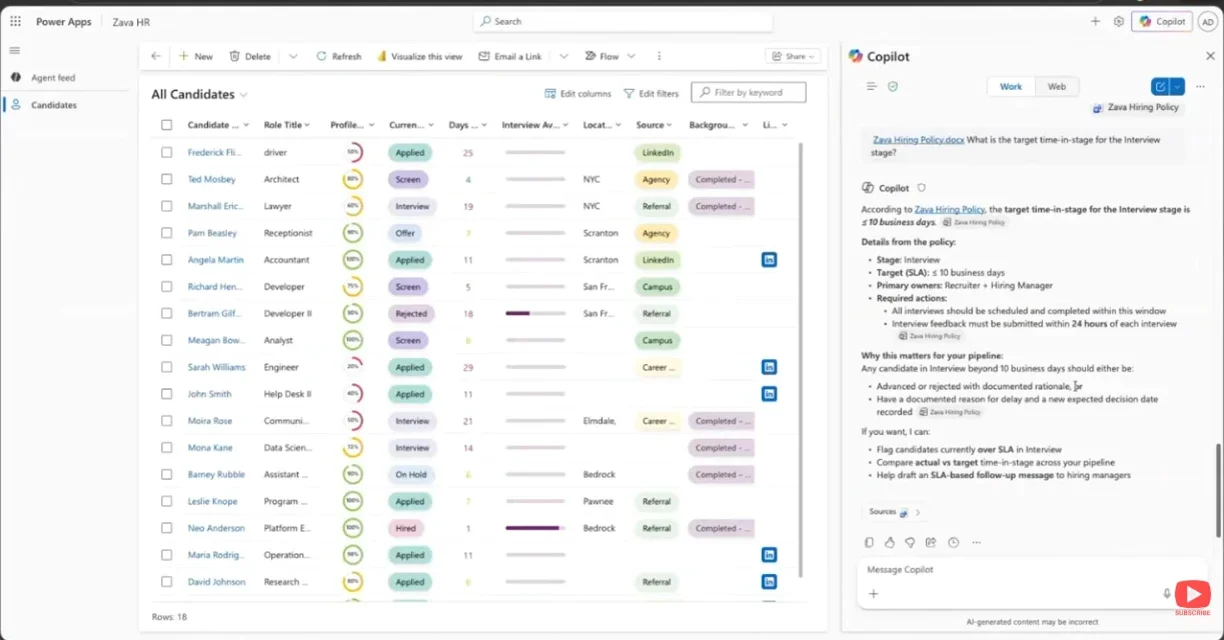
    Bring Copilot into model-driven apps to interact with your data using natural language. Generate documents, create presentations, visualize insights, and even schedule meetings—right from within your app.

  • Modern app building improvements

    Canvas apps just got better. Microsoft rolled out quality updates across nine modern controls—enhancing consistency, reliability, and flexibility based on real maker feedback.

  • AI-powered development with vibe.powerapps.com

    Build full-code Power Apps from a simple prompt. This new preview experience streamlines app creation, editing, and publishing—no need for VS Code or manual coding.

  • Advanced process insights in Power Automate

    Object-Centric Process Mining (OCPM) provides a more realistic view of your processes by tracking interconnected business objects like orders, invoices, and payments—giving you deeper, end-to-end visibility.

  • Smarter experiences with Power Pages

    The new Agent API enables seamless integration with Microsoft Copilot Studio, making it easier to build intelligent, conversational web experiences tailored to your users.

Check out the full list of Power Platform updates!

See how Power Platform helped the Cook Islands Development Agency New Zealand achieve their goals—get in touch with us today to start your own success story.

What’s New in Power BI: March 2026 Feature Highlights

Power BI’s March 2026 release delivers a set of improvements aimed at streamlining report creation and expanding analytical capabilities. From enhanced AI experiences to more flexible reporting tools, the update focuses on empowering users to work more efficiently with their data. It reflects Microsoft’s continued investment in intelligent, end-to-end analytics.

Here’s what’s new across Copilot, reporting, modeling, and data connectivity:

  • Copilot & AI: Copilot Pane User Experience Update

    The Copilot pane in Reports and Apps now has a refreshed, consistent look and feel. Functionality remains the same—but starter prompts now disappear once your conversation begins, keeping your workspace clean and focused.

  • Reporting: AI Narrative Auto Refresh

    No more manual refresh clicks. With the new Auto refresh toggle for AI Narrative visuals, summaries automatically update based on slicer selections—making your reporting smoother and more intuitive.

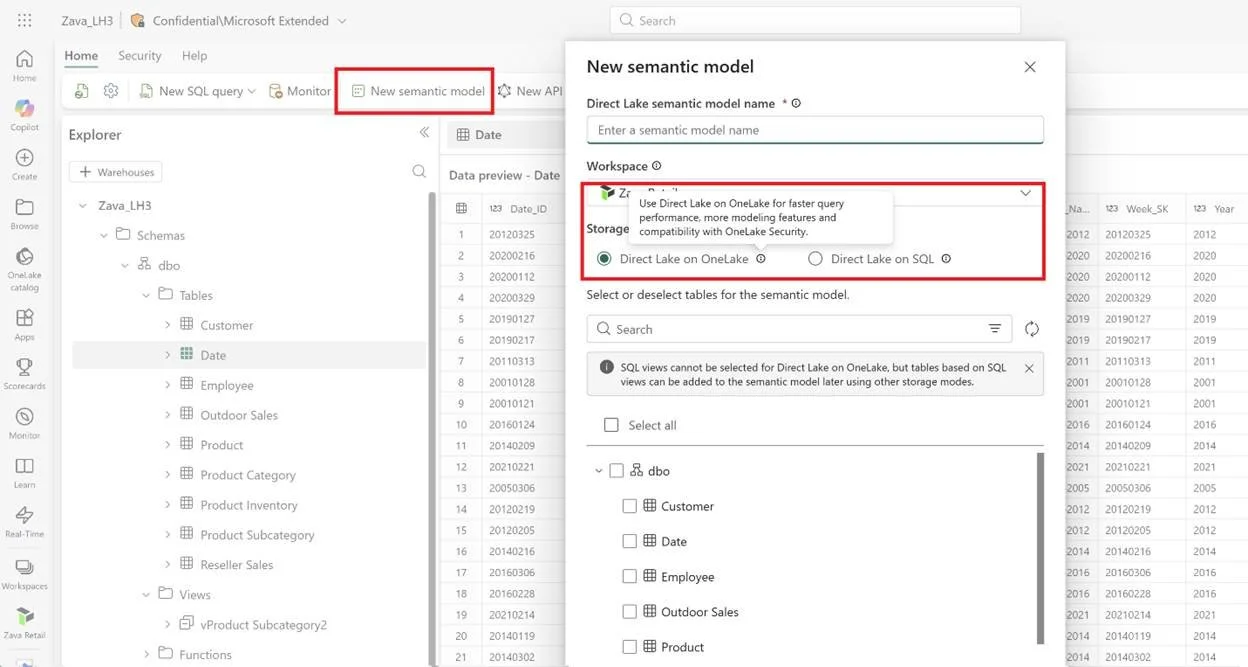
  • Modeling: Direct Lake in OneLake (Generally Available)

    Power BI continues its push toward open data standards by supporting Delta Lake and Parquet. This helps reduce data duplication, avoid vendor lock-in, and establish a true single source of truth. Plus, Direct Lake mode delivers faster performance directly from OneLake—no need for heavy data refreshes.

  • Data Connectivity: IBM Netezza ODBC Driver (Generally Available)

    A more reliable path forward for Netezza users—Power BI is transitioning from the embedded Simba driver to the IBM Netezza ODBC driver, ensuring long-term support and stability.

  • Visualisation: Sankey Chart by Powerviz

    The Powerviz Sankey Chart brings data to life with dynamic flow visuals—perfect for understanding movement across categories and uncovering insights in complex processes.

Check the full list of Power BI updates.

Turn your data into actionable insights with Power BI. Unlock the full potential of Business Intelligenceget in touch with us today to get started.

Power BI’s Semantic Layer Push Signals the Future of AI Analytics

Microsoft is positioning semantic layers in Power BI as a critical foundation for enterprise AI, enabling more consistent, trustworthy, and scalable insights. By standardizing business logic and data definitions, these layers help AI systems deliver accurate answers across tools and users. The move reinforces how modern analytics platforms are evolving to support AI-driven decision-making at scale.

Here’s what’s new:

  • Translytical flows

    Power BI is no longer just for reporting. Users can now take action directly within reports—update records, trigger workflows, and resolve issues in real time without switching systems.

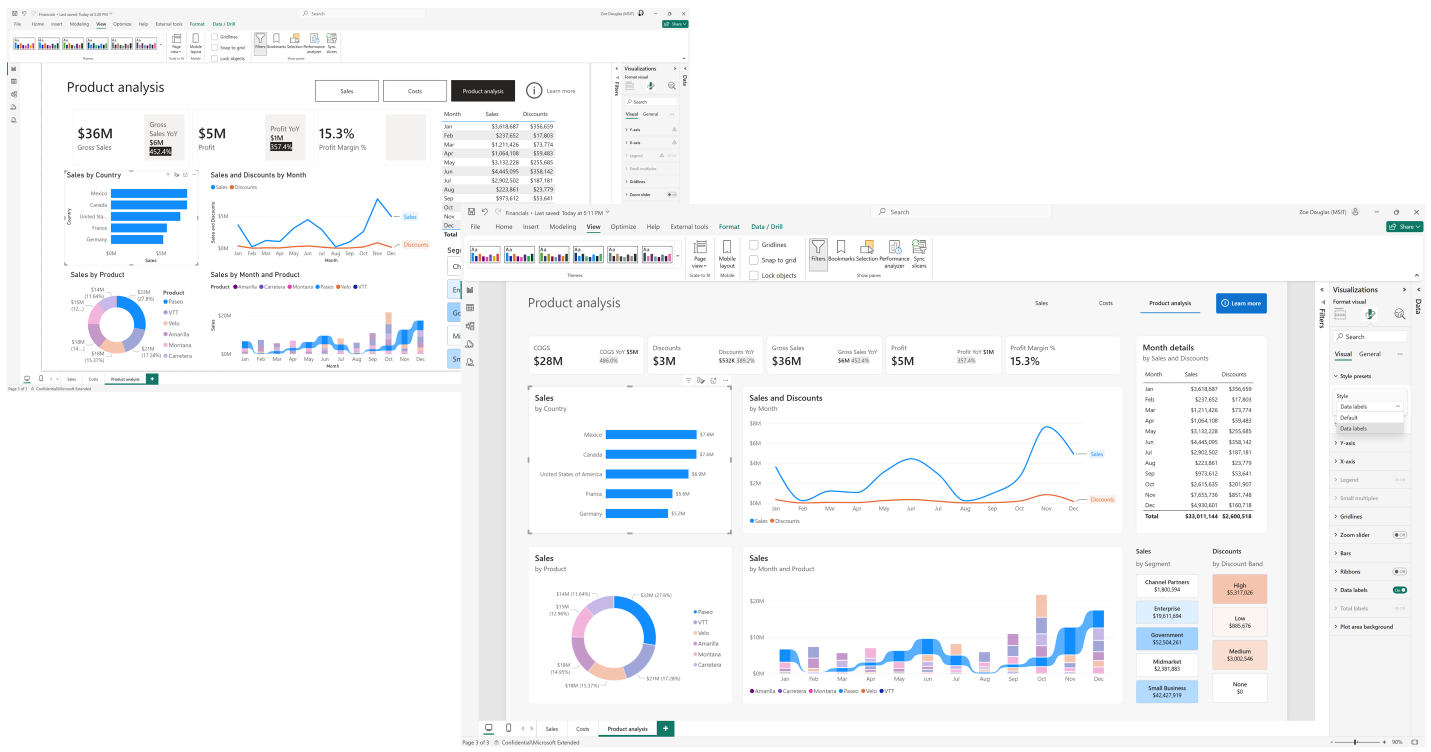
  • Modern visual defaults

    Create polished, consistent reports instantly. With Fluent 2-aligned themes, your visuals look professional right out of the box—so you can focus on insights, not formatting.

  • Report Copilot for Mobile

    On the go? Ask questions via voice or text in the mobile app and get instant answers or visuals powered by Copilot.

  • TMDL View in the Web (Preview)

    A code-first modeling experience is coming to the browser. View, edit, and manage semantic models with greater transparency and efficiency using TMDL.

  • Direct Lake on OneLake

    Work with open formats like Delta Lake and Parquet while reducing data duplication. Direct Lake unlocks faster performance and near real-time insights.

  • Direct Lake calculated columns (Preview)

    Extend your data model when upstream changes aren’t possible by adding calculated columns directly within Direct Lake tables.

Read how Power BI empowers the Independent Police Conduct Authority to see their data at a higher level in our case study. Got questions? Contact us today!

Power Automate Enhances Work Queues with Smarter Monitoring and Alerts

Microsoft has introduced new enhancements to work queues in Power Automate, aimed at improving how teams manage and monitor automated workflows. The updates include proactive alerts and a unified operator view, helping organisations gain better visibility and respond to issues faster. Together, these features are designed to strengthen control and efficiency across automation operations.

Here’s what’s new:

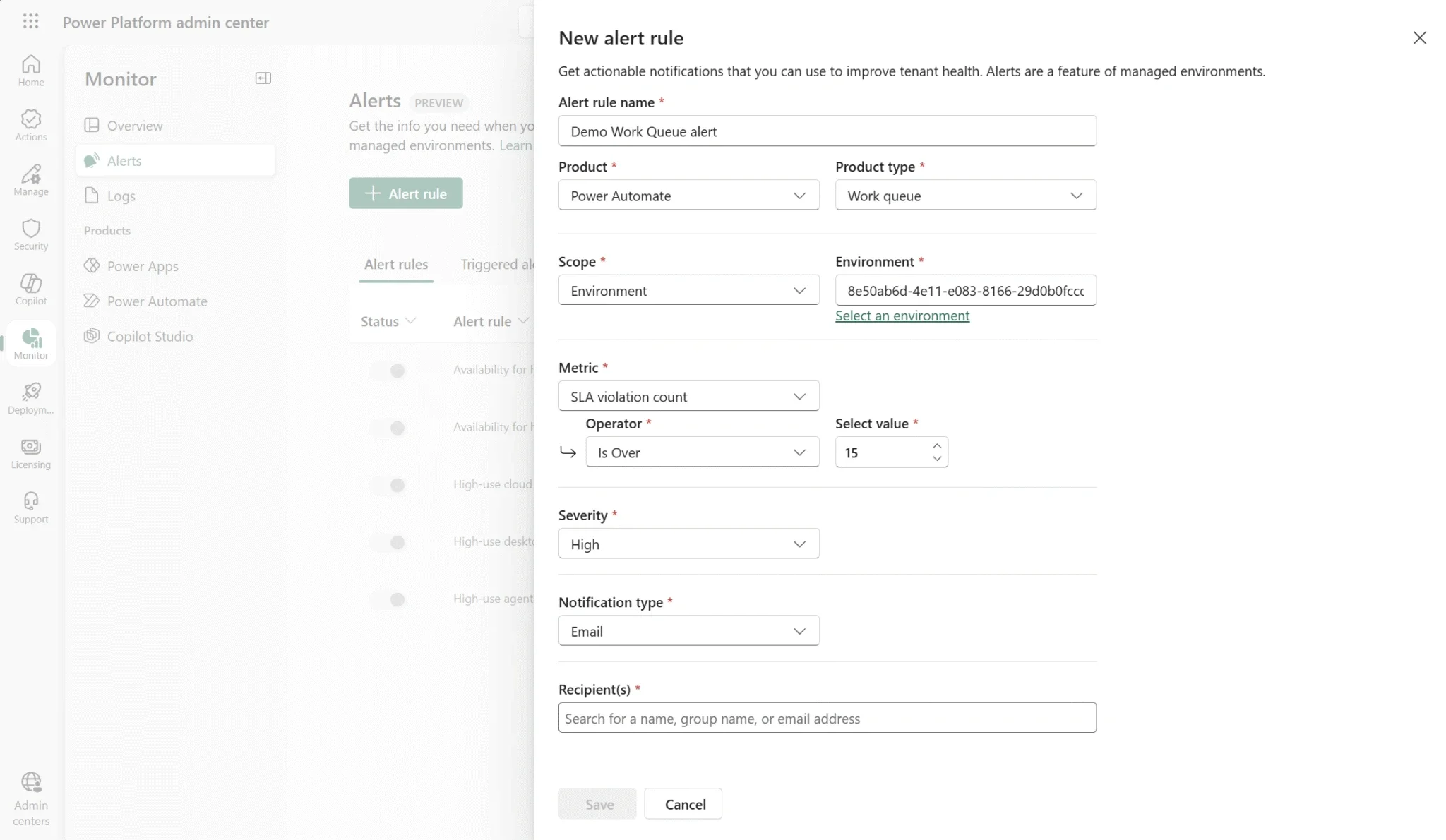
  • Work Queue Alerts for Admin

    Get real-time visibility into queue health and performance, including items pending action, requiring resolution, and overall queue status. You can also set proactive alerts when SLA thresholds are exceeded—so issues are flagged before they escalate.

  • Aggregated View for Operators

    Operators can now access a unified dashboard in the automation center, making it easier to monitor multiple queues, prioritise tasks, and respond to issues faster.

  • Why it matters

    Scale more efficiently, optimise resources, maintain consistent prioritisation, and improve resilience with centralised monitoring and exception handling.

Curious how Power Automate works in real scenarios? Explore our Cook Islands Development Agency New Zealand success story and reach out to learn more.

Visual Studio Launches Monthly Newsletter to Highlight Subscriber Benefits

Microsoft has introduced a new opt-in newsletter for Visual Studio subscribers, aimed at helping developers stay informed about the full value of their subscriptions. The monthly email delivers curated updates, exclusive resources, and insights directly to users’ inboxes—without the need to actively search for them. The move addresses a common gap where many developers are unaware of included benefits and tools.

Here’s what you need to know:

  • What is the Visual Studio Subscription newsletter?

    It’s a monthly email that keeps you updated on the latest features, training resources, and subscriber-only benefits.

  • Why did Microsoft launch it?

    A Visual Studio subscription is more than just an IDE—it includes Azure credits, Dev/Test pricing, access to platforms like Pluralsight and Cloud Academy, event discounts, and partner offers. The newsletter helps you actually use these benefits.

  • What’s inside

    Expect curated content like product updates, coding tips, on-demand training, benefit breakdowns, exclusive offers, and insights from the Visual Studio team.

  • Why you should care

    It helps you unlock hidden value in your subscription—so you can level up faster, save costs, and stay ahead with tools like GitHub Copilot, Microsoft Azure, and .NET.

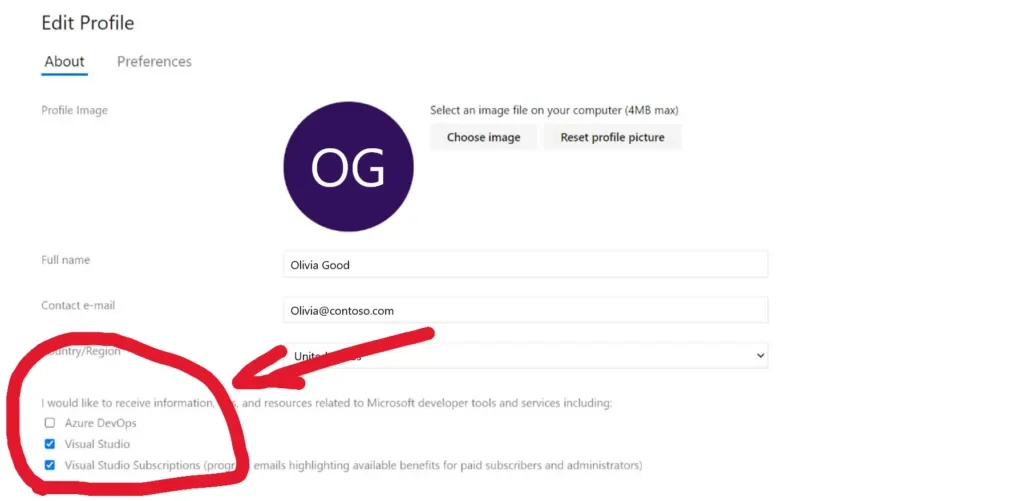
  • Get started

    Opt in to the Visual Studio Subscription newsletter and make sure to select “Visual Studio” and “Visual Studio Subscriptions” in your preferences.

Unlock more value from Dynamics 365 and the Power Platform with custom-built business applications tailored to your needs. Get in touch with us today to start the conversation.

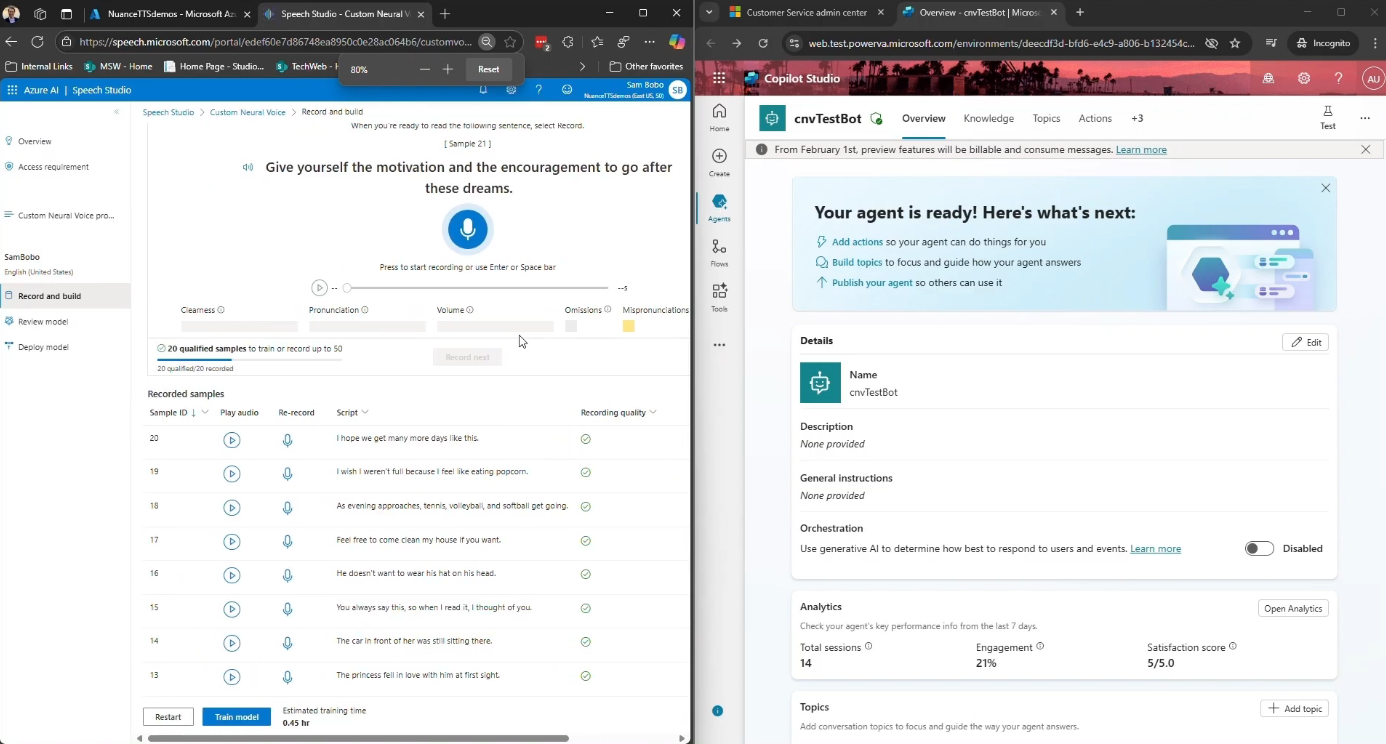
Bring Your Brand’s Voice to AI: Custom Neural Voices Arrive in Dynamics 365 Contact Center

Microsoft Dynamics 365 Contact Center is introducing Custom Neural Voices, a new capability that allows organisations to create branded, natural-sounding AI voices for customer interactions. The feature enables businesses to move beyond generic text-to-speech by training AI voices that reflect their brand identity while powering virtual agents and automated voice experiences. The update aims to deliver more personalised and human-like conversations across AI-driven contact centre scenarios.

Here’s a quick look at what it offers:

  • What is Custom Voice?

    Custom Voice, also known as Custom Neural Voice, lets organisations like yours to move beyond generic text-to-speech. Instead, you can create voice experiences that reflect your brand’s tone, personality, and values—while still benefiting from the scale and intelligence of AI-powered contact centres.

  • Why does it matter?

    Voice is still one of the most trusted and emotionally rich ways to engage with customers. Whether it’s resolving an issue, providing updates, or guiding someone through a self-service process, how your system sounds can shape the entire customer experience.

  • What can you expect?

    With 50 voice samples available, you can choose styles that fit your brand—whether that’s calm and supportive, confident and professional, or warm and conversational. This helps ensure voice interactions feel more natural and consistent.

  • What are the benefits?

    Custom Neural Voice helps you deliver voice interactions that sound more natural and expressive while staying consistent with your brand identity. It also supports inclusivity across languages and accents while scaling easily for high-volume customer scenarios.

  • Where can you use it?

    Custom Neural Voice can power experiences across virtual agents, self-service workflows, and intelligent IVR systems, helping create more natural AI-driven conversations with customers.

Equip your organisation with a platform that elevates customer interactions. Explore customer relationship management and contact us today.

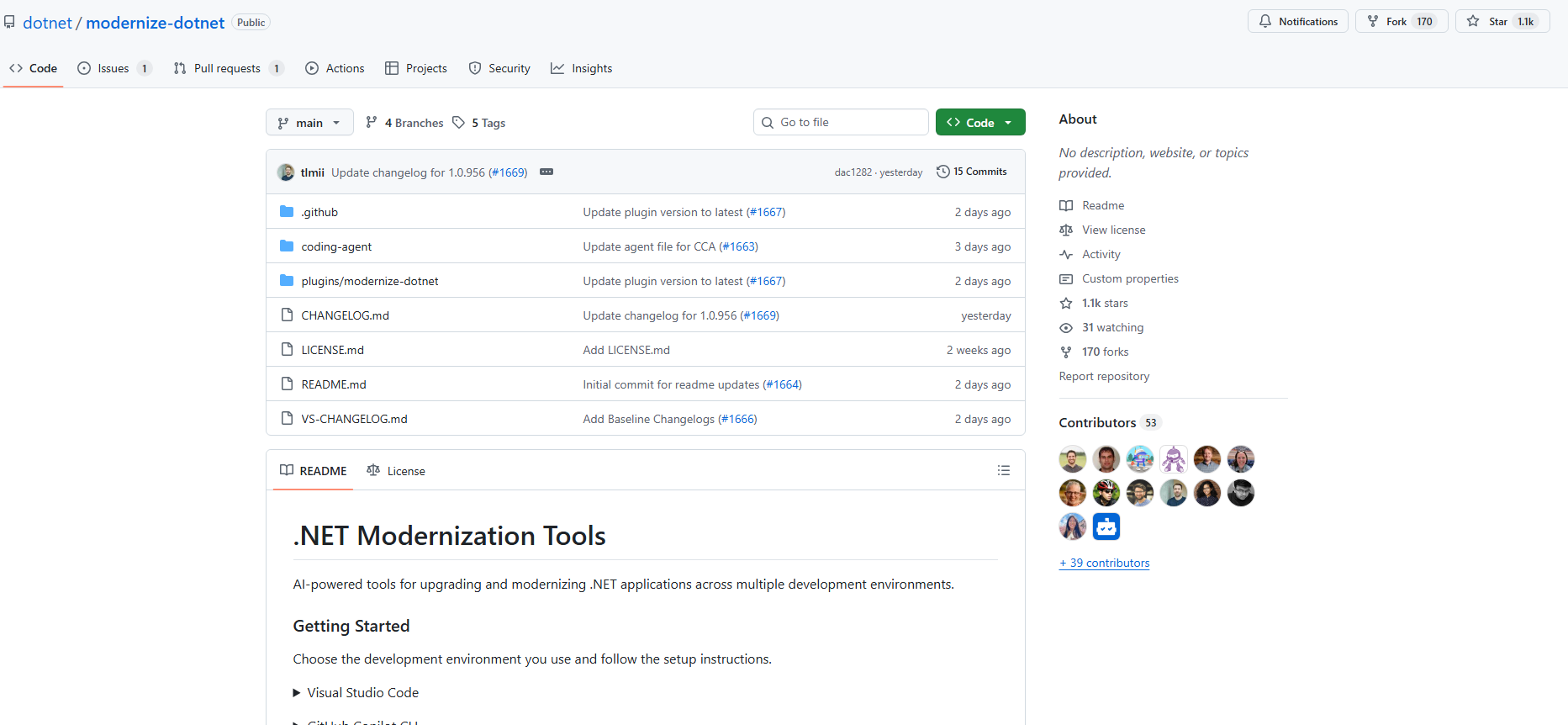
Microsoft Introduces ‘modernize-dotnet’ Agent for Flexible .NET Upgrades

Microsoft has introduced a new modernize-dotnet custom agent that enables developers to modernize .NET applications across multiple environments, including Visual Studio, Visual Studio Code, GitHub Copilot CLI, and GitHub. The tool extends the modernization workflow beyond a single IDE, allowing teams to assess, plan, and execute upgrades directly within the tools they already use. It is part of the broader GitHub Copilot modernisation platform aimed at simplifying application upgrades and migrations for developers.

Here’s what you need to know:

  • What the agent produces

    Each modernization run generates three artifacts in your repository: an assessment highlighting scope and blockers, a proposed upgrade plan, and upgrade tasks that apply the required code transformations.

  • Using it in GitHub Copilot CLI

    Terminal-first developers can modernize directly from the shell. Simply install the plugin from the marketplace, select the agent, prompt it, and review the generated upgrade tasks before executing them.

  • Using it in GitHub

    The agent can run directly inside your repository. The generated artifacts live alongside your code, allowing teams to review modernization plans just like any other code change.

  • Using it in VS Code

    Install the GitHub Copilot modernization extension, select modernize-dotnet from the Agent picker in Copilot Chat, and prompt the agent with the upgrade you want to perform.

  • Using it in Visual Studio

    For Visual Studio users, the workflow is fully integrated. Right-click your solution or project in Solution Explorer and select Modernize to begin the upgrade process.

  • Supported workloads

    The modernization agent supports many common .NET project types, including ASP.NET Core, Blazor, Azure Functions, WPF, class libraries, and console apps. Migration from .NET Framework to modern .NET is also supported for several application types, with Web Forms support coming soon.

  • Custom skills support

    The agent also supports custom skills, enabling teams to embed internal frameworks, migration patterns, or architectural standards directly into the modernisation workflow.

Want an AI agent that helps you work more efficiently in Dynamics 365 and Power Apps? Explore Infinity AI Agents and contact us today to get started.

Inside Agentic AI: Microsoft’s “The Shift” Podcast Answers Developers’ Top Questions

Microsoft has launched “The Shift,” a podcast exploring the emerging world of agentic AI. The series brings together experts to discuss the opportunities and challenges of AI agents in modern technology.

Here’s what you can expect:

  • What is the podcast about?

    The Shift is an eight-episode podcast inspired by real questions raised at Microsoft Ignite. It brings together engineering, product, and strategy perspectives to unpack the future of AI agents.

  • What topics will they cover?

    Episodes explore key questions such as how agents find data, collaborate with each other, manage context, and whether technologies like Postgres will power the next wave of AI architectures.

  • Why is this podcast happening?

    Microsoft sees AI agents as a catalyst for innovation across the stack, but making them work at scale raises real challenges—observability, governance, security, optimisation, and quality.

  • Where can you access the podcast?

    You can listen to The Shift on YouTube, Spotify, Apple Podcasts, Amazon Music, and RSS.com.

Take your Dynamics 365 and Power Apps to the next level with AI. Discover Infinity AI Agents and contact us today.