
Microsoft has introduced new transfer capabilities in Dynamics 365 Contact Center, designed to improve how service teams handle and route customer conversations. The update enables smoother transitions between agents, specialists, and external partners, helping reduce disruptions and improve resolution speed. These enhancements build on the platform’s broader push toward more efficient, AI-powered customer service operations.
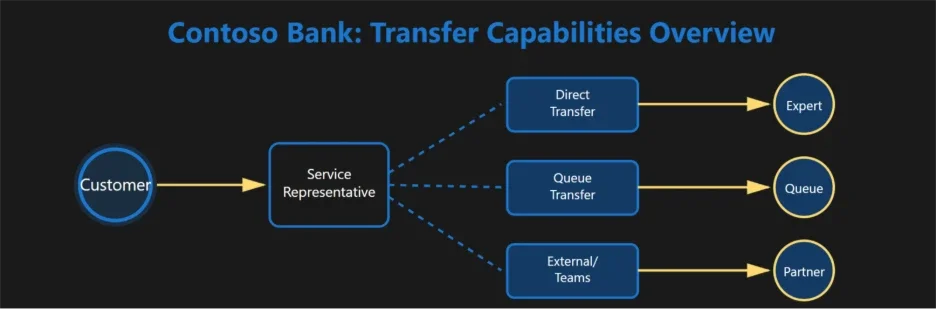
Here’s how your service team can stay in control:
Direct Transfer
Instantly move a conversation—voice or digital—to another representative without a consult step.
Warm Transfer
Consult with an expert while the customer is on hold, ensuring a confident and well-informed handoff.
Transfer to Queues
Route conversations into queues where intelligent logic assigns the best available representative based on expertise or workload.
Transfer to External Numbers (PSTN)
Extend support beyond your organization by transferring calls directly to external phone numbers—without breaking the customer experience.
Transfer to Microsoft Teams Users
Bridge your contact center with collaboration tools by routing conversations directly to Teams users.
Wrap-Up After Transfer
Give representatives dedicated time to document interactions, update records, and complete compliance steps before taking the next request.
Filtered Transfer
Reduce errors and speed up routing by showing only relevant queues or users—so your team can transfer with confidence.
Strengthen every customer interaction with a smarter Customer Relationship Management solution. Get in touch with us today.