Dynamics 365 Sales Expands Agentic AI with MCP

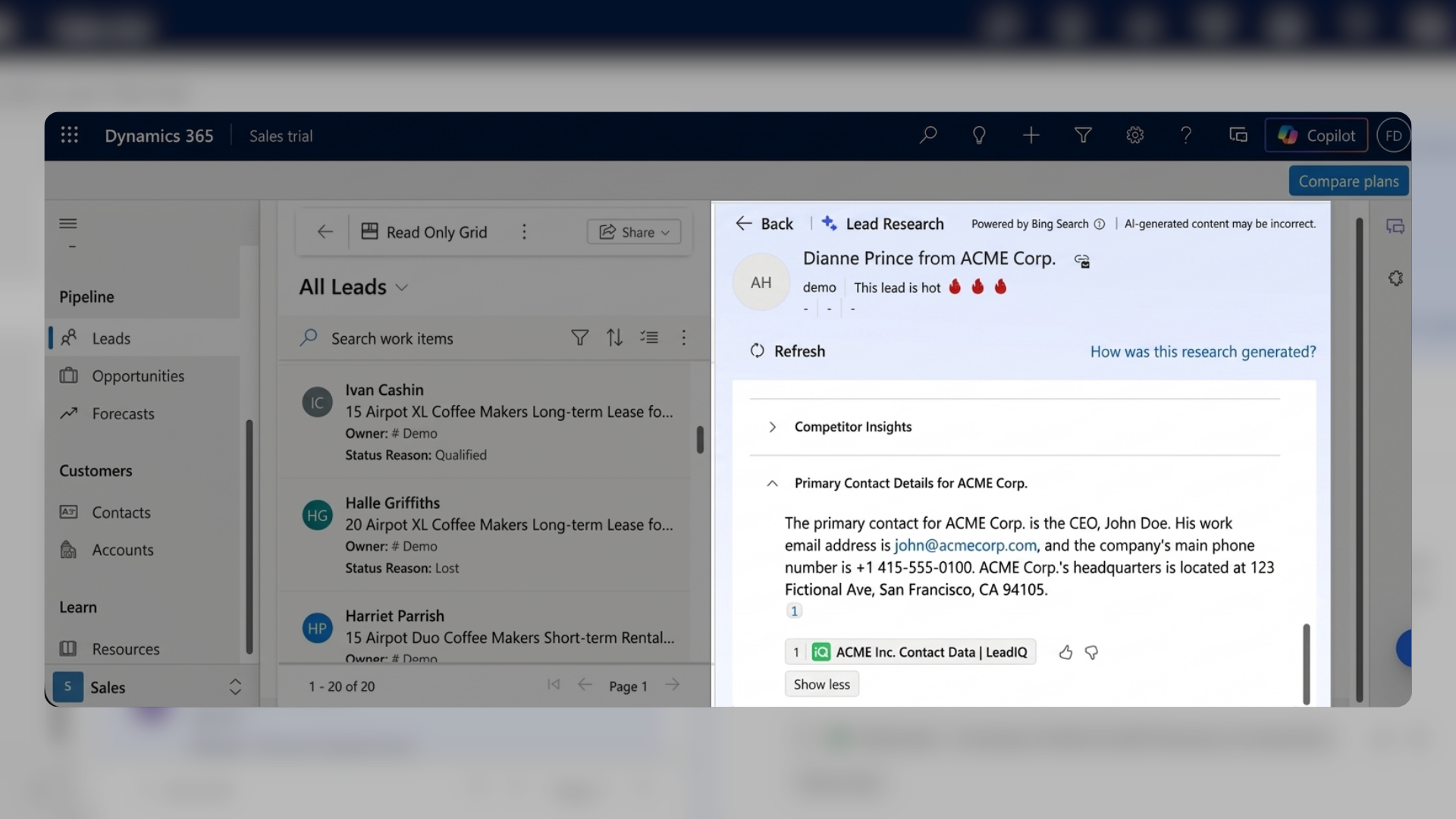
Microsoft has announced the extension of Dynamics 365 Sales through the Model Context Protocol (MCP), enabling AI agents to securely connect with external tools, data, and business systems. The update aims to help organisations deliver richer, real-time sales intelligence without relying on complex integrations or duplicated data, further advancing Microsoft's vision for agentic CRM.
Here's what you need to know:

  • Why use MCP?

    Your most valuable sales insights often live outside your CRM, from buying signals to market intelligence and conversation data. MCP brings those insights together so your teams can make faster, more informed decisions.

  • What is Model Context Protocol (MCP)?

    Model Context Protocol (MCP) is an open standard that enables AI agents to securely connect with external applications, systems, and data sources. It helps organisations extend Dynamics 365 Sales with trusted business intelligence while reducing the need for complex integrations or duplicated data.

  • What does this mean for Dynamics 365 Sales users?

    Dynamics 365 Sales agents can securely access real-time information from connected business systems without additional integration work. This gives sellers a more complete view of customers, helping them focus on selling instead of searching for information.

  • How do AI sales agents benefit?

    Microsoft's Sales Qualification Agent and Sales Opportunity Agent can natively use MCP tools through Microsoft Copilot Studio. This allows businesses to leverage existing partners, licences, and trusted data to deliver smarter AI experiences and more connected sales workflows.

  • Meet the new MCP partners

    Microsoft has announced new MCP partners including ZoomInfo, Dun & Bradstreet, LeadIQ, Draup, Gong, Enlyft, and HG Insights. These integrations bring richer market intelligence directly into Dynamics 365 Sales to help sales teams qualify leads, prioritise opportunities, and close deals faster.

Take your CRM to the next level with AI. Discover Infinity AI Agents and contact us today to see how they can streamline your sales and business processes.
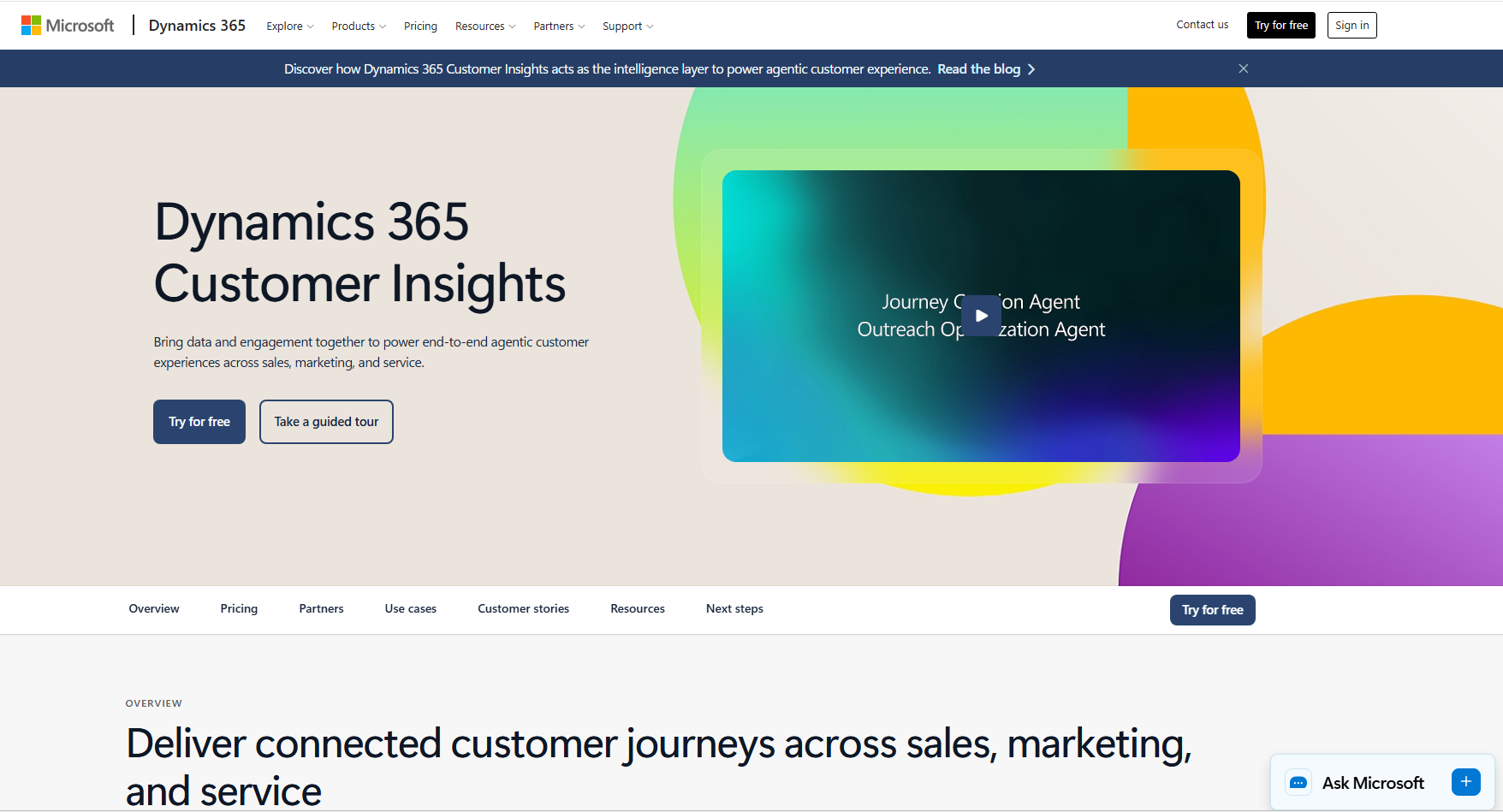
Dynamics 365 Customer Insights Becomes the Intelligence Layer for AI-Powered Customer Experiences

Microsoft has announced a reimagined Dynamics 365 Customer Insights, positioning it as the intelligence layer that powers AI-driven, agentic customer experiences across sales, service, and marketing. The update focuses on unifying customer data and signals to help AI agents and business teams deliver more connected, personalised interactions throughout the customer journey.

Here's what you need to know:

  • The challenge

    Your organisation is collecting more customer data than ever, but when that information lives in different systems, it's difficult to see the full picture. Without connected data, teams miss opportunities, and AI can't deliver the insights and recommendations it's capable of.

  • The solution

    Dynamics 365 Customer Insights brings customer data together into a single, continuously updated profile while turning those insights into personalised customer journeys. That means every team can make better decisions and engage customers with the right message at the right time.

  • Put AI to work for customer engagement

    New AI capabilities like the Journey Creation Agent, Outreach Optimization Agent, and Customer Insights MCP Server help automate campaign creation, optimise outreach, and ensure AI respects customer consent. Your team spends less time on manual work and more time creating meaningful customer experiences.

  • A connected customer experience

    Customer Insights works seamlessly with Dynamics 365 Sales and Customer Service, so every team has access to the same customer intelligence. Instead of disconnected interactions, you can deliver a consistent experience from the first touchpoint through to ongoing support.

  • Turn insights into action

    Customers expect personalised experiences, and organisations that can act on customer data quickly have a clear advantage. By bringing together Customer Insights, Sales, and Customer Service, Dynamics 365 helps your teams build stronger relationships, work more efficiently, and deliver better business outcomes.

Discover how Dynamics 365 Customer Insights helped HRNZ transform its membership management and deliver a more connected member experience. Contact us today to learn how we can help your organisation achieve similar results.

Microsoft Opens Private Marketplace Preview for Visual Studio Administrators

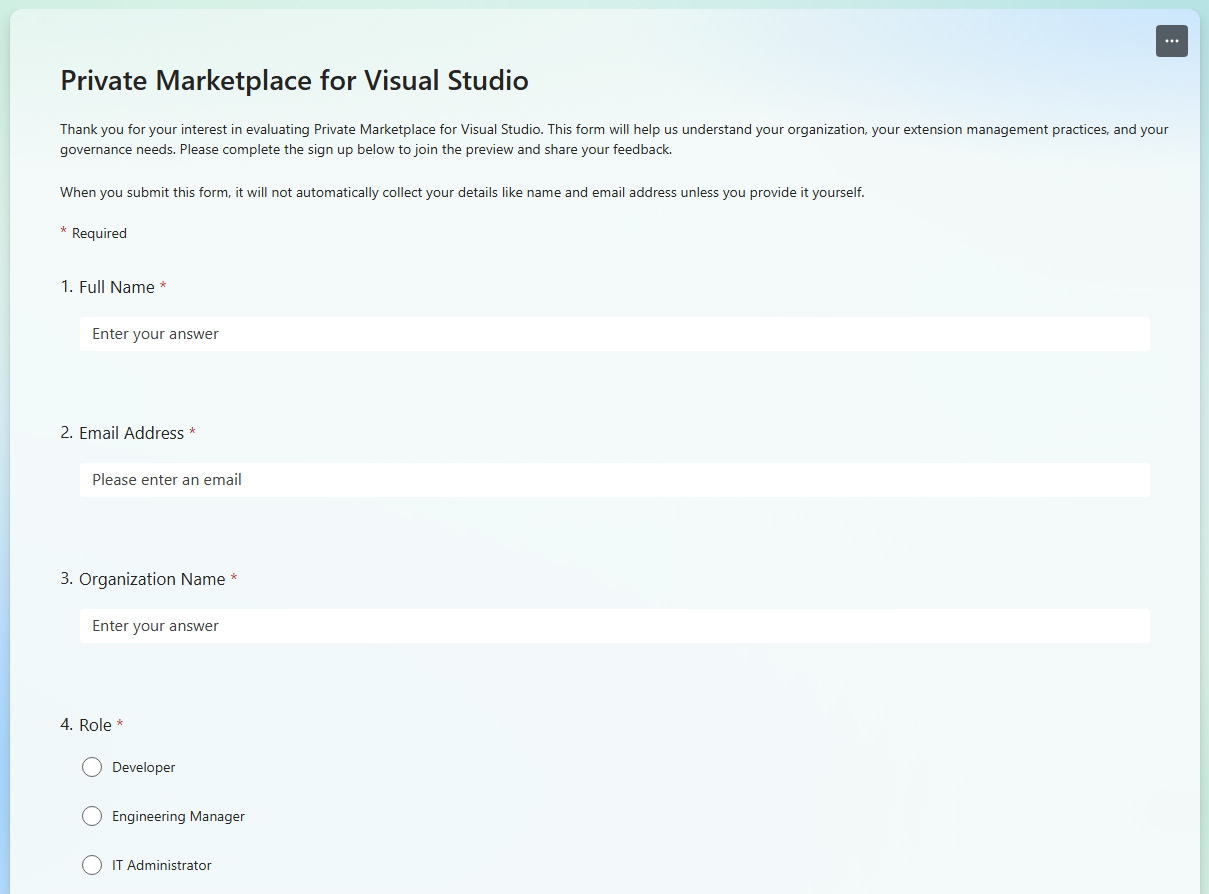
Microsoft has announced a preview of Private Marketplace for Visual Studio, giving organisations a new way to manage how developers discover and install extensions. The preview is designed for Visual Studio administrators, security teams, and enterprise stakeholders seeking stronger governance, compliance, and control over development environments.

Here's what you need to know:

  • What is Private Marketplace for Visual Studio?

    Private Marketplace gives organisations a centralised way to manage which extensions developers can access while maintaining the familiar Visual Studio experience. It also allows teams to host private extensions, enforce marketplace policies, and improve governance across development environments.

  • Join the Preview

    Visual Studio administrators, security teams, and enterprise stakeholders can now sign up to evaluate the preview and help shape the feature with their feedback. It's an opportunity to explore how Private Marketplace can support stronger security and extension management in your organisation.

Build custom business applications that help your organisation improve compliance and streamline business processes. Contact us today to get started!

Service Agent Comes to Microsoft 365 Copilot for Dynamics 365 Customer Service

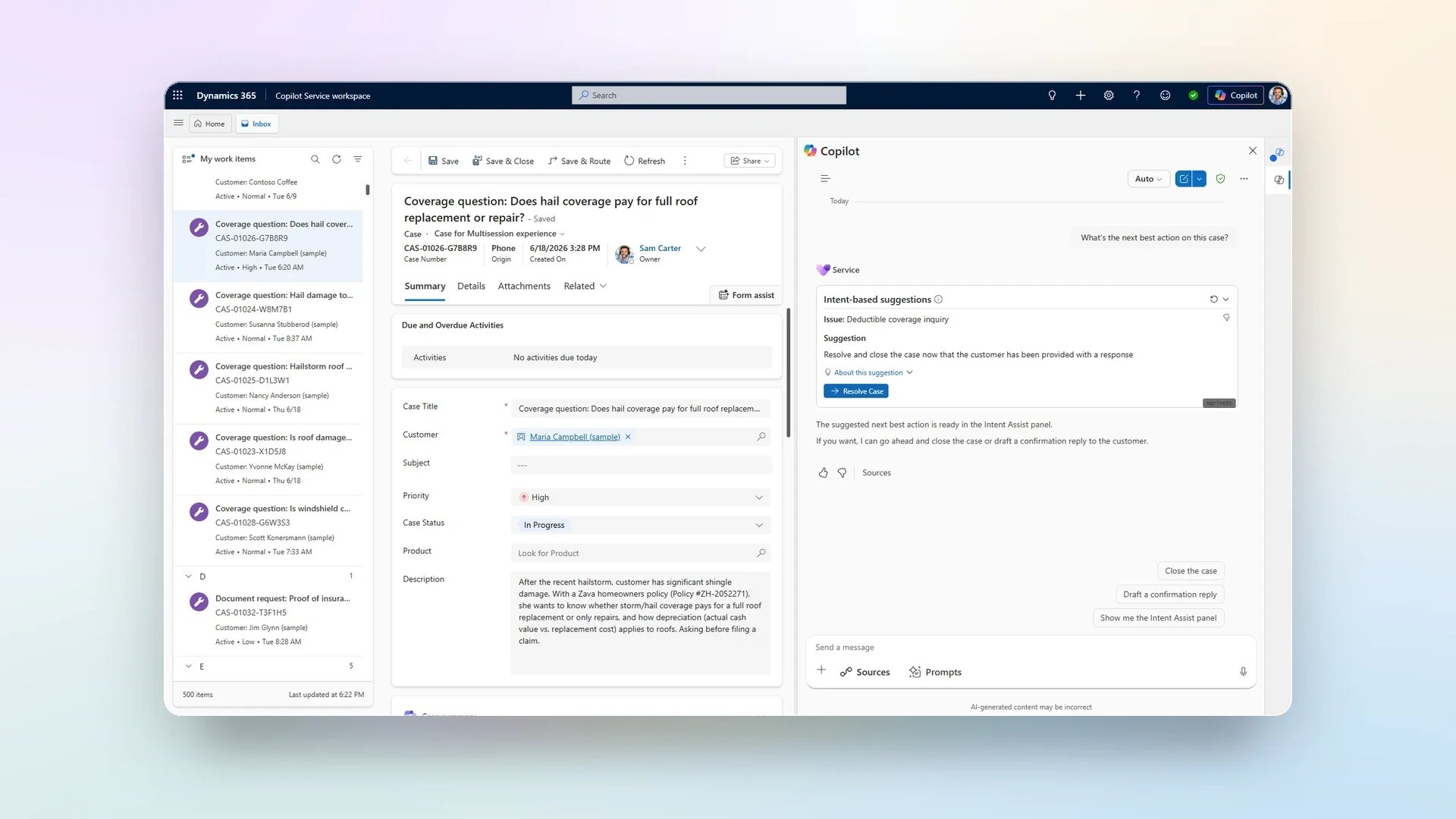
Microsoft is bringing Service Agent directly into Microsoft 365 Copilot, giving customer service teams a new way to access customer context and complete service tasks without leaving their everyday workspace. The integration aims to streamline workflows by combining the power of Dynamics 365 Customer Service with the familiar Microsoft 365 Copilot experience.

Here's what you need to know:

  • What is Service Agent?

    Service Agent builds on the capabilities of Copilot by not only answering questions and summarising information, but also taking action across the customer service lifecycle. With more than 90 MCP tools and MCP apps, it helps service teams understand customer issues, manage cases, access knowledge, draft emails, recommend next best actions, work with files, improve service quality, and much more—all without leaving the conversation.

  • Copilot vs Service Agent at a glance

    While Copilot primarily assists with answering questions and generating summaries, Service Agent can also reason, automate tasks, and perform actions across workflows. It works across Dynamics 365 Customer Service, Microsoft Teams, Outlook, and Microsoft 365 Copilot, using Dataverse and Microsoft Graph through Work IQ. Organisations can also extend its capabilities using Microsoft Copilot Studio, custom MCP tools, and widget customisation.

  • How does this benefit customer service teams?

    Service Agent helps customer service teams resolve cases faster by reducing app switching and automating actions across the entire workflow. It also improves productivity, accelerates onboarding, and delivers more consistent customer experiences.

  • What's coming next?

    Microsoft is continuing to expand Service Agent with deeper application context, more proactive AI experiences, stronger governance and guardrails, mobile support in Microsoft 365 Copilot, and additional MCP tools.

  • Getting started

    Service Agent requires a Dynamics 365 Customer Service Enterprise or Premium licence to access case data, knowledge, and service workflows. For the full integrated experience across Microsoft 365, organisations also need a Microsoft 365 Copilot licence, while premium AI capabilities consume Copilot Credits. Administrators can provision Service Agent through the Microsoft 365 admin centre and safely roll it out using role-, app-, and queue-based controls.

Want to add another AI that will boost your productivity in Dynamics 365 and Power Apps? Explore Infinity AI Agents and contact us today!

New Beginner-Friendly Course Simplifies .NET Application Modernisation

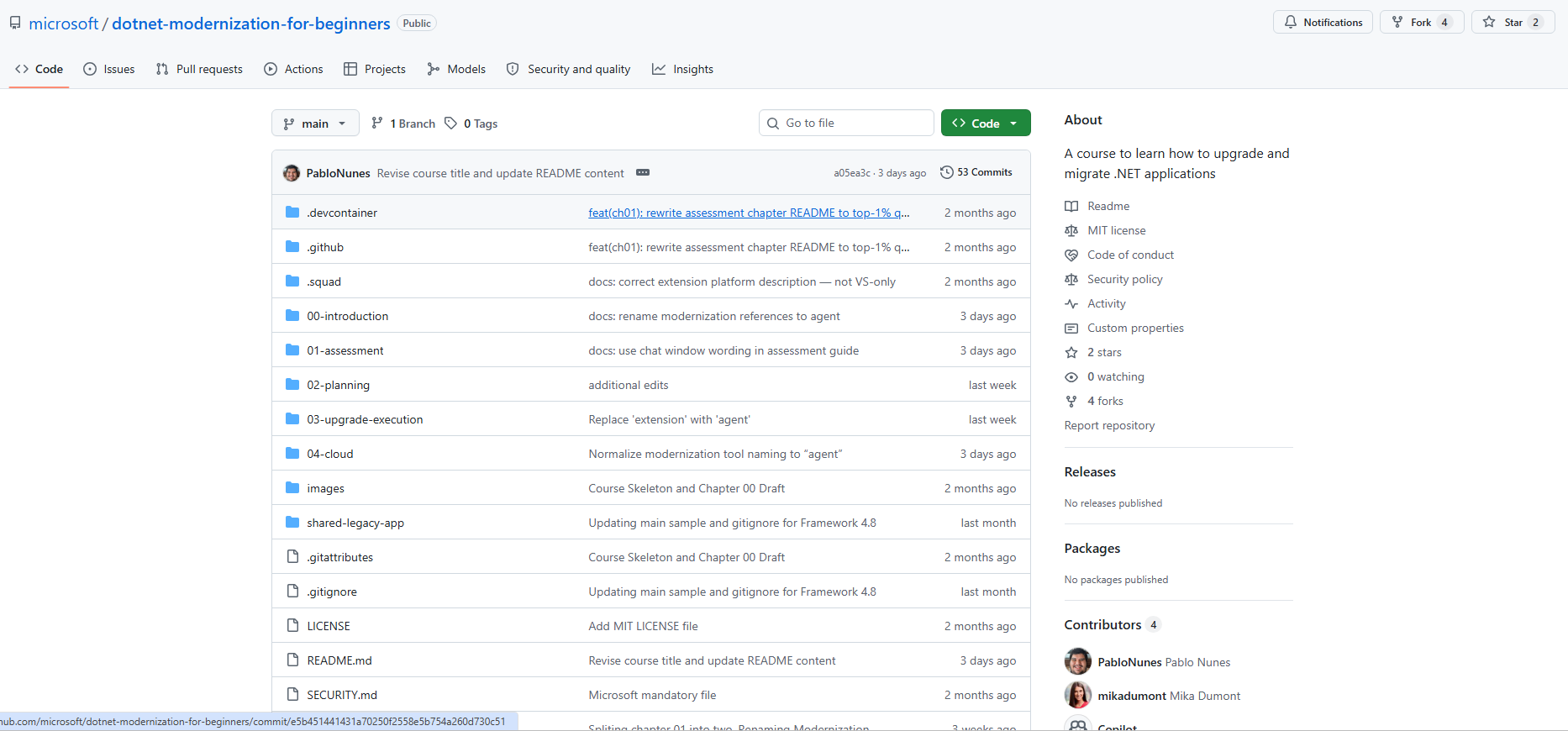
Microsoft has unveiled a new beginner-focused training course that teaches developers how to modernise legacy .NET applications using practical, real-world scenarios. The free course walks learners through the modernisation journey step by step while introducing AI-powered tools that streamline the process.

Here's what you need to know:

  • Why this course matters

    Modernising legacy .NET applications can feel overwhelming, especially if you're just getting started. This free, open-source course walks you through upgrading a real ASP.NET application to .NET 10 using the GitHub Copilot Modernisation Agent, helping you understand every stage before any code is changed.

  • Learn by doing

    Instead of simply explaining the concepts, the course gives you practical exercises to complete yourself. You'll learn how the modernization agent creates transparent, editable artifacts—including assessment.md, plan.md, and tasks.md—so you can review, customise, and stay in control throughout the entire upgrade process. (A GitHub Copilot subscription is required.)

  • What you'll learn

    The course follows the same journey as a real-world .NET modernisation project, taking you from assessment to deployment. You'll learn how to analyse legacy applications, create and customise upgrade plans, modernise code with GitHub Copilot, and deploy your application to Azure.

  • Getting started

    To begin, you'll need Visual Studio 2022 (17.10+) or Visual Studio 2026, a GitHub Copilot subscription, and the free .NET Modernisation for Beginners GitHub repository. The repository includes step-by-step documentation, videos, and hands-on exercises to help you learn at your own pace.

Need an application that helps your team work efficiently from anywhere? Discover our custom business applications and contact us today.

Visual Studio Makes AI Model Selection Simpler for Developers

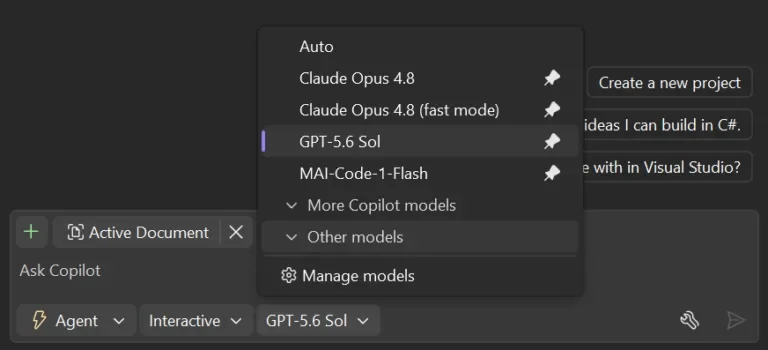
Microsoft has introduced new AI model management capabilities in Visual Studio, making it easier for developers to choose, compare, and organise the models they use every day. The update also provides greater visibility into model capabilities and usage, helping developers make more informed decisions without interrupting their workflow.

Here's what you need to know:

  • A model picker that matches your workflow

    Stop scrolling through a long list of AI models every time you start coding. Pin your favourite models to the top, collapse the ones you rarely use, and keep your most-used options within easy reach.

  • Compare models before you choose

    Need more details before selecting a model? The new Manage Models view lets you compare capabilities, context window sizes, and cost levels side by side, while also managing your own custom models in one place.

  • Track your AI context usage

    Know exactly how much of your model's context window you've used during a conversation. Visual Studio also provides quick access to Copilot usage, helping you avoid limits and decide when it's time to start a new chat or switch models.

  • Build with greater confidence

    Choosing the right model shouldn't interrupt your development flow. These improvements give you clearer insights and better control, so you can focus on writing code instead of managing AI.

Transform the way your team works with AI in Dynamics 365 and Power Apps. Discover Infinity AI Agents and contact us today.

Visual Studio Dev/Test Benefit Makes Azure Development More Affordable

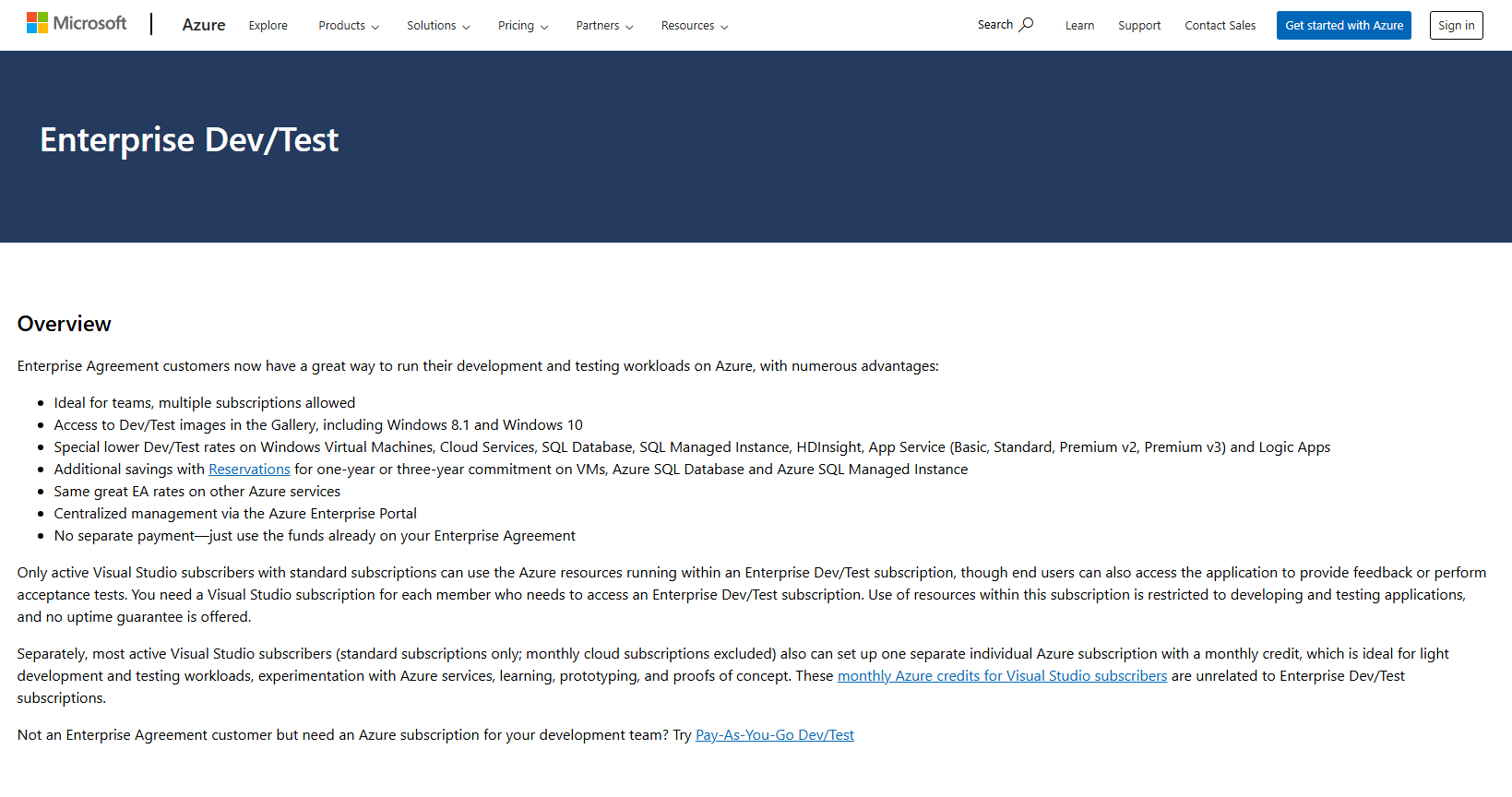
Microsoft is highlighting the Visual Studio Dev/Test Benefit, which gives eligible Visual Studio subscribers access to discounted Azure pricing for non-production workloads. The benefit enables developers to build, test, and experiment in production-like Azure environments while helping organisations manage cloud costs more effectively.

Here's what you need to know:

  • Why it matters

    Developers need the freedom to experiment without worrying about unnecessary cloud costs. Azure Dev/Test pricing lets you quickly provision, test, and remove environments, helping your team innovate faster while keeping development expenses under control.

  • Build and test in production-like environments

    Azure Dev/Test gives you access to the same Azure services used in production, allowing you to validate applications in realistic environments. Create temporary environments, support CI/CD workflows, test new Azure capabilities, and safely experiment before deploying to production—all at a lower cost.

  • Choose the right Dev/Test option

    Microsoft offers three Azure Dev/Test purchasing options to suit different organisations. Whether you use an Enterprise Agreement, Microsoft Customer Agreement, or Pay-As-You-Go subscription, there's a flexible option that lets eligible Visual Studio subscribers take advantage of discounted Azure pricing.

  • Get started today

    If you have a Visual Studio Professional or Enterprise subscription, you can activate Azure Dev/Test pricing through your Visual Studio benefits. It's a simple way to reduce development costs, speed up testing cycles, and maximise the value of your Visual Studio Subscription.

Keep your development secrets secure with a secret management solution that runs within your own Azure environment. Discover Secret Vault and contact us today to see it in action!

Dynamics 365 Customer Service Introduces Shadow Mode for Safer AI Testing

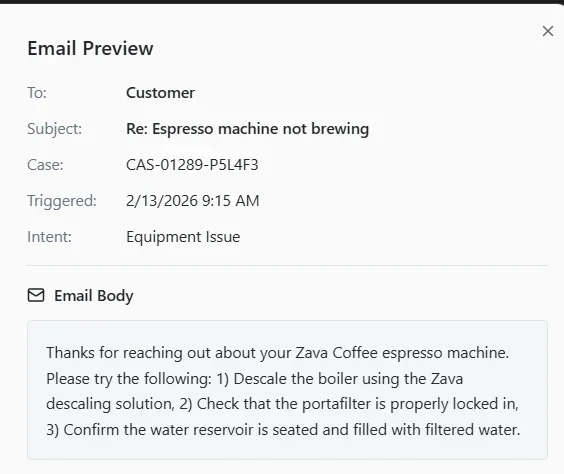
Microsoft has introduced Shadow Mode for the Case Management Agent in Dynamics 365 Customer Service, giving organisations a safer way to evaluate AI before enabling automation. The new capability allows AI to observe and simulate decisions on live production cases without making any changes, helping teams measure accuracy and build confidence before deployment.

Here's what you need to know:

  • The Challenge

    AI can make incorrect recommendations, route cases to the wrong team, or close issues too early if it isn't properly validated. These mistakes can reduce customer satisfaction and damage trust in your service operations.

  • What is Shadow Mode?

    Shadow Mode runs alongside your support team, analysing live cases and showing exactly how the AI would respond. Every recommendation includes the reasoning behind it, while no actions are taken in your production environment.

  • Full Visibility Without the Risk

    You can monitor AI recommendations, predicted actions, and decision logic in real time before enabling autonomous execution. Because nothing is updated or sent to customers, your team stays in complete control throughout the evaluation.

  • Validate Every Stage of Case Management

    Test AI performance across case enrichment, resolution, follow-up, and closure using real customer cases. Compare AI recommendations with actual outcomes to identify improvements before moving into production.

  • Build Confidence Before Deployment

    Shadow Mode validates AI against real-world customer interactions instead of relying solely on historical data. This gives your team measurable insights, explainable decisions, and greater confidence before enabling automation.

  • Get Started

    Enable Shadow Mode from the Copilot Service admin center under Case Settings > Case Management Agent. Start validating AI safely and confidently before putting it in control of your customer service.

Extend the power of your CRM with Infinity AI Agents for Dynamics 365 and Power Apps. Contact us today to start automating your business workflows.

GitHub Copilot App Simplifies .NET Application Modernisation

Microsoft has introduced GitHub Copilot app modernisation for .NET, bringing AI-assisted application upgrades into the developer workflow. The new experience helps teams assess existing applications, generate modernisation plans, and automate key upgrade tasks to simplify the journey to modern .NET.

Here's what you need to know:

  • Assess Before You Upgrade

    Modernising a .NET application involves evaluating dependencies, identifying compatibility issues, and planning the right sequence of work. Every discovery influences the next step, making upgrades more complex than simply changing framework versions.

  • Simplify Modernisation with AI

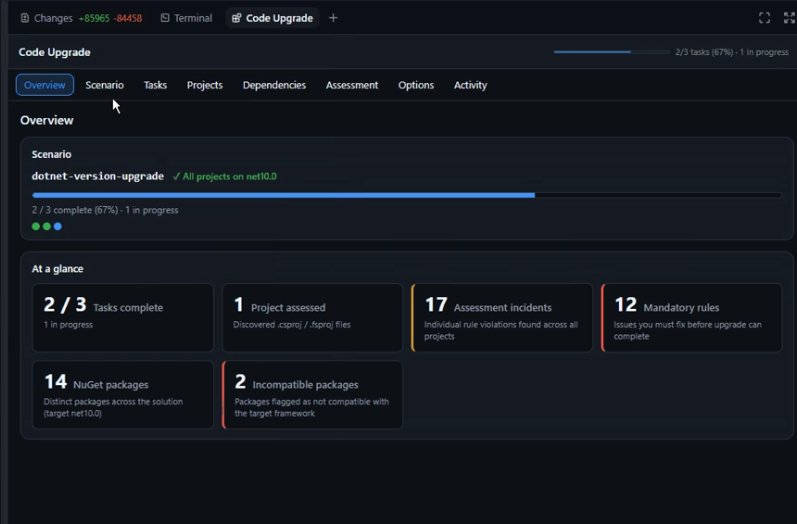
    The GitHub Copilot app introduces an interactive Upgrade Dashboard that keeps your entire modernisation workflow in one place. Instead of switching between chats, documentation, and code changes, you can monitor every stage from assessment to execution in a single view.

  • From Assessment to Execution

    The upgrade agent analyses your application, identifies what needs to change, and generates a structured implementation plan with actionable tasks. It also tracks code changes, build status, execution progress, and final results throughout the upgrade process.

  • Work Across Your Preferred Tools

    The GitHub Copilot Upgrade Agent isn't limited to the GitHub Copilot app. You can use the same upgrade workflow in Visual Studio, Visual Studio Code, and GitHub Copilot CLI, allowing you to modernise applications using the developer tools you already rely on.

  • Get Started in Minutes

    Install the Upgrade Agent plugin from the GitHub Copilot marketplace, open your repository, and start a new agent session. Then launch the Upgrade Dashboard to assess your application, review the upgrade plan, and track your modernisation from start to finish.

Looking to build custom business applications that help your team work smarter wherever they are? Contact us today to discuss how we can bring your ideas to life.

Automating VSIX Builds: Microsoft Highlights GitHub Actions Approach

Microsoft has shared a practical approach for automating Visual Studio extension builds with GitHub Actions. The guidance shows how extension developers can create a repeatable workflow for building, versioning, and publishing VSIX packages. It also highlights reusable actions that can simplify CI/CD setup and reduce manual maintenance across extension repositories.

Here’s what you need to know:

  • Streamline Your Workflow

    Break your pipeline into reusable GitHub Actions so you don't have to duplicate logic across repositories. Use dedicated actions for version stamping, publishing CI builds to a VSIX Gallery, and releasing to the Visual Studio Marketplace.

  • Automate Version Management

    Keep your VSIX version in sync without manual edits. The vsix-version-stamp action updates version numbers during the build, while the VSIX Synchronizer extension can expose that version directly in your code from a single source of truth.

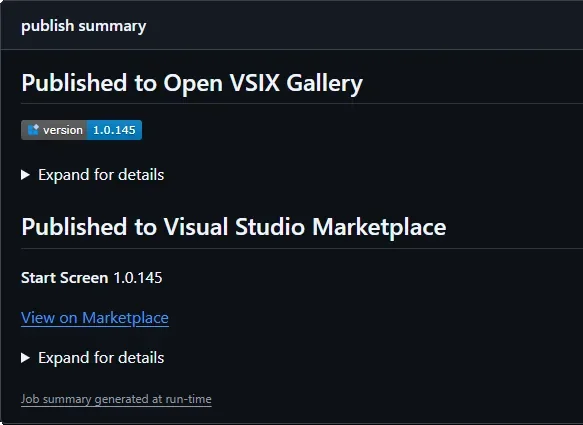
  • Publish to the Visual Studio Marketplace

    Releasing your extension is simple with the publish-marketplace action. All you need is your VS_MARKETPLACE_TOKEN, and the VSIX package takes care of the rest.

  • Share CI Builds with a VSIX Gallery

    Use publish-vsixgallery to quickly distribute preview builds for testing and validation before an official release. It supports both public and self-hosted VSIX Galleries, giving you flexibility without changing your workflow.

  • Build the Pipeline That Fits You

    Choose only the actions you need. Whether it's a minimal Marketplace release, a CI-focused testing pipeline, or a complete automated workflow, each action works independently and integrates seamlessly.

  • Choose the Right Publishing Target

    Use a VSIX Gallery for preview builds, internal testing, and rapid feedback. Publish stable, production-ready releases to the Visual Studio Marketplace so users always get the latest official version.

Take your CRM further with custom business applications built around your business. Learn how we can help your team work smarter—contact us today.