
Microsoft is bringing Service Agent directly into Microsoft 365 Copilot, giving customer service teams a new way to access customer context and complete service tasks without leaving their everyday workspace. The integration aims to streamline workflows by combining the power of Dynamics 365 Customer Service with the familiar Microsoft 365 Copilot experience.
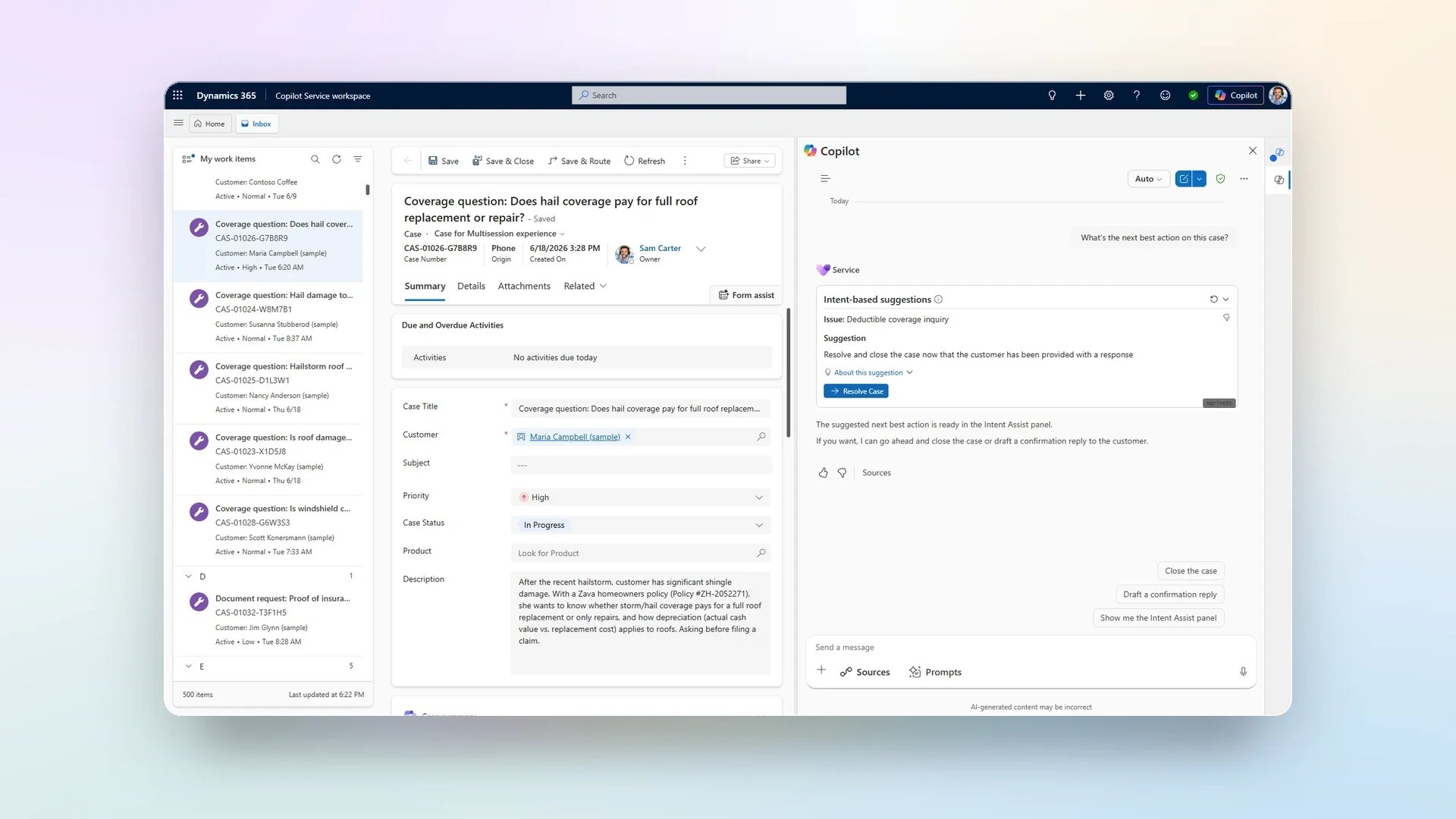
Here's what you need to know:
What is Service Agent?
Service Agent builds on the capabilities of Copilot by not only answering questions and summarising information, but also taking action across the customer service lifecycle. With more than 90 MCP tools and MCP apps, it helps service teams understand customer issues, manage cases, access knowledge, draft emails, recommend next best actions, work with files, improve service quality, and much more—all without leaving the conversation.
Copilot vs Service Agent at a glance
While Copilot primarily assists with answering questions and generating summaries, Service Agent can also reason, automate tasks, and perform actions across workflows. It works across Dynamics 365 Customer Service, Microsoft Teams, Outlook, and Microsoft 365 Copilot, using Dataverse and Microsoft Graph through Work IQ. Organisations can also extend its capabilities using Microsoft Copilot Studio, custom MCP tools, and widget customisation.
How does this benefit customer service teams?
Service Agent helps customer service teams resolve cases faster by reducing app switching and automating actions across the entire workflow. It also improves productivity, accelerates onboarding, and delivers more consistent customer experiences.
What's coming next?
Microsoft is continuing to expand Service Agent with deeper application context, more proactive AI experiences, stronger governance and guardrails, mobile support in Microsoft 365 Copilot, and additional MCP tools.
Getting started
Service Agent requires a Dynamics 365 Customer Service Enterprise or Premium licence to access case data, knowledge, and service workflows. For the full integrated experience across Microsoft 365, organisations also need a Microsoft 365 Copilot licence, while premium AI capabilities consume Copilot Credits. Administrators can provision Service Agent through the Microsoft 365 admin centre and safely roll it out using role-, app-, and queue-based controls.
Want to add another AI that will boost your productivity in Dynamics 365 and Power Apps? Explore Infinity AI Agents and contact us today!