
Microsoft has introduced Shadow Mode for the Case Management Agent in Dynamics 365 Customer Service, giving organisations a safer way to evaluate AI before enabling automation. The new capability allows AI to observe and simulate decisions on live production cases without making any changes, helping teams measure accuracy and build confidence before deployment.
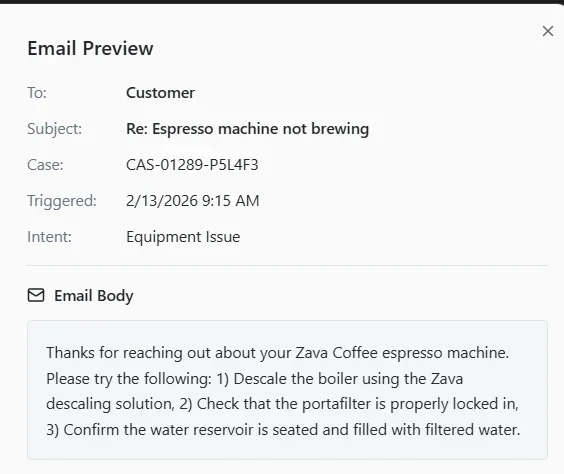
Here's what you need to know:
The Challenge
AI can make incorrect recommendations, route cases to the wrong team, or close issues too early if it isn't properly validated. These mistakes can reduce customer satisfaction and damage trust in your service operations.
What is Shadow Mode?
Shadow Mode runs alongside your support team, analysing live cases and showing exactly how the AI would respond. Every recommendation includes the reasoning behind it, while no actions are taken in your production environment.
Full Visibility Without the Risk
You can monitor AI recommendations, predicted actions, and decision logic in real time before enabling autonomous execution. Because nothing is updated or sent to customers, your team stays in complete control throughout the evaluation.
Validate Every Stage of Case Management
Test AI performance across case enrichment, resolution, follow-up, and closure using real customer cases. Compare AI recommendations with actual outcomes to identify improvements before moving into production.
Build Confidence Before Deployment
Shadow Mode validates AI against real-world customer interactions instead of relying solely on historical data. This gives your team measurable insights, explainable decisions, and greater confidence before enabling automation.
Get Started
Enable Shadow Mode from the Copilot Service admin center under Case Settings > Case Management Agent. Start validating AI safely and confidently before putting it in control of your customer service.
Extend the power of your CRM with Infinity AI Agents for Dynamics 365 and Power Apps. Contact us today to start automating your business workflows.