Bring Your Brand’s Voice to AI: Custom Neural Voices Arrive in Dynamics 365 Contact Center

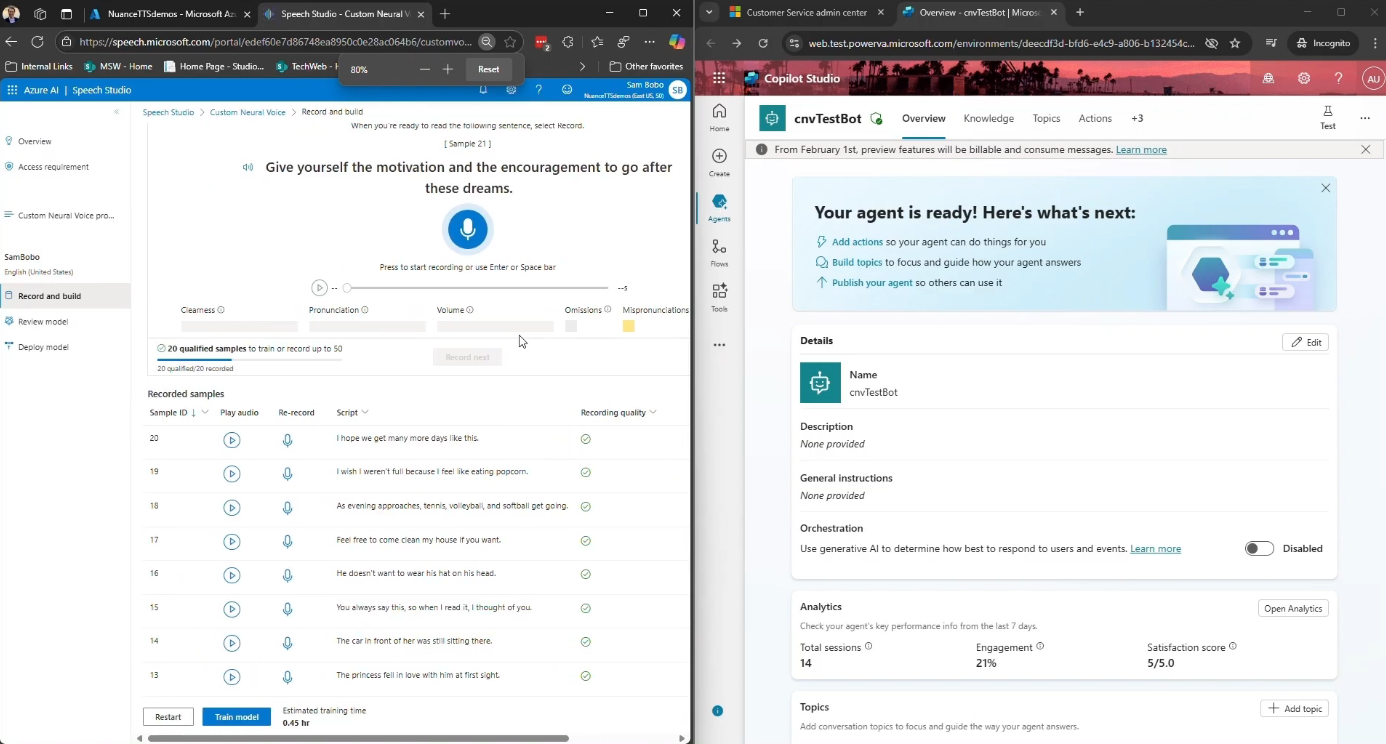
Microsoft Dynamics 365 Contact Center is introducing Custom Neural Voices, a new capability that allows organisations to create branded, natural-sounding AI voices for customer interactions. The feature enables businesses to move beyond generic text-to-speech by training AI voices that reflect their brand identity while powering virtual agents and automated voice experiences. The update aims to deliver more personalised and human-like conversations across AI-driven contact centre scenarios.
Here’s a quick look at what it offers:

  • What is Custom Voice?

    Custom Voice, also known as Custom Neural Voice, lets organisations like yours to move beyond generic text-to-speech. Instead, you can create voice experiences that reflect your brand’s tone, personality, and values—while still benefiting from the scale and intelligence of AI-powered contact centres.

  • Why does it matter?

    Voice is still one of the most trusted and emotionally rich ways to engage with customers. Whether it’s resolving an issue, providing updates, or guiding someone through a self-service process, how your system sounds can shape the entire customer experience.

  • What can you expect?

    With 50 voice samples available, you can choose styles that fit your brand—whether that’s calm and supportive, confident and professional, or warm and conversational. This helps ensure voice interactions feel more natural and consistent.

  • What are the benefits?

    Custom Neural Voice helps you deliver voice interactions that sound more natural and expressive while staying consistent with your brand identity. It also supports inclusivity across languages and accents while scaling easily for high-volume customer scenarios.

  • Where can you use it?

    Custom Neural Voice can power experiences across virtual agents, self-service workflows, and intelligent IVR systems, helping create more natural AI-driven conversations with customers.

Equip your organisation with a platform that elevates customer interactions. Explore customer relationship management and contact us today.
Microsoft Introduces ‘modernize-dotnet’ Agent for Flexible .NET Upgrades

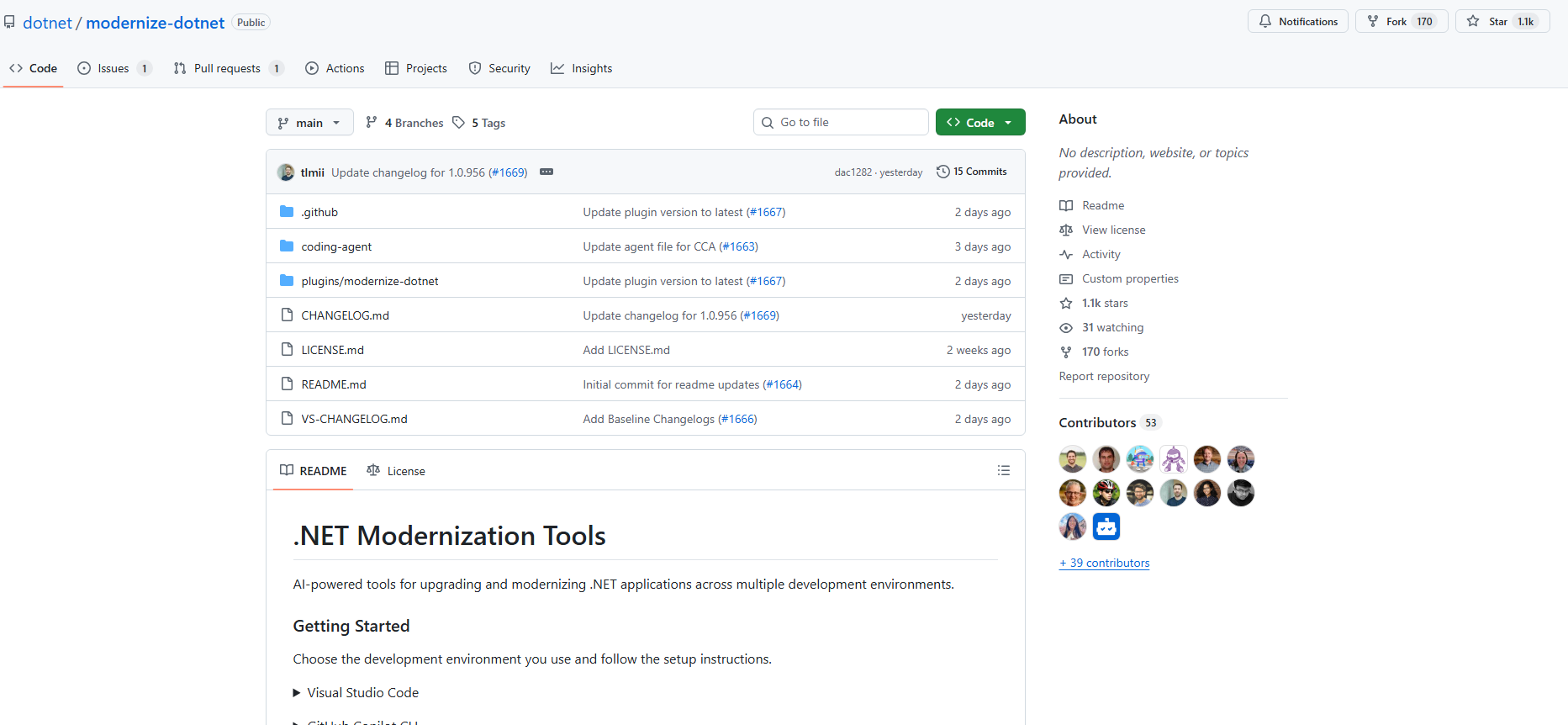
Microsoft has introduced a new modernize-dotnet custom agent that enables developers to modernize .NET applications across multiple environments, including Visual Studio, Visual Studio Code, GitHub Copilot CLI, and GitHub. The tool extends the modernization workflow beyond a single IDE, allowing teams to assess, plan, and execute upgrades directly within the tools they already use. It is part of the broader GitHub Copilot modernisation platform aimed at simplifying application upgrades and migrations for developers.

Here’s what you need to know:

  • What the agent produces

    Each modernization run generates three artifacts in your repository: an assessment highlighting scope and blockers, a proposed upgrade plan, and upgrade tasks that apply the required code transformations.

  • Using it in GitHub Copilot CLI

    Terminal-first developers can modernize directly from the shell. Simply install the plugin from the marketplace, select the agent, prompt it, and review the generated upgrade tasks before executing them.

  • Using it in GitHub

    The agent can run directly inside your repository. The generated artifacts live alongside your code, allowing teams to review modernization plans just like any other code change.

  • Using it in VS Code

    Install the GitHub Copilot modernization extension, select modernize-dotnet from the Agent picker in Copilot Chat, and prompt the agent with the upgrade you want to perform.

  • Using it in Visual Studio

    For Visual Studio users, the workflow is fully integrated. Right-click your solution or project in Solution Explorer and select Modernize to begin the upgrade process.

  • Supported workloads

    The modernization agent supports many common .NET project types, including ASP.NET Core, Blazor, Azure Functions, WPF, class libraries, and console apps. Migration from .NET Framework to modern .NET is also supported for several application types, with Web Forms support coming soon.

  • Custom skills support

    The agent also supports custom skills, enabling teams to embed internal frameworks, migration patterns, or architectural standards directly into the modernisation workflow.

Want an AI agent that helps you work more efficiently in Dynamics 365 and Power Apps? Explore Infinity AI Agents and contact us today to get started.

Inside Agentic AI: Microsoft’s “The Shift” Podcast Answers Developers’ Top Questions

Microsoft has launched “The Shift,” a podcast exploring the emerging world of agentic AI. The series brings together experts to discuss the opportunities and challenges of AI agents in modern technology.

Here’s what you can expect:

  • What is the podcast about?

    The Shift is an eight-episode podcast inspired by real questions raised at Microsoft Ignite. It brings together engineering, product, and strategy perspectives to unpack the future of AI agents.

  • What topics will they cover?

    Episodes explore key questions such as how agents find data, collaborate with each other, manage context, and whether technologies like Postgres will power the next wave of AI architectures.

  • Why is this podcast happening?

    Microsoft sees AI agents as a catalyst for innovation across the stack, but making them work at scale raises real challenges—observability, governance, security, optimisation, and quality.

  • Where can you access the podcast?

    You can listen to The Shift on YouTube, Spotify, Apple Podcasts, Amazon Music, and RSS.com.

Take your Dynamics 365 and Power Apps to the next level with AI. Discover Infinity AI Agents and contact us today.

Microsoft Introduces .NET Skills to Extend AI Coding Agents

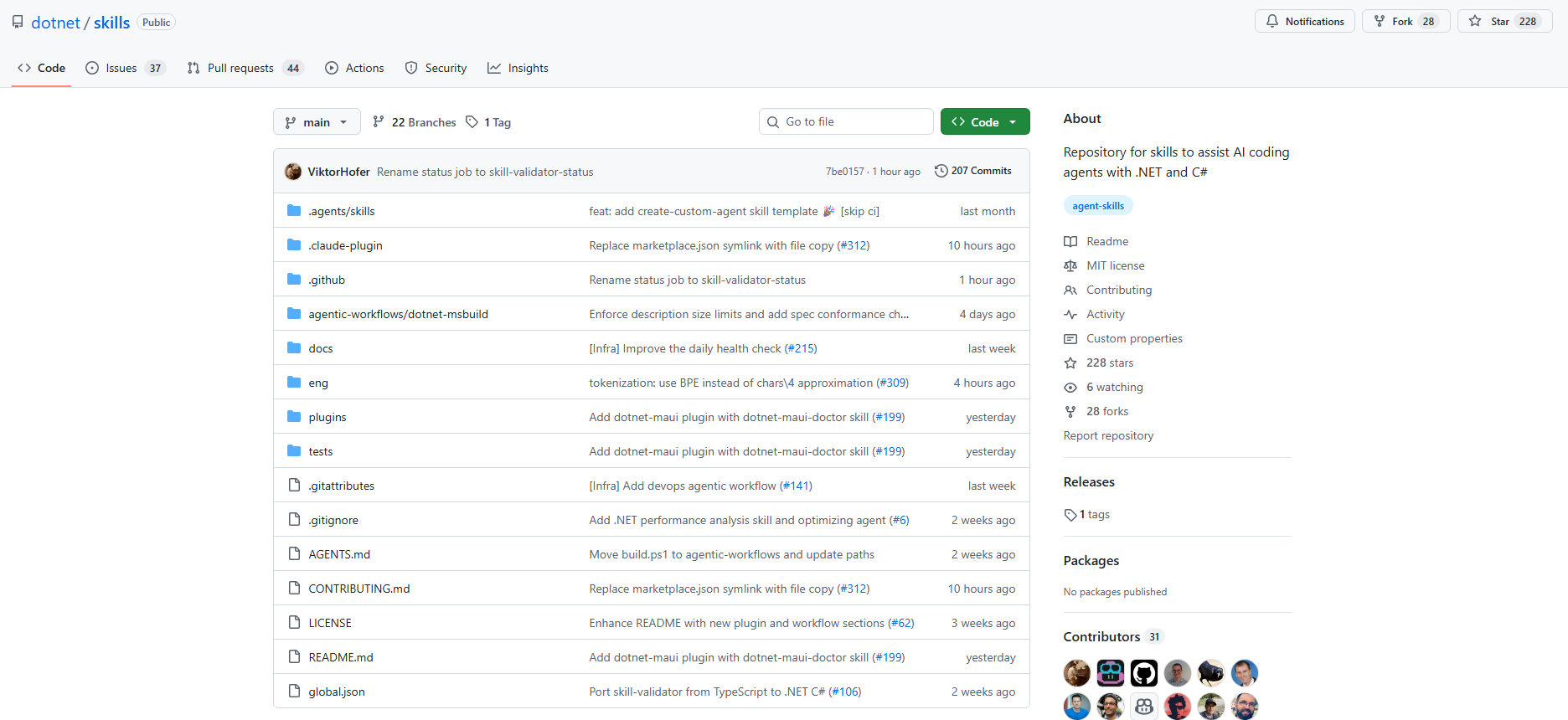
Microsoft has introduced dotnet/skills, a new GitHub repository designed to extend AI coding agents with specialized knowledge for .NET development. The repository contains lightweight “agent skills” that package task-specific context and workflows, helping coding assistants complete common development tasks more reliably. By providing tested patterns from the .NET team itself, the initiative aims to improve how AI agents support developers across real-world .NET scenarios.

Here’s what you need to know:

  • What is an agent skill?

    An agent skill is a lightweight package of specialized knowledge that an AI agent can use while completing a task. It bundles intent, task-specific context, and supporting artifacts so the agent can make smarter decisions with less trial and error.

  • What Microsoft is doing with dotnet/skills

    The dotnet/skills repository publishes skills directly from the team building the .NET platform. Instead of relying on generic prompts, developers can start with patterns already tested while shipping .NET.

  • Does it actually help?

    Context is critical for AI—but more context doesn’t always mean better results. Each skill added to the repository is tested with a lightweight validator against a baseline to ensure it genuinely improves outcomes before being included.

  • Discovering and using skills

    Skills are packaged like installable plugins, making them easier for tools such as GitHub Copilot, Visual Studio Code, and Microsoft Visual Studio to discover and use. The dotnet/skills repository acts as a marketplace where developers can browse and integrate these capabilities into their workflows.

  • The guiding principles

    AI skills are evolving rapidly, so the focus is on keeping them simple, practical, and task-oriented rather than creating massive toolsets. The initiative also complements community collections like awesome-copilot to support stronger .NET development workflows.

  • What’s next

    The AI ecosystem is moving fast—and so will this repository. Expect frequent updates, new skills, and collaboration with the developer community to continue improving how coding agents support .NET development.

Ready for an AI partner that works alongside you in Dynamics 365 and Power Apps? Discover Infinity AI Agents and get in touch today.

Visual Studio Dev Essentials Brings Free Tools and Training to Developers

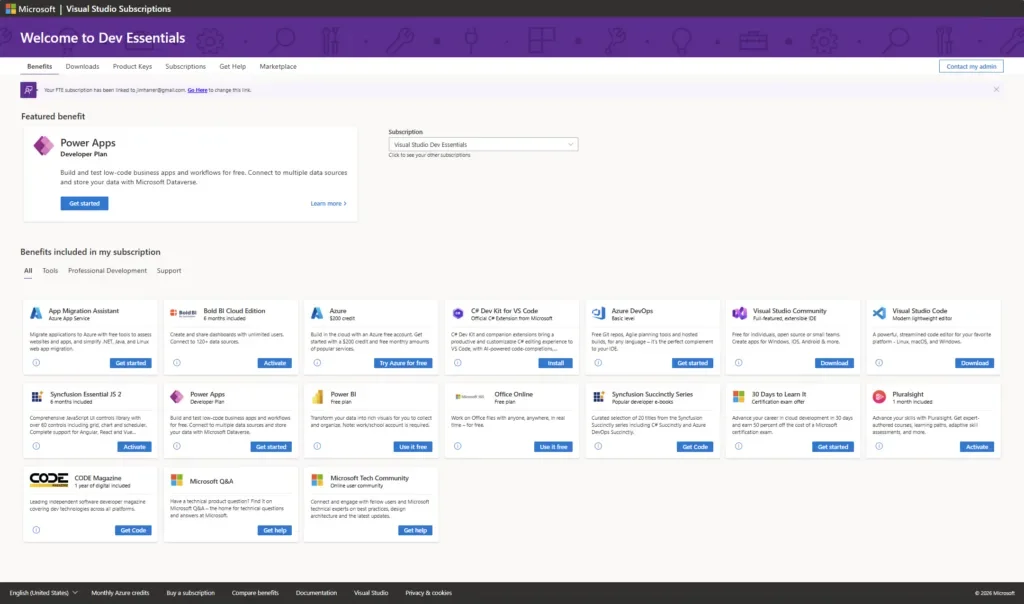
Microsoft is highlighting Visual Studio Dev Essentials, a free developer membership that provides access to a wide range of tools, cloud services, downloads, and training resources. Designed to help developers build apps for any platform, the program brings together essential technologies and learning materials in one place. From development environments to cloud credits and educational content, Dev Essentials aims to make it easier for developers to start building and innovating.

Here’s what you need to know:

  • Why Dev Essentials Matters

    Dev Essentials is a free developer membership that brings together the tools, cloud services, downloads, and training you need to build applications for any platform. Whether you're developing for macOS, Linux, Windows, web, mobile, backend services, or the cloud, it provides resources to help you get started and keep learning.

  • Who It’s For

    Dev Essentials is ideal for developers using Visual Studio Community or Visual Studio Code, as well as students, hobbyists, and professionals using Microsoft Visual Studio Professional or Microsoft Visual Studio Enterprise.

  • What You Get

    Members gain access to developer tools, learning resources, and software downloads, along with cloud services like a free Microsoft Azure account that includes $200 in credits and tools such as Microsoft SQL Server Developer Edition.

  • How to Get Started

    Visit the Dev Essentials page, sign in with your Microsoft account, and activate the benefits you want. From there, you can explore tools, cloud credits, downloads, and training resources — all in one place. Start with whatever sparks your curiosity, whether it’s a new language, cloud service, or developer workflow improvement.

Thinking of implementing Microsoft Dynamics 365 for your organisation? Maximise its potential by pairing it with custom business applications built for your needs. Contact us today to get started.

Agentic AI: What Business Leaders Must Get Right

As AI evolves from assisting employees to acting autonomously across workflows, organisations are entering a new phase of transformation known as agentic business transformation. In a recent post on the Microsoft Power Platform Blog, leaders are encouraged to rethink how work is designed and governed as AI agents take on more decision-making and execution roles. The shift signals a move from simple productivity gains toward redesigning entire business processes.

Here are three key insights to ensure your AI adoption actually delivers real value:

  • Productivity is the starting point — not the goal

    AI is not just about meeting summaries, drafting content, or finding information faster. The real impact comes from redesigning workflows so AI agents can handle defined tasks end-to-end, while people step in where judgement and context matter most.

  • Systems of record are evolving

    Modern AI deployments shift responsibility from people to agentic systems operating within clear boundaries. In customer service, for example, agents can manage routine interactions, gather context across sales, service, and billing, and route complex cases with the right information attached.

  • Governance and measurement are the real differentiators

    As AI agents scale, complexity grows quickly. Success in agentic CRM will depend on how well organisations govern their agents and measure outcomes such as resolution time, cash collection, or pipeline velocity.

Reimagine how work gets done in Dynamics 365 and Power Apps with AI. Discover Infinity AI Agents and contact us today to see what intelligent automation can do for your business.

Azure DevOps Refreshes Team Calendar Extension with UI and Usability Improvements

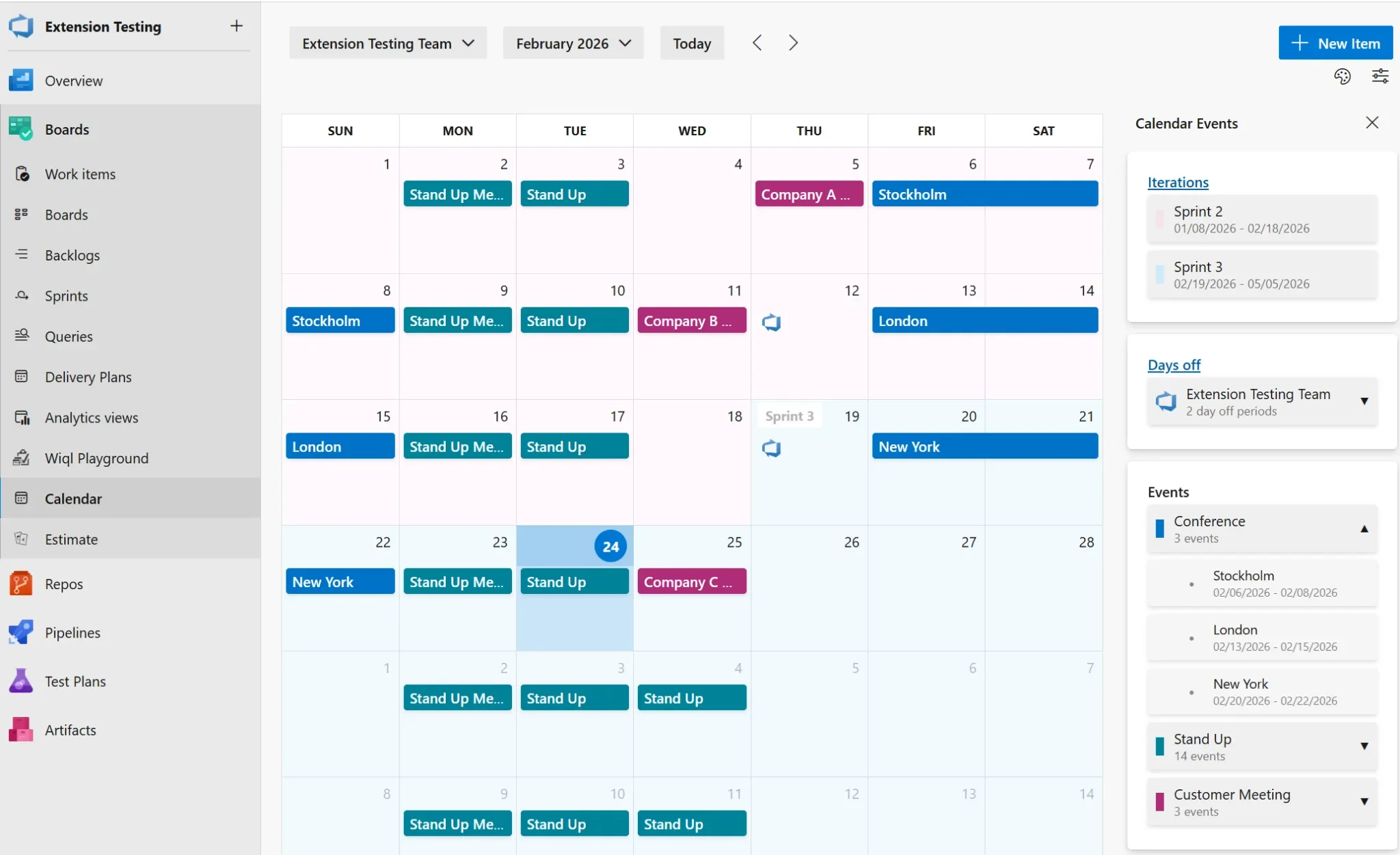
Microsoft has released a new update to the Team Calendar extension in Azure DevOps, bringing a refreshed user interface and several usability improvements. The update focuses on visual enhancements, including a redesigned side panel, a cleaner summary view, and better event organisation. These changes aim to make it easier for teams to navigate schedules, manage events, and view availability at a glance.

Here’s what you can expect:

  • Side Panel UI Improvements

    The side panel has been completely refreshed with a cleaner, modern design that integrates more seamlessly with Azure DevOps.

  • Enhanced Summary View

    The Calendar Summary panel now features clearer, more organised cards for Iterations, Days Off, and Events. It also adapts to your screen space and includes expandable sections so you can easily view more or less information.

  • Organised Event Categories

    Events are now grouped by category for easier navigation. Categories can be expanded or collapsed, include colour indicators for quick recognition, and show event counts at a glance.

  • Collapsible Sidebar

    Need more screen space? You can now collapse the sidebar to focus on your calendar.

  • Event Colour Customisation

    Customise event category colours to match your team’s preferences or conventions.

  • Searchable Teams

    Switching between teams is now faster with the new team search functionality.

  • Dialog Improvements

    Event and Days Off dialogs have been updated with improved usability and a modern date picker.

Want to know how you can keep highly sensitive information in Azure? Discover Secret Vault and contact us today!

Managing schedules is easier with the latest Azure DevOps updates—but protecting sensitive information is just as important. Discover how Secret Vault helps you securely store highly sensitive data in Azure. Contact us today to learn more.

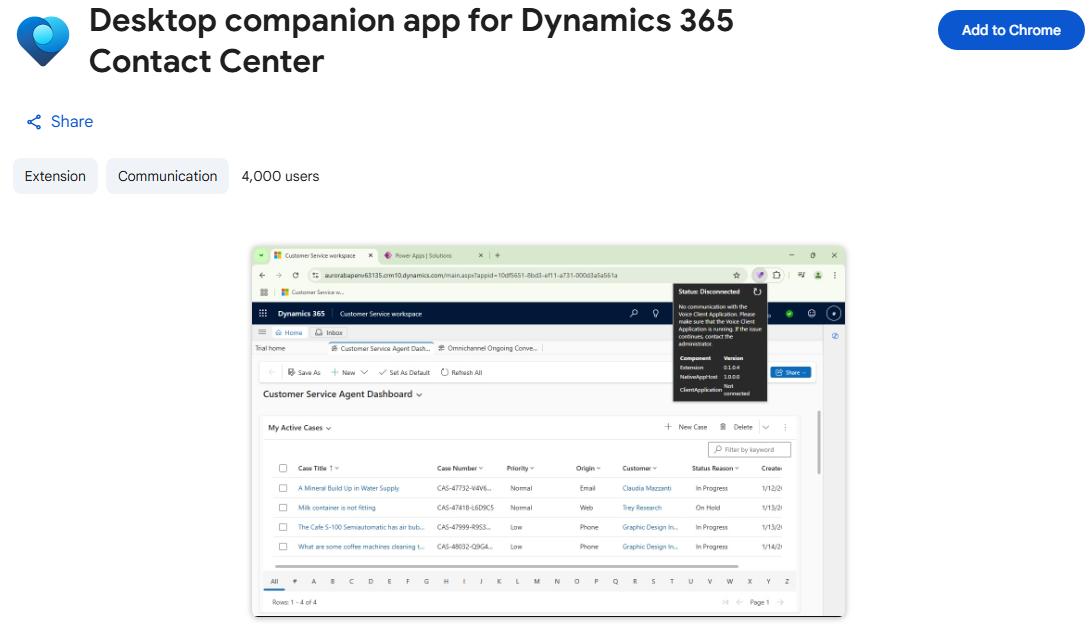
Dynamics 365 Contact Center Improves Call Reliability With Desktop Companion Support

Microsoft has announced support for the Desktop Companion App (DCA) in embedded mode for Dynamics 365 Contact Center, enabling more reliable voice continuity when customer service reps work inside third-party CRM environments. The update helps maintain active voice calls even if the browser refreshes or becomes unresponsive, offering lower latency and uninterrupted communication workflows

Here’s what you need to know:

  • Why it matters

    Embedded deployments let organisations run Contact Center inside a non-Microsoft CRM without switching tools. Pairing it with DCA keeps voice traffic independent from the browser — reducing dropped calls and improving audio stability.

  • What’s new for Embedded mode

    You get call continuity during browser refreshes or freezes, lower latency, steadier audio, and lightweight controls designed for cross-CRM environments.

  • How it works

    Dynamics 365 Contact Center routes the interaction, DCA establishes a desktop voice path to maintain the call, and once the browser session stabilises, everything re-synchronises — keeping the CSR in one seamless workflow.

  • Why use it

    It delivers higher reliability, better call quality, and improved CSR productivity — without disrupting existing CRM workflows.

  • Getting started

    Enable the embedded experience, install the required browser extension, and configure DCA. Once set up, CSRs can use it as needed while recording and transcription continue (if configured).

Strengthen customer loyalty and drive smarter engagement with a powerful CRM solution. Get in touch with us today.

Microsoft Rolls Out Quality Updates to Power Apps Modern Controls in Canvas Apps

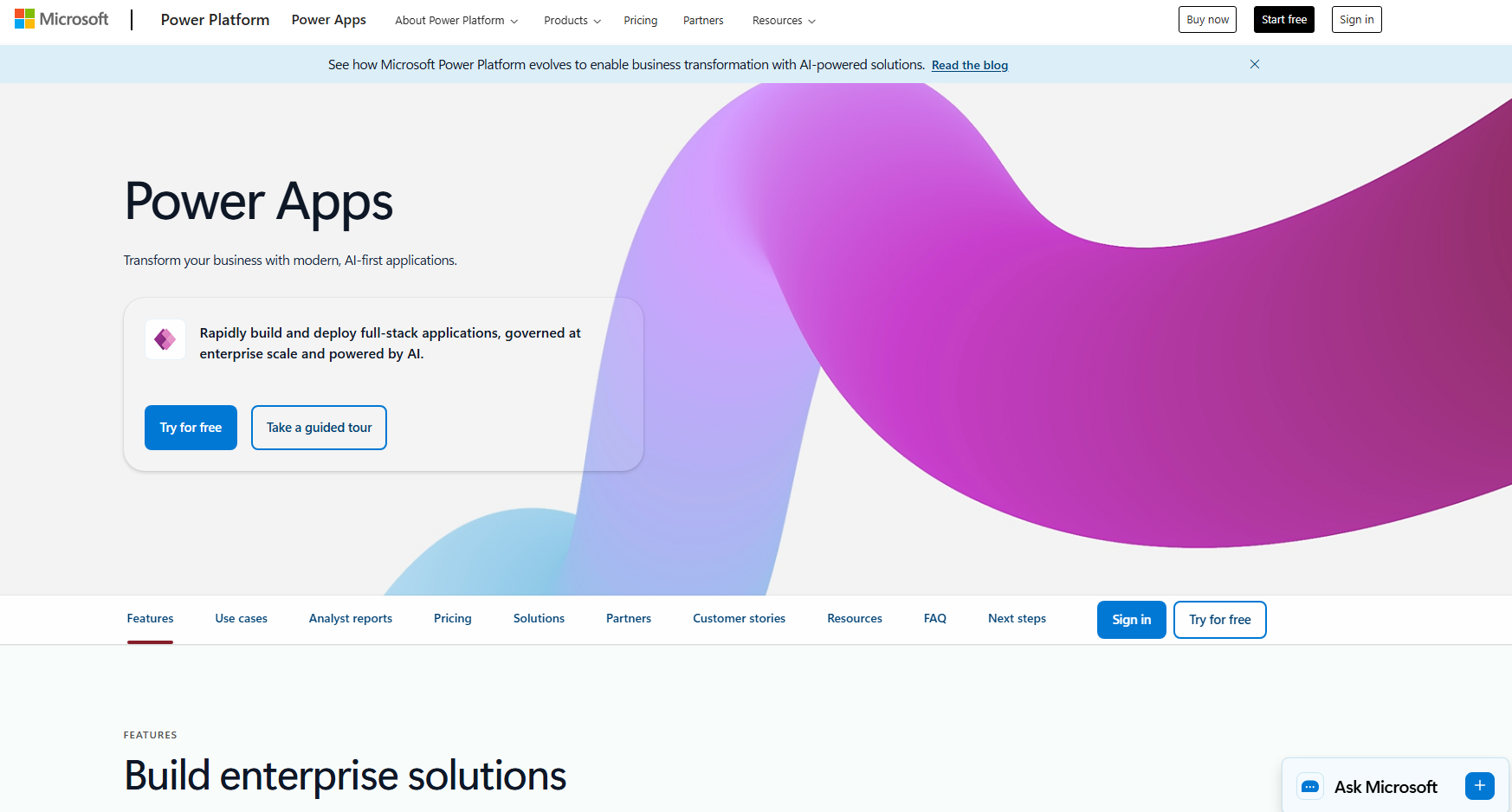
Microsoft has announced a set of quality-focused updates to modern controls in Power Apps canvas apps, targeting nine core controls such as Text, Combo Box, Date Picker, and Number Input to improve reliability, performance, and consistency. These refinements are designed to make modern controls more dependable in production apps and more intuitive for makers, while laying the groundwork for future enhancements.

Here’s what that means for makers:

  • Combo Box – Built for scale

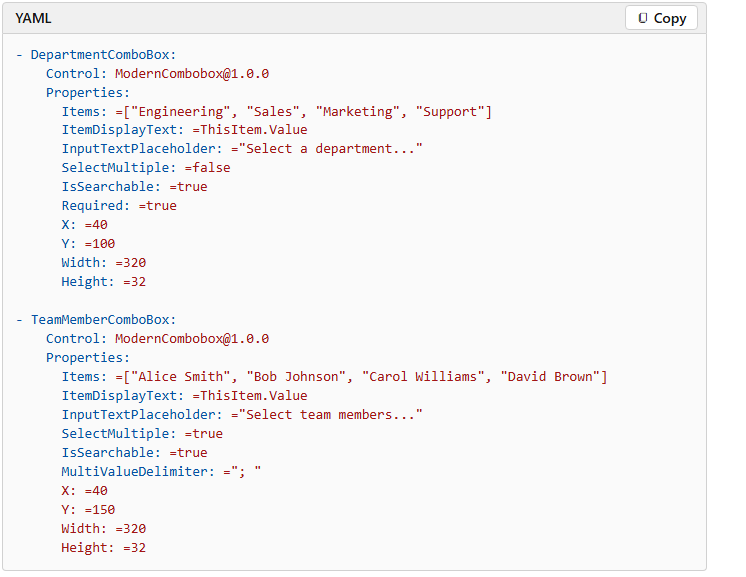
    Handles thousands of items seamlessly. With the SearchText output property enabling server-side filtering, it scales to even the largest datasets.

  • Date Picker – View-mode you can trust

    Now truly read-only in DisplayMode.View. Date formats and time zones are consistently honored, and the calendar flyout behaves properly on mobile.

  • Text Input – Performance, fixed

    OnChange now fires on blur — not every keystroke — eliminating common performance issues and unintended formula side effects.

  • Text – Now interactive

    With OnSelect, you can trigger navigation or actions without adding a separate button. AutoHeight recalculates correctly, and vertical alignment now defaults to Middle.

  • Number Input – Finally consistent

    Styling aligns with Text Input. OnChange fires on blur and step clicks. Min and Max validation now prevents runtime configuration errors.

  • Tab List – Design control without workarounds

    New Appearance options (Transparent, Subtle, Underline, Filled) give you built-in styling flexibility — and item order is preserved as defined.

  • Radio – Works the way you expect

    Item order is maintained, View mode is properly read-only, and selections inside galleries no longer require double-clicking.

  • Link – Authoring experience aligned

    Text wrapping works correctly, and Alt+Click opens links in the editor — just like classic controls.

  • Info Button – Accessibility improved

    Flyouts expand reliably, click behavior is smoother, and focus is now managed automatically.

Unlock smarter, more connected operations by pairing your CRM with custom business apps. Get in touch with our team today.

Microsoft Unveils Power Platform February 2026 Feature Update

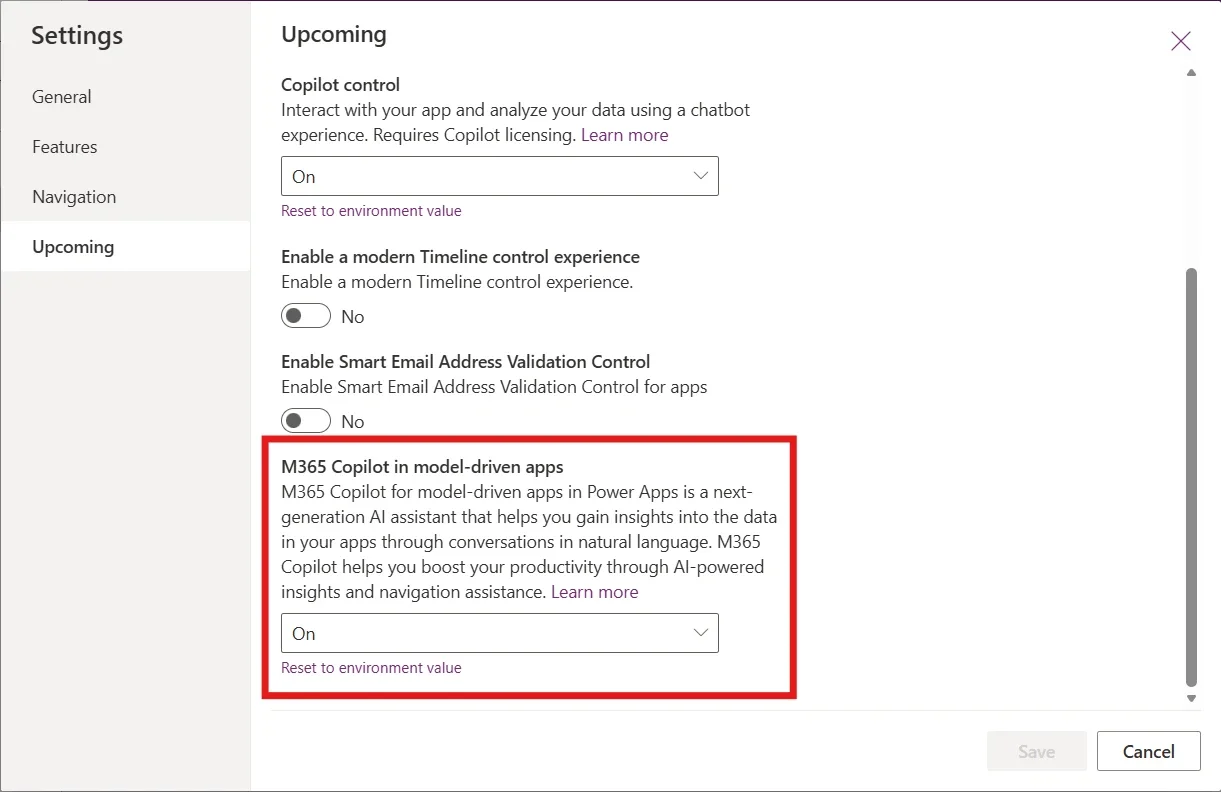
Microsoft has rolled out its February 2026 feature update for Power Platform, bringing deeper AI integration, new app-building tools, and improved governance capabilities across Power Apps, Power Automate, and Power Pages. Highlights include public preview of Microsoft 365 Copilot chat inside model-driven apps and enhanced agent collaboration tools, alongside modern controls, theme reuse, and expanded administrative features that help teams build and manage solutions more effectively.

Here’s what’s new:

  • Work Smarter Without Leaving Your App

    M365 Copilot chat is now embedded directly inside model-driven apps. Users can ask questions, reason over in-app data, and connect insights from documents and conversations — all within the flow of work.

  • Turn Agents Into Action-Takers, Not Just Responders (Public Preview)

    Power Apps MCP introduces agentic capabilities that transform app experiences into agent tools. Agents can parse unstructured data into forms, create records, and flag items for human review — accelerating data entry and reducing manual effort.

  • Design Cleaner, More Professional Apps — Faster (Public Preview)

    The modern Card control helps makers build responsive, structured layouts using a single layout-aware control — reducing complexity while improving UI consistency.

  • Standardize Your Branding in Seconds (Generally Available)

    Theme copy-paste lets you reuse colors, typography, and design tokens across canvas apps — eliminating repetitive styling work and ensuring brand consistency.

  • Reduce Errors with Built-in Confirmation Prompts (Generally Available)

    The Confirm() function adds a fluent modal dialog that prompts users to confirm or cancel actions — helping prevent accidental clicks and improving user experience.

See the full list of Power Platform updates.

Want to know how Power Platform helped New Zealand Police Association (NZPA) deliver more services to their members? Read our case study and contact us today.