
Microsoft has released a new update to the Team Calendar extension in Azure DevOps, bringing a refreshed user interface and several usability improvements. The update focuses on visual enhancements, including a redesigned side panel, a cleaner summary view, and better event organisation. These changes aim to make it easier for teams to navigate schedules, manage events, and view availability at a glance.
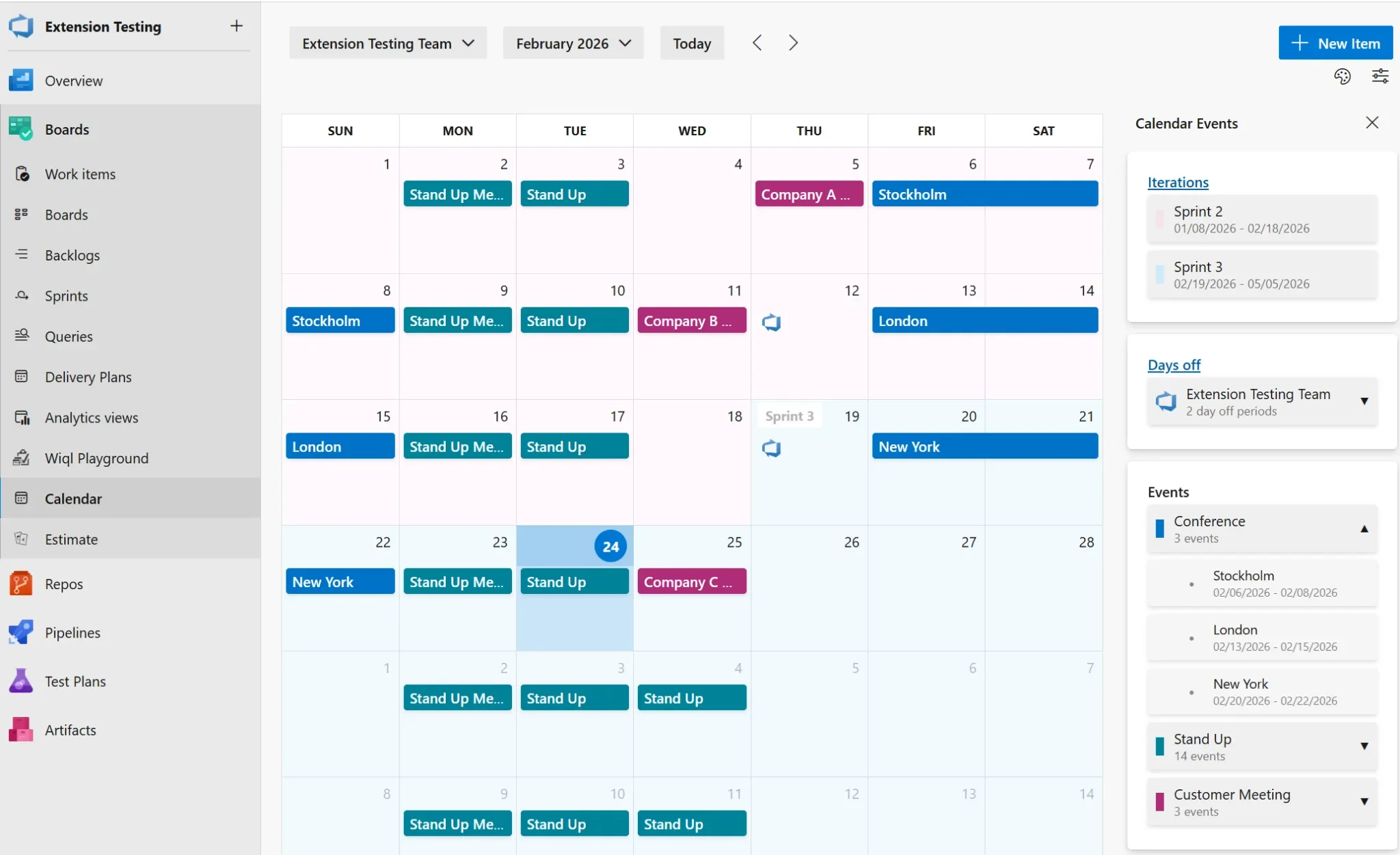
Here’s what you can expect:
Side Panel UI Improvements
The side panel has been completely refreshed with a cleaner, modern design that integrates more seamlessly with Azure DevOps.
Enhanced Summary View
The Calendar Summary panel now features clearer, more organised cards for Iterations, Days Off, and Events. It also adapts to your screen space and includes expandable sections so you can easily view more or less information.
Organised Event Categories
Events are now grouped by category for easier navigation. Categories can be expanded or collapsed, include colour indicators for quick recognition, and show event counts at a glance.
Collapsible Sidebar
Need more screen space? You can now collapse the sidebar to focus on your calendar.
Event Colour Customisation
Customise event category colours to match your team’s preferences or conventions.
Searchable Teams
Switching between teams is now faster with the new team search functionality.
Dialog Improvements
Event and Days Off dialogs have been updated with improved usability and a modern date picker.
Want to know how you can keep highly sensitive information in Azure? Discover Secret Vault and contact us today!
Managing schedules is easier with the latest Azure DevOps updates—but protecting sensitive information is just as important. Discover how Secret Vault helps you securely store highly sensitive data in Azure. Contact us today to learn more.