Microsoft has announced support for Microsoft Entra ID single sign-on (SSO) for the Denodo connector in Power BI, simplifying how users securely access Denodo data sources. The update allows report viewers to query data using their own identities, reducing the need for additional authentication configuration while strengthening security and governance.
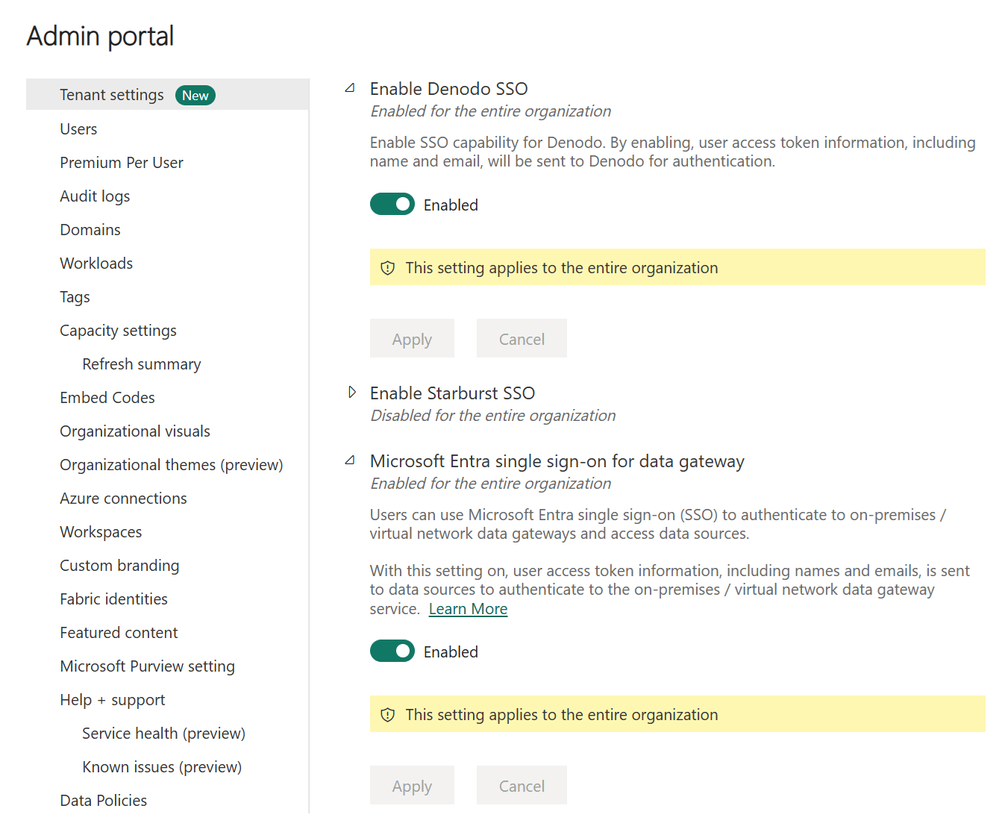
Here's what you need to know:
What was the challenge before?
Previously, Denodo SSO relied on Kerberos Constrained Delegation (KCD), which required a synchronised on-premises Active Directory environment. This added infrastructure complexity and made cloud-first deployments more difficult to manage.
How does Entra ID SSO work?
Power BI can now pass a user's Entra ID identity through the gateway directly to Denodo when using DirectQuery. Denodo then validates the user and applies its own security policies, including row-level and column-level security.
When should you use it?
Entra ID SSO is ideal when you want data access policies enforced against the actual report user rather than a shared account. It also helps meet audit and compliance requirements while reducing credential management overhead.
Getting started
To use the feature, ensure your Denodo environment supports Entra ID token validation and that your data gateway is up to date. Then enable the required SSO settings in Power BI and bind your DirectQuery semantic model to the Denodo connection.
Want to learn what else you can do with Power BI? Explore Business Intelligence and get in touch with our team to discuss your requirements.