
Microsoft has announced the preview of Microsoft Entra ID single sign-on (SSO) for the Starburst connector in Power BI, enabling report viewers to access Starburst using their own identities. This enhancement allows security policies to be evaluated against the actual end user rather than a shared connection account, improving governance and access control. The feature is designed for DirectQuery scenarios and strengthens security for organizations using Starburst as a data source in Power BI.
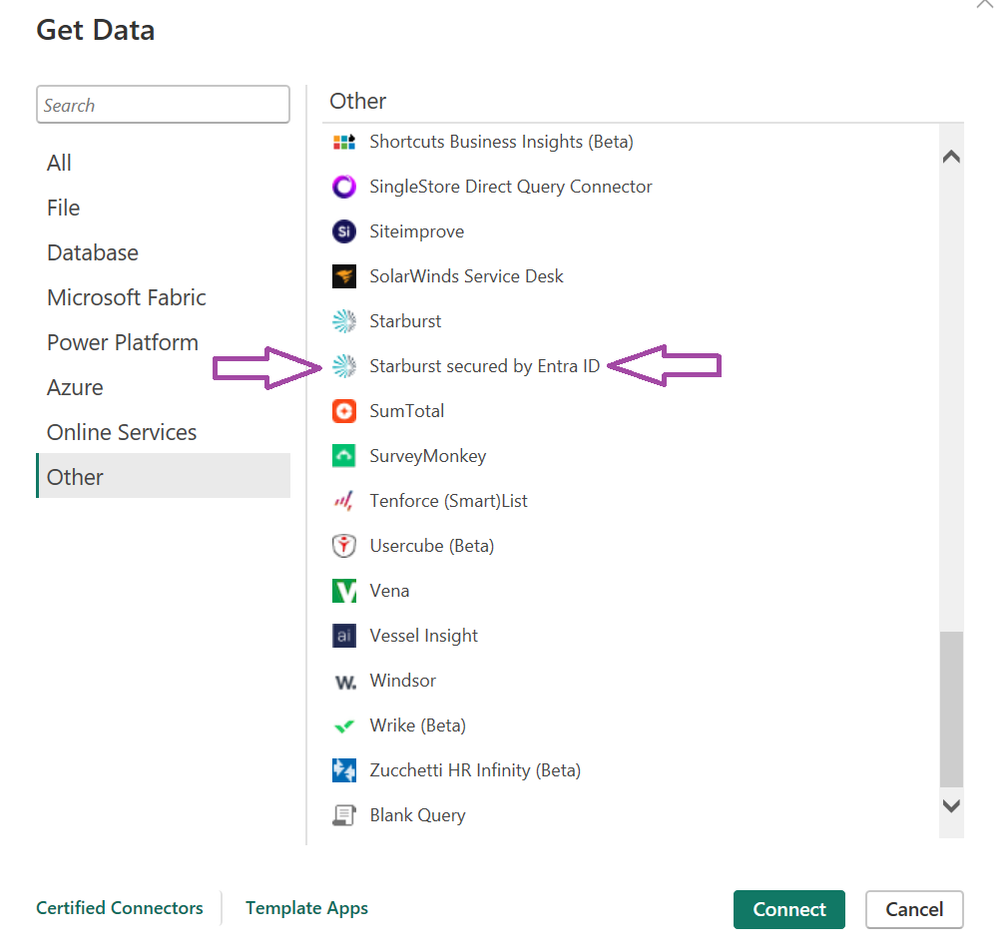
Here's what you need to know:
What does it mean?
Users querying semantic models in DirectQuery mode can authenticate to Starburst using their own Entra ID identity. This allows Starburst to enforce row-level and column-level security based on the individual user.
Which connector should you use?
Two Starburst connectors appear in Power BI's Get Data experience. The original connector remains available for existing reports, while the new Starburst secured by Entra ID connector enables the end-to-end SSO experience and should be used for new implementations.
How does it work?
When a user opens a DirectQuery report, their Entra ID token is passed through the on-premises data gateway to Starburst. Starburst validates the identity and applies its own authorisation policies based on the authenticated user.
How do you enable it?
Administrators need to enable Starburst SSO and Microsoft Entra single sign-on for data gateway in the Power BI admin portal. Once configured, DirectQuery semantic models can pass each user's Entra ID identity directly to Starburst.
When should you use it?
Use Entra ID SSO when you want Starburst security policies to be enforced per user, improve auditing capabilities, or meet compliance requirements that prohibit shared connection credentials.
Want to unlock the full potential of Power BI? Discover how Business Intelligence can turn your data into actionable insights and contact us today.