Microsoft Unveils Agentic CX Capabilities in Dynamics 365

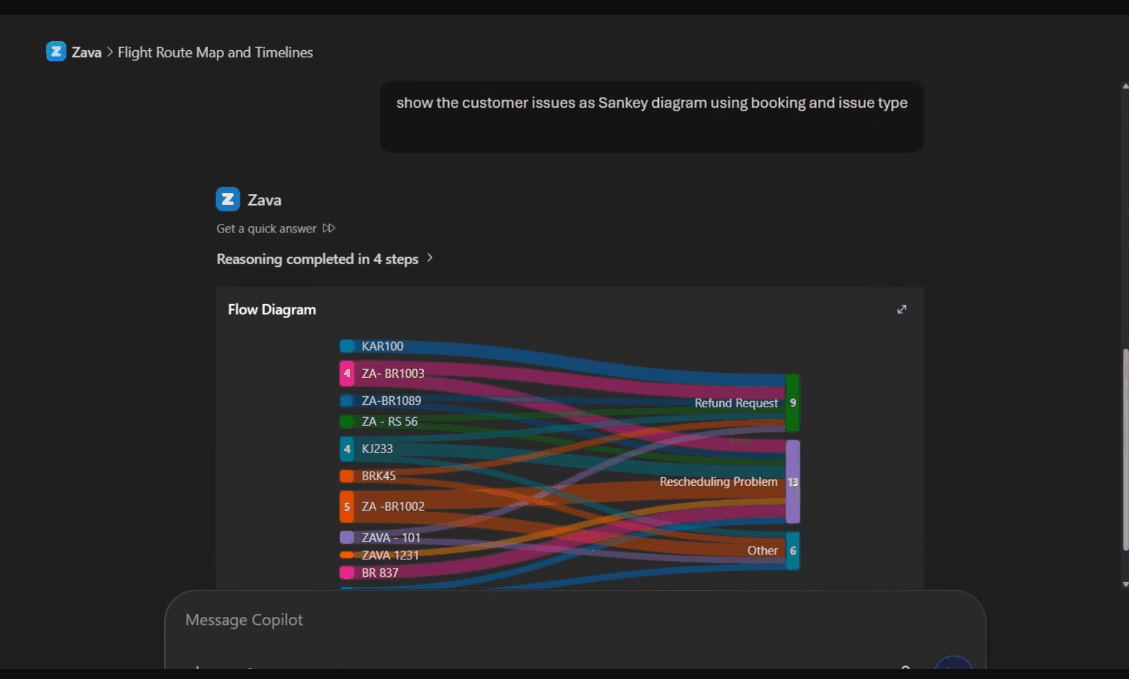
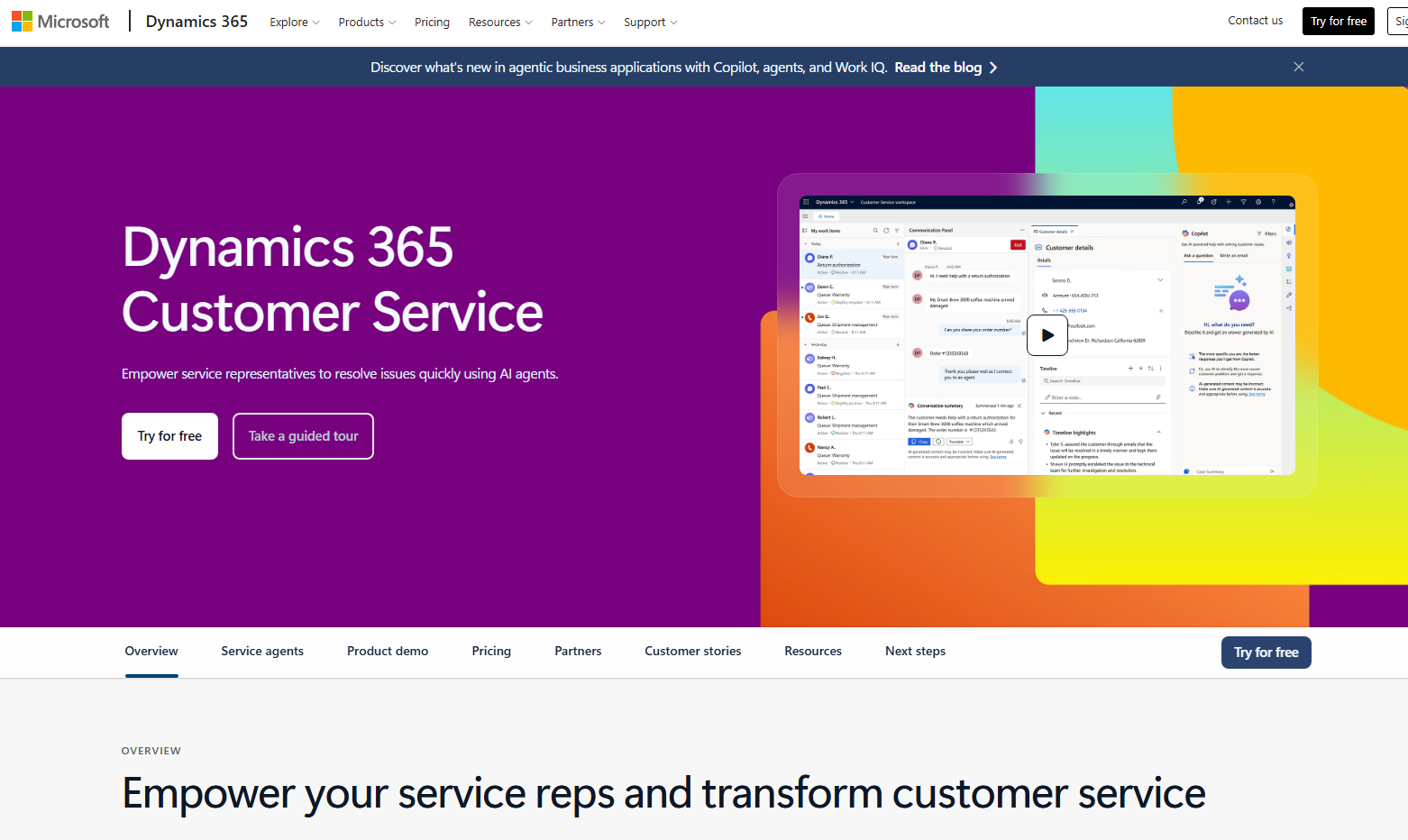
Microsoft has announced new “agentic” customer experience capabilities in Microsoft Dynamics 365, positioning CX as a key driver of business growth. These innovations leverage AI to automate routine interactions across the customer journey while enabling more personalized and efficient engagement. The update also introduces real-time voice agents and AI-powered tools designed to unify and optimize the entire customer lifecycle.
Here’s what you need to know:

  • From IVR to real conversations

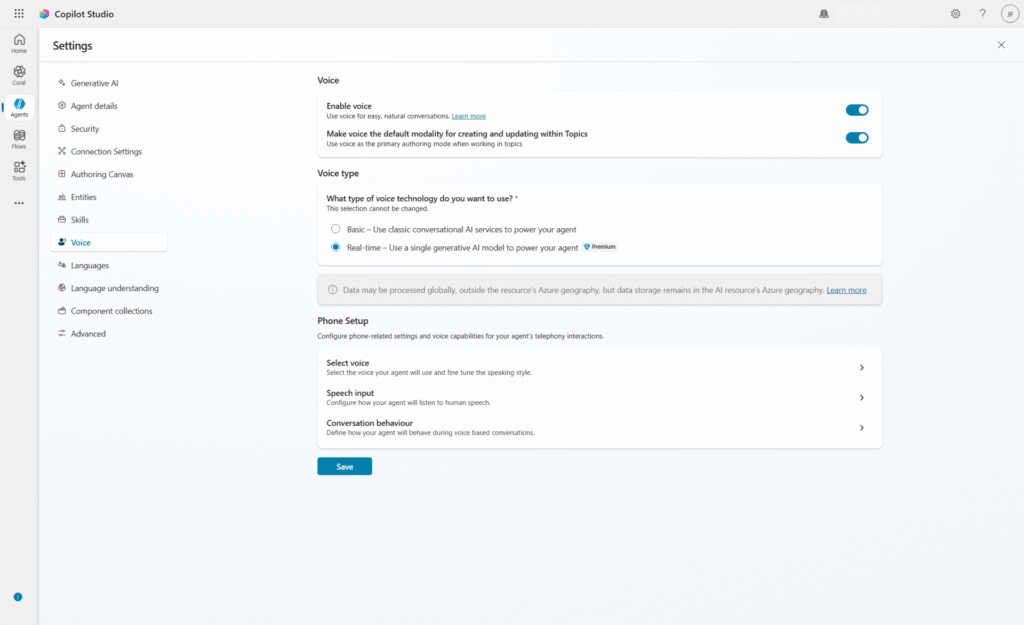
    With real-time voice agents in Microsoft Copilot Studio, customers can speak naturally—no more rigid menus. AI understands intent in real time and carries context across self-service and human support, creating a seamless experience from start to finish.

  • One connected contact center experience

    Dynamics 365 Contact Center unifies every interaction into a single journey. AI agents like Customer Assist, Quality Assurance, and Service Operations work together to automate, optimize, and elevate service across the entire lifecycle.

  • Smarter selling that keeps deals moving

    With Dynamics 365 Sales, signals turn into action automatically. AI-powered agents provide real-time insights, recommend next steps, and keep CRM data up to date—helping sellers move faster with confidence and less manual effort.

  • Conversations that drive real outcomes

    Dynamics 365 Customer Insights brings campaigns to life through two-way, AI-powered interactions. From voice to SMS, businesses can engage customers in real time, complete actions within conversations, and only involve humans when it truly matters.

Looking to boost productivity across Dynamics 365 and Power Apps with AI that actually works for you? Discover Infinity AI Agents—built to automate, optimize, and elevate your workflows. Get in touch today to see it in action.
Microsoft Introduces Governance Preview in Dynamics 365 Customer Service

Microsoft has introduced a preview of Governance in Dynamics 365 Customer Service, expanding its customer service platform with new policy-driven controls for communication oversight. The update is designed to help organizations enforce compliance, brand safety, and regulatory standards across customer interactions, including AI-generated content. It reflects Microsoft’s continued push toward more controlled, AI-assisted service operations in enterprise environments.

Here’s why this matters:

  • AI-ready compliance

    Ensure both human and AI-generated responses align with your organization’s policies before they ever reach the customer.

  • Policy-driven oversight

    Administrators can define rules that help enforce brand, legal, and communication standards at scale.

  • Visibility and control

    Track how policies are applied, what gets flagged, and how issues are resolved—bringing transparency to every interaction.

  • Safe testing with simulation

    Test governance policies before full enforcement to reduce risk and fine-tune controls.

Build stronger customer relationships with a trusted CRM system. Explore our customer relationship management solutions and contact us today.

Meet the New Service Operations Agent in Dynamics 365 Contact Center

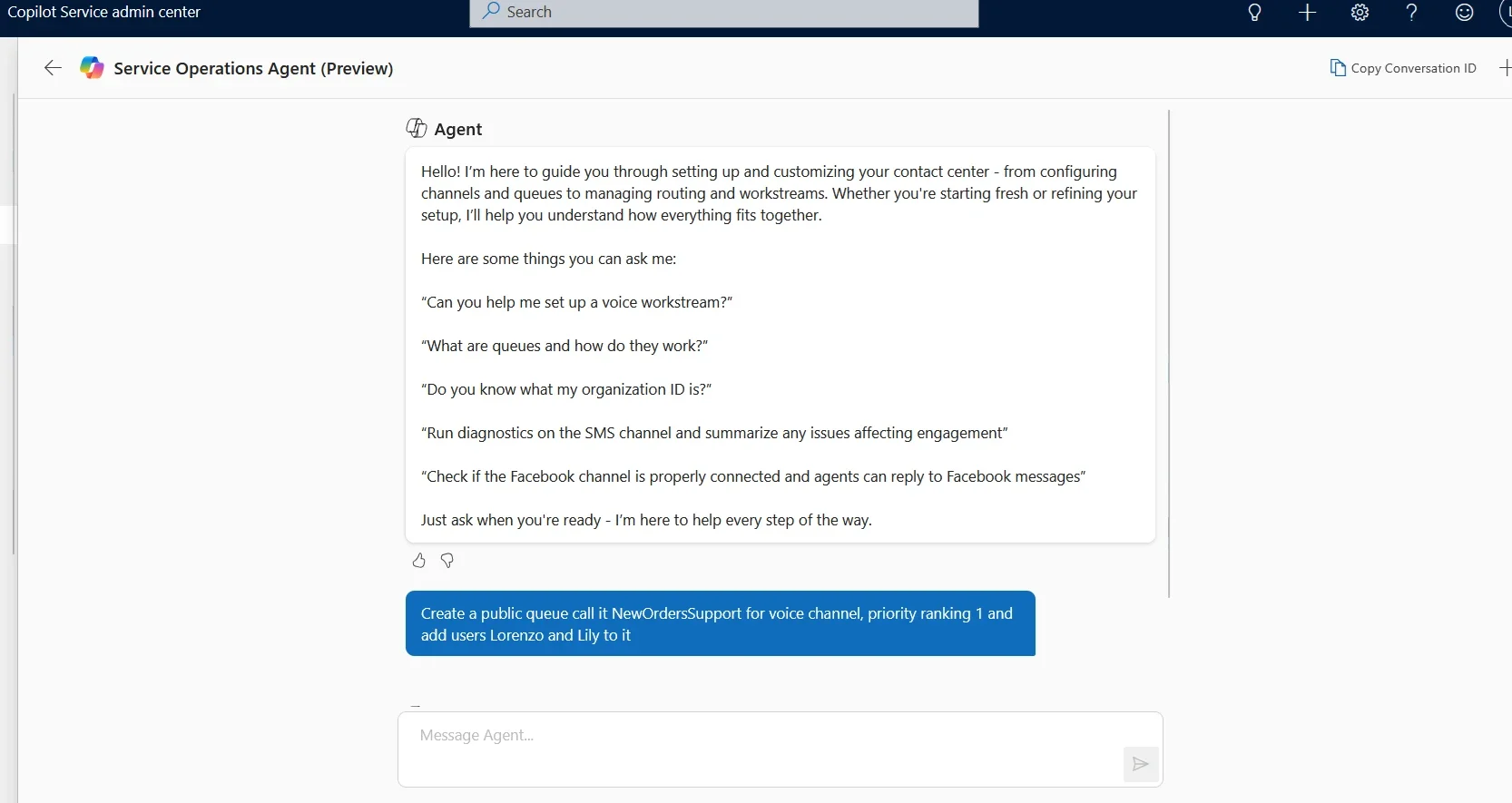
Microsoft is introducing Service Operations Agent in Dynamics 365 Contact Center, an AI-powered capability designed to simplify how administrators configure, manage, and optimize contact center operations. Built directly into the platform, it brings conversational setup, configuration validation, and operational guidance into a single intelligent experience. This latest addition reflects Microsoft’s broader push toward more autonomous, agent-driven customer experience solutions in 2026.

Here’s what you need to know:

  • Why this matters

    Managing a contact center often means juggling multiple tools, troubleshooting issues manually, and navigating complex configurations. Service Operations Agent simplifies this by bringing everything into a single, AI-powered conversational experience.

  • What’s new

    An AI-powered administration layer now lets you set up channels, manage users, receive recommendations, orchestrate conversations through playbooks, and proactively detect issues—all in one place.

  • How it works

    Built into the admin center, the agent uses natural language to guide you through setup, user management, orchestration, and troubleshooting with step-by-step assistance.

  • Key capabilities

    This preview focuses on three areas: setup, diagnostics, and real-time conversation orchestration to keep your contact center running smoothly.

  • Key benefits

    It speeds up onboarding, reduces errors, improves reliability, and enhances customer experience through proactive insights and automated in-queue management.

Want to build stronger customer relationships with a system you can rely on? Discover the power of a customer relationship management solution—get in touch with us today.

Dynamics 365 Introduces Screen Recording for Deeper Service Insights

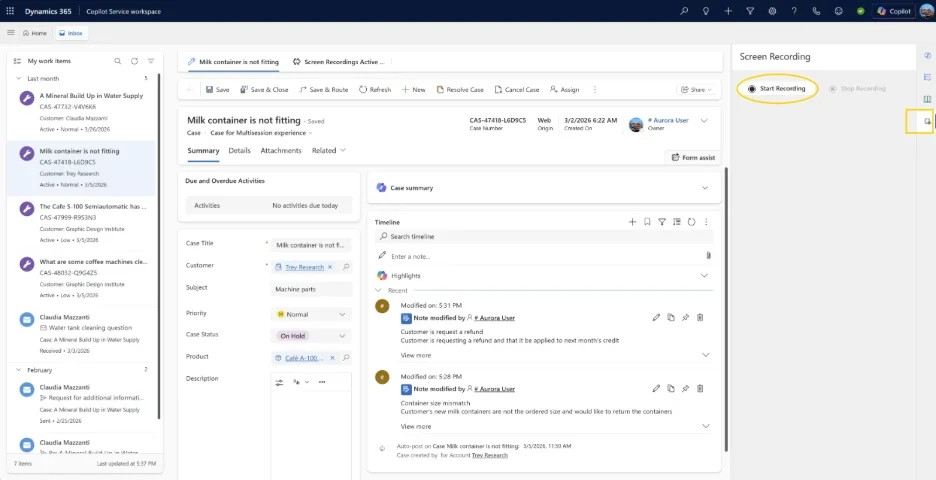
Microsoft has introduced screen recording capabilities in Dynamics 365 Customer Service and Contact Center, addressing a long-standing gap in visibility across customer interactions. The new feature enables organizations to capture on-screen workflows, giving supervisors deeper insight beyond voice and chat transcripts. By combining interaction data with real-time screen context, businesses can improve coaching, quality evaluation, and compliance efforts.

Here’s what you need to know:

  • See what really happens behind every interaction

    Go beyond guesswork. Screen context helps supervisors deliver more accurate evaluations, uncover training gaps and process inefficiencies, speed up resolution times, and confidently validate compliance.

  • Built for both calls and casework

    Whether it’s call handling or case management, this feature adapts to both. Automatically record screens during calls or manually capture sessions across chats and cases—then securely store everything in Dataverse with role-based access.

  • Protect data while gaining insights

    Screen recordings can contain sensitive data, so security isn’t optional—it’s built in. With role-based permissions and enterprise-grade governance, only the right people can access recordings, helping you balance operational insights with compliance and trust.

Looking to equip your customer service team with a smarter, more reliable system? Explore our customer relationship management solutions and get in touch today.

Microsoft Brings Cloud-Based AI Agents Directly Into Visual Studio

Microsoft’s April 2026 update for Visual Studio marks a major step toward more agent-driven development, introducing cloud agent integration directly within the IDE. Developers can now start cloud-based AI agent sessions to handle tasks remotely, streamlining workflows without leaving their coding environment. This update reinforces Microsoft’s push toward scalable, AI-assisted development by enabling asynchronous, agent-powered task execution.

Here are the new features:

  • Cloud Agent Integration

    Start a session directly in Visual Studio, describe the task, and let the cloud agent take over—from creating an issue to delivering a pull request—while you keep working (or even step away).

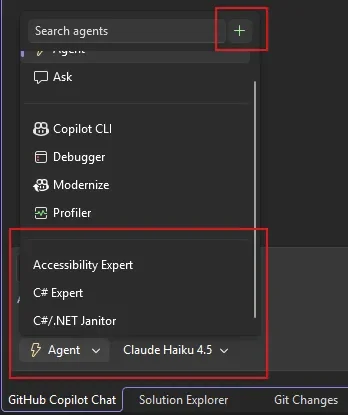
  • Build Your Own Custom Agents

    Create reusable agents tailored to your workflow—now available at both repo and user level, so your setup follows you across projects.

  • C++ Agentic Code Navigation (GA)

    Copilot now understands your C++ code structure more deeply—tracing class hierarchies and function calls to support smarter refactoring and edits.

  • Agentic Issue-to-Resolution Debugging

    Move beyond static analysis. The Debugger Agent replicates issues, analyzes runtime behavior, and walks you through fixes—step by step, in real time.

  • Smarter IntelliSense Prioritisation

    Less noise, more focus. IntelliSense now takes priority, with Copilot stepping in only when you need it.

  • Custom Copilot Shortcuts

    Fine-tune how you accept suggestions—by word, line, or full completion—based on how you code best.

Empower your team to work from anywhere with custom-built business apps. Discover what’s possible—contact us today.

Azure Test Plans Introduces “Actual Result” for Manual Testing

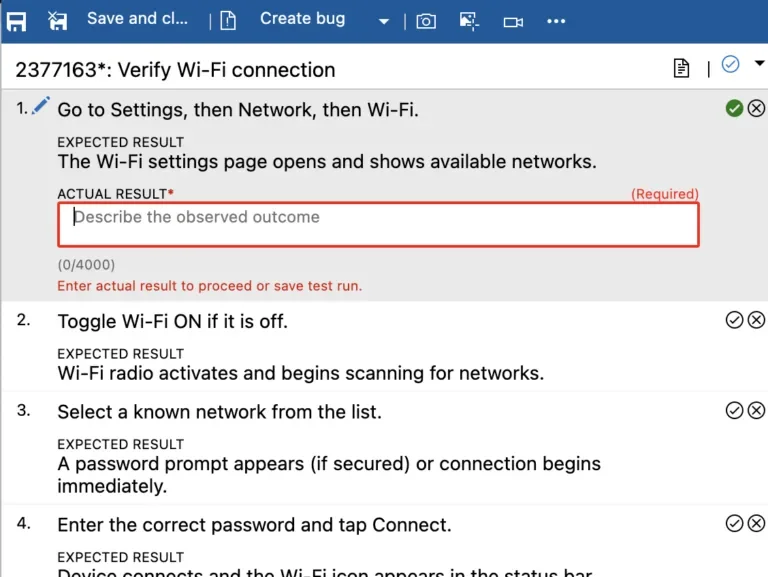
Microsoft has rolled out the “Actual Result” capability in Azure Test Plans, giving teams a more precise way to document what actually happens during manual test runs. The feature is now in public preview and aims to strengthen audit readiness and testing accuracy.

Here’s what you need to know:

  • Why it matters

    Manual testing is essential—but often lacks detailed visibility. The new Actual Result field lets you record precise outcomes per test step, improving traceability, audit readiness, and team collaboration.

  • Key capabilities

    Capture step-level actual results with flexible configuration at the test plan level, while improving audit support and making test runs easier to review and automate.

  • Getting started

    Enable it in your Test Plan Settings (requires Azure Test Plans license), select your preferred mode, and start a manual test run. You’ll be able to capture and review actual results directly in the Test Run Hub.

Looking for a more secure way to manage your organisation’s sensitive data? Discover Secret Vault—built on top of Azure Key Vault—and get in touch with us today!

Power Apps Enters the Next Phase of Copilot Conversations

Microsoft has announced that custom tools and rich app-powered UI for app-based conversations are now in public preview, marking the next evolution of Power Apps within Microsoft 365 Copilot. The update enables makers to go beyond standard grids and forms by building tailored business actions and immersive, interactive experiences directly inside Copilot. This move gives organizations greater flexibility to shape how users interact with their apps through conversational AI.

Here’s what you need to know:

  • Custom tools: Bring your app logic into Copilot

    Your app’s MCP server already supports core actions like querying, creating, and updating data in Microsoft Dataverse. Now, you can go further. Custom tools let you extend your app agent with your own MCP-powered actions—built directly in Power Apps using the prompt builder. Define the name, description, and instructions, and Copilot intelligently decides when to use each tool based on its metadata.

  • App-powered UI widgets: Design the experience

    Widgets are standalone, MCP-compliant HTML components built with Fluent UI, automatically adapting to Copilot’s light and dark themes. You can even generate them using natural language with the generate-mcp-app-ui skill in Claude Code or GitHub Copilot CLI—making it faster to create polished, ready-to-use interfaces.

  • Getting started is simple

    Enable your app’s MCP server → Add custom tools → Attach a widget → Deploy

Ready to bring AI into your Dynamics 365 and Power Apps workflows? Discover what Infinity AI Agent can do for your team—get in touch with us today.

.NET MAUI Maps Introduces Built-In Pin Clustering

Pin clustering has officially arrived in .NET MAUI Maps, bringing a long-awaited capability to improve how dense map data is visualized. The update introduces automatic grouping of nearby pins into cluster markers, helping developers deliver cleaner and more performant map experiences. It also opens up new ways to handle interactions and customize clustering behavior across platforms.

Here’s what you need to know:

  • What is pin clustering?

    Nearby pins are automatically grouped into a single cluster marker when zoomed out. As you zoom in, clusters break apart to reveal individual pins—giving you a cleaner, more intuitive map experience.

  • Enable clustering

    It takes just one property to switch it on. Instantly, nearby pins are grouped into clusters with a count badge showing how many items are inside.

  • Separate clustering groups

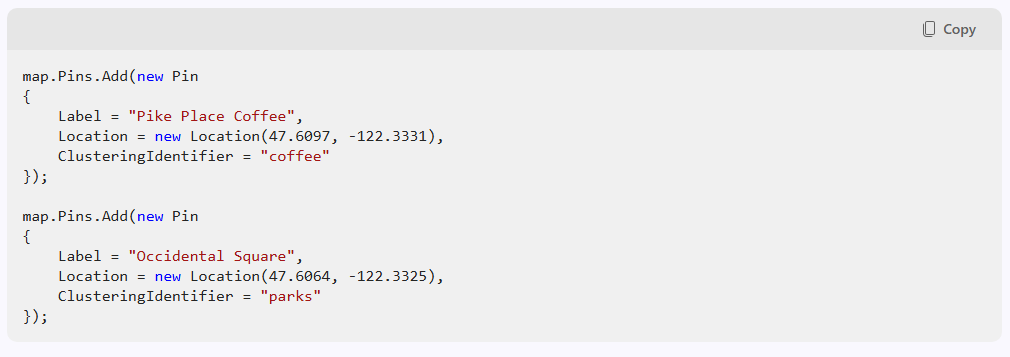
    Not all pins should behave the same. Whether it’s coffee shops, parks, hotels, or attractions - you can group them independently using the ClusteringIdentifier.

  • Handle cluster taps

    Want more control? The ClusterClicked event lets you customize interactions—access cluster pins, location, and override default zoom behavior.

  • Platform notes

    Android uses a built-in grid-based algorithm—no extra dependencies needed. iOS & Mac Catalyst leverage native MapKit clustering for smooth animations.

Empower your team to work anytime, anywhere with tailored mobile applications. Discover custom business apps built for your needs—get in touch with us today.

What’s New in Power BI: April 2026 Release

Microsoft has released the April 2026 update for Power BI, introducing a fresh wave of enhancements across AI, reporting, and data modeling. The update continues to build on the platform’s rapid evolution in 2026, with a strong focus on improving how users interact with data and generate insights.

Here’s a quick look at what’s new:

  • Copilot & AI

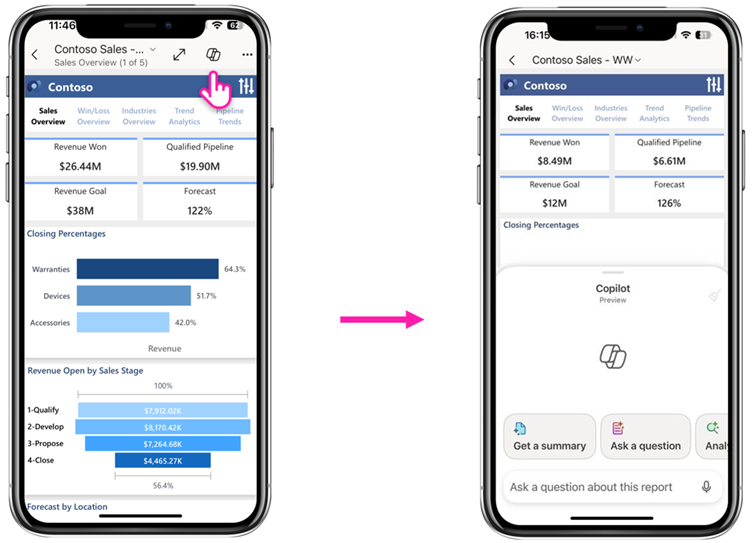
    Copilot in Power BI Mobile just got smarter. You can now chat with your reports directly from your phone or tablet—ask about KPIs, uncover what’s driving your numbers, and even generate AI-powered visuals on the go.

  • Reporting

    Custom themes are now easier to manage with the new base theme switcher. Access it via the View ribbon → Themes, and seamlessly toggle between modern defaults or revert to previous base themes while updating your custom designs.

  • Modeling

    Direct Lake now supports calculated columns and tables—delivering faster insights directly from OneLake without the need for time-consuming refreshes on large datasets.

  • Visualisation

    The Date Picker by Powerviz introduces a more flexible and modern slicer experience, with presets, pop-up mode, smart labels, and rich formatting options to keep your reports both functional and on-brand.

View the full list of Power BI April 2026 updates!

Discover how Microsoft Power BI can turn your data into smarter decisions. Unlock the full potential of business intelligenceget in touch with us today.

Visual Studio Releases 20 Must-Watch VS Live! Sessions

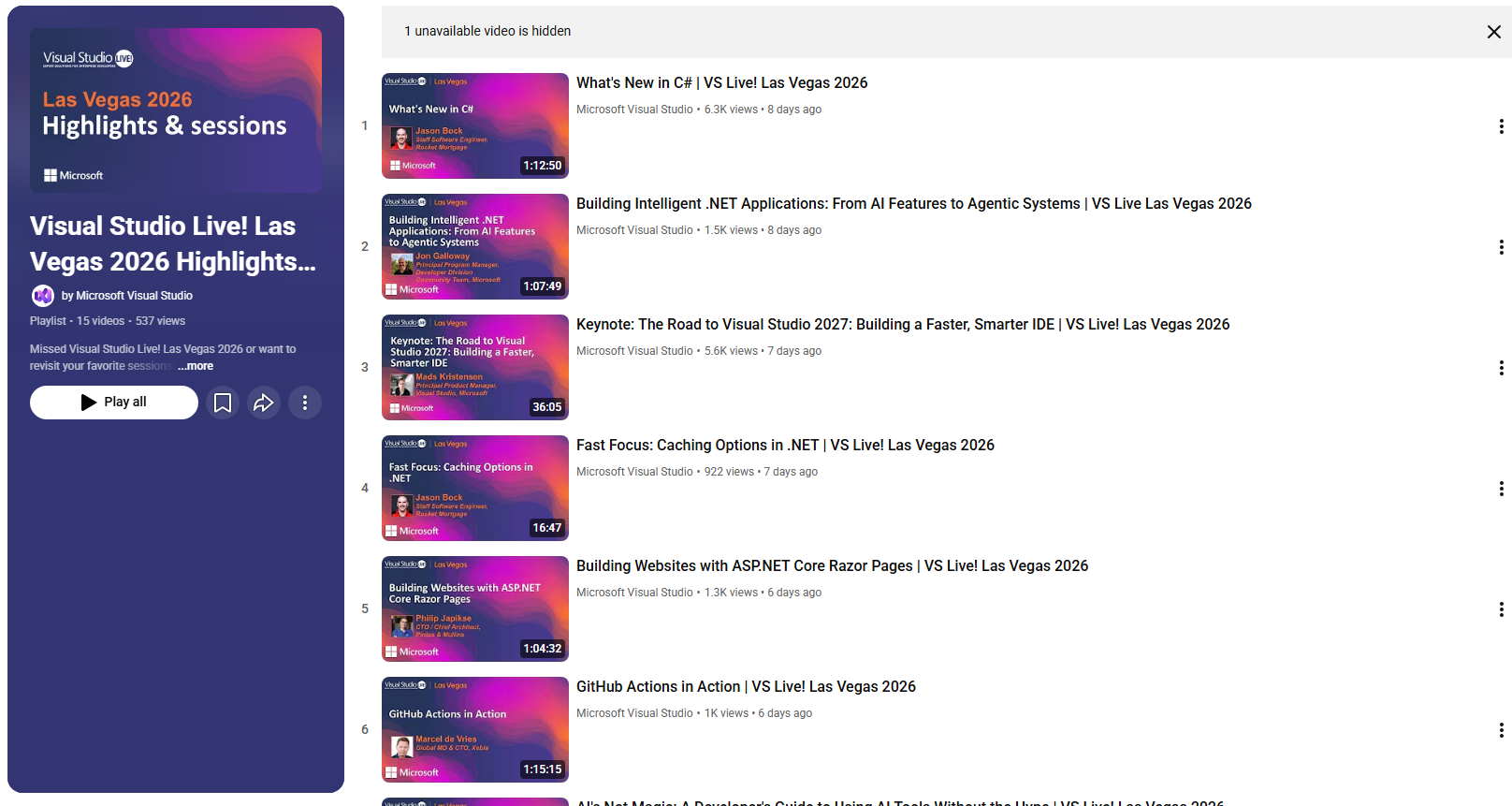
Microsoft has released 20 recorded sessions from VS Live! Las Vegas 2026, now available for on-demand viewing on the Visual Studio YouTube channel. The release gives developers who missed the event a chance to catch up on expert-led presentations at their convenience. Sessions are being rolled out in batches, making it easier for viewers to explore and revisit content over time.

Here’s what to expect:

  • What’s in the series

    Dive into the topics shaping modern development—AI and Copilot-powered workflows, modern .NET and C#, cloud-native apps with Azure, developer productivity, and real-world architecture.

  • Who you’ll learn from

    Hear directly from Microsoft engineers building these tools, alongside industry experts applying them to solve real challenges and ship production-ready apps.

  • How sessions are released

    New content drops daily, with two sessions released each day—so you can explore at your own pace and focus on what matters most.

Your CRM alone may not be enough to keep your operations running smoothly. Enhance it with custom business applicationscontact us today to get started.