
Microsoft has introduced screen recording capabilities in Dynamics 365 Customer Service and Contact Center, addressing a long-standing gap in visibility across customer interactions. The new feature enables organizations to capture on-screen workflows, giving supervisors deeper insight beyond voice and chat transcripts. By combining interaction data with real-time screen context, businesses can improve coaching, quality evaluation, and compliance efforts.
Here’s what you need to know:
See what really happens behind every interaction
Go beyond guesswork. Screen context helps supervisors deliver more accurate evaluations, uncover training gaps and process inefficiencies, speed up resolution times, and confidently validate compliance.
Built for both calls and casework
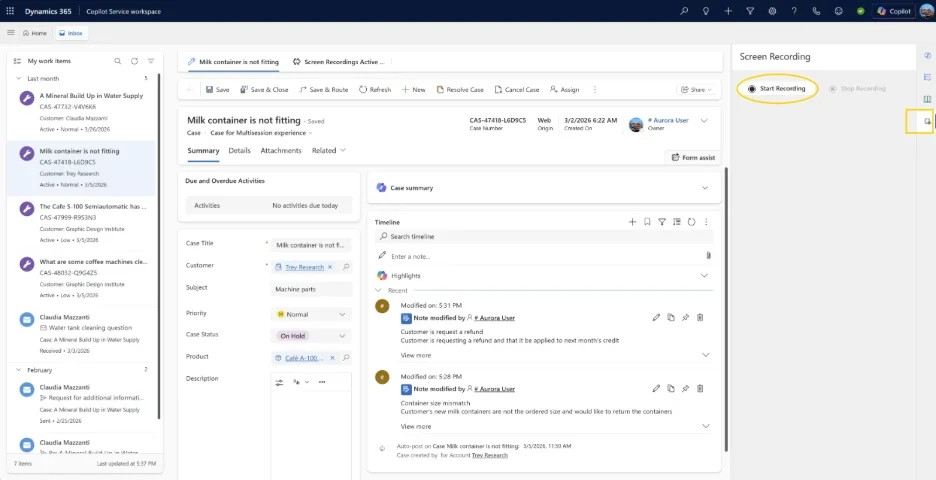
Whether it’s call handling or case management, this feature adapts to both. Automatically record screens during calls or manually capture sessions across chats and cases—then securely store everything in Dataverse with role-based access.
Protect data while gaining insights
Screen recordings can contain sensitive data, so security isn’t optional—it’s built in. With role-based permissions and enterprise-grade governance, only the right people can access recordings, helping you balance operational insights with compliance and trust.
Looking to equip your customer service team with a smarter, more reliable system? Explore our customer relationship management solutions and get in touch today.