Microsoft has introduced Copilot in web modeling for Power BI in Preview, bringing AI-assisted semantic model authoring directly into the browser. The new capability allows users to analyse, refine, and improve semantic models using natural language prompts, helping reduce the time spent on manual model management.
Here's what you need to know:
Accelerate Model Development with Copilot
Copilot is built directly into the model authoring experience, enabling you to explore and improve your semantic models through conversation. Whether you're standardising naming conventions, creating measures, or refining model structure, Copilot can recommend changes and apply updates for you.
Powerful Model Management Capabilities
Copilot can analyse your model and identify opportunities for improvement, including inconsistent naming, unclear structures, and optimisation opportunities. It can also perform schema updates such as renaming tables and columns, creating relationships, and generating DAX measures.
Designed for Security and Oversight
Copilot respects existing Power BI permissions, allowing Admins, Members, and Contributors to make updates to the active model. Before any analysis or changes are performed, you'll be asked to grant permission. Automatic restore checkpoints are also created, making it easy to roll back changes using semantic model version history.
Getting Started
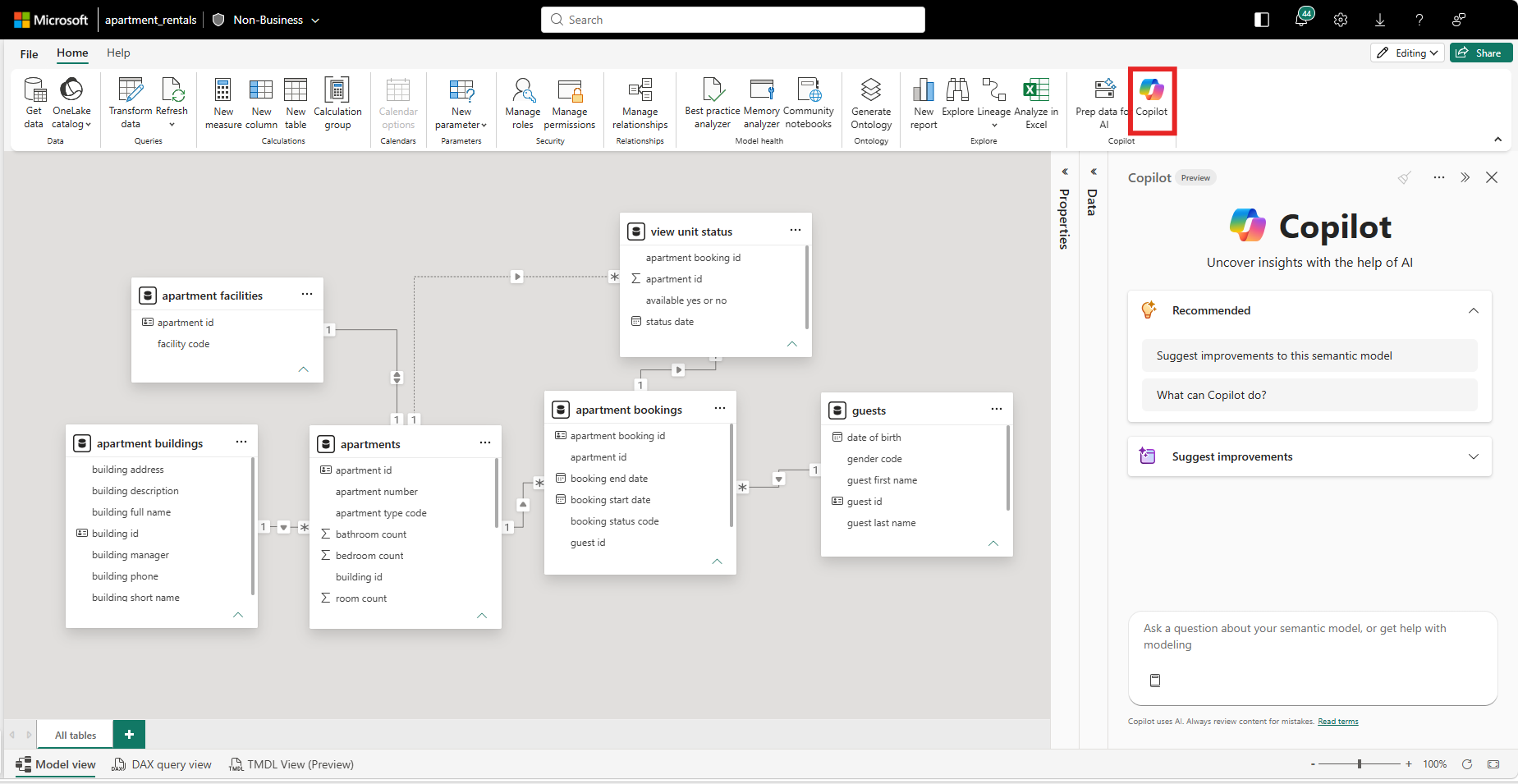
Open a semantic model in Model View within the Power BI Service, switch to Edit Mode, and select Copilot from the ribbon. From there, you can use suggested prompts or ask your own questions to analyse and improve your model.
Looking to enhance your reporting and analytics capabilities? Discover our Business Intelligence solutions and contact us today to discuss your requirements.