
Microsoft has announced the general availability of modern visual tooltips in Power BI, introducing a more interactive and streamlined way for users to explore report data. The update enhances report navigation with built-in actions and improved styling, helping organizations uncover insights faster across desktop, web, mobile, and embedded reports.
Here’s what you can do with them:
Take action directly from tooltips
Users can now drill down, drill up, and drill through straight from the tooltip using the new Actions footer—no right-clicks or visual headers needed. Data exploration just became faster and more intuitive.
Consistent, theme-based styling
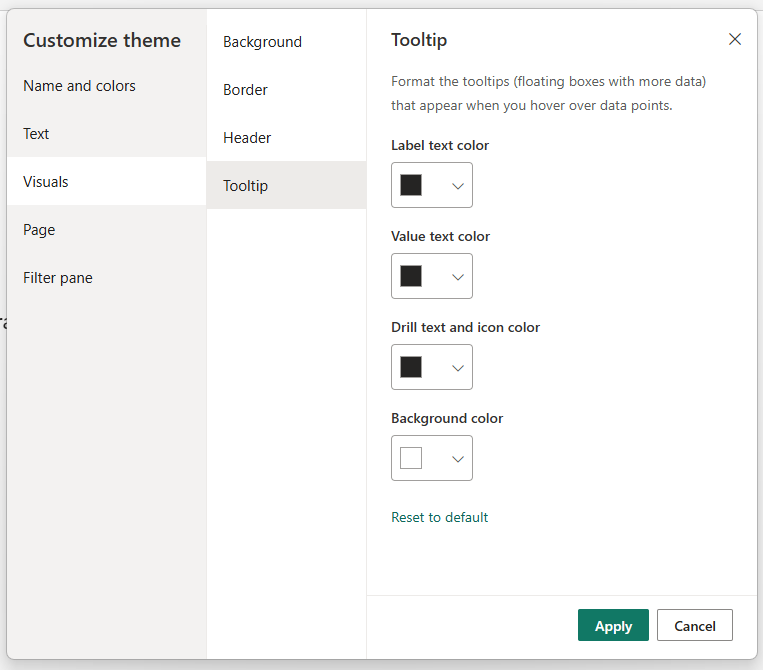
Modern tooltips automatically adopt your report’s theme colors for a polished, professional look. You can further customize fonts, colors, and transparency via the Format pane—or fully tailor them by customizing or importing themes from View > Themes.
No disruption to existing reports
Your current reports stay exactly the same unless you choose to upgrade. To apply the new tooltip experience, simply select Reset to default in the Format pane to update visuals across the report.
Available everywhere
These updated visual tooltips work across Power BI Desktop, Power BI Service, mobile apps, Microsoft Teams, and embedded reports.
Discover what more you can achieve with Power BI. Explore smarter Business Intelligence and contact us today.