
Power BI’s February 2026 update brings a wave of enhancements focused on usability, AI integration, and reporting performance. The latest release continues Microsoft’s push to make analytics more intuitive and impactful for businesses.
Here’s what you need to know:
Copilot & AI Just Got Smarter
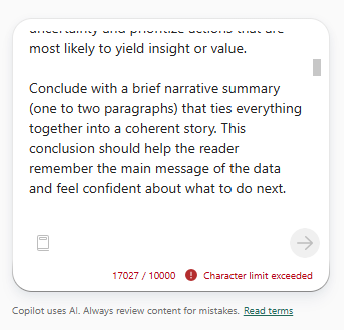
The Copilot character limit has increased to 10,000 characters across all surfaces—Standalone, Report Pane, Apps, Mobile, and Embedded. This means you can now write longer, more detailed prompts to get richer, more precise AI-powered insights.
Reporting: Input Slicer Upgrade
The Text Slicer is now officially renamed to Input Slicer—and it’s more powerful than ever. Users can filter reports using free-form text with flexible options like exact match, contains, or starts with—making data exploration faster and more intuitive.
Modeling: Safer, Smarter DAX
A new DAX function, TABLEOF, joins NAMEOF as its companion. Together, they make your DAX formulas more resilient by referencing model objects that automatically adapt to renames—reducing fragile text-based logic and improving maintainability.
Visualisation: Pie PRO (Filter)
Pie PRO (Filter) enhances pie and donut charts with advanced labeling and category-level reference markers.This gives users better performance context and the ability to interact directly with chart data.
Other Updates: Fabric Copilot Capacity
Fabric Copilot capacity allows organizations to centralize Copilot usage across Power BI Desktop, Pro, and Premium per-user workspaces into one designated capacity. Starting February 8, 2026, the tenant setting for Fabric Copilot capacities will be enabled by default.
Check out the full list of Power BI’s February 2026 update.
Unleash the power of your data with Power BI. Discover Business Intelligence and contact us today!