
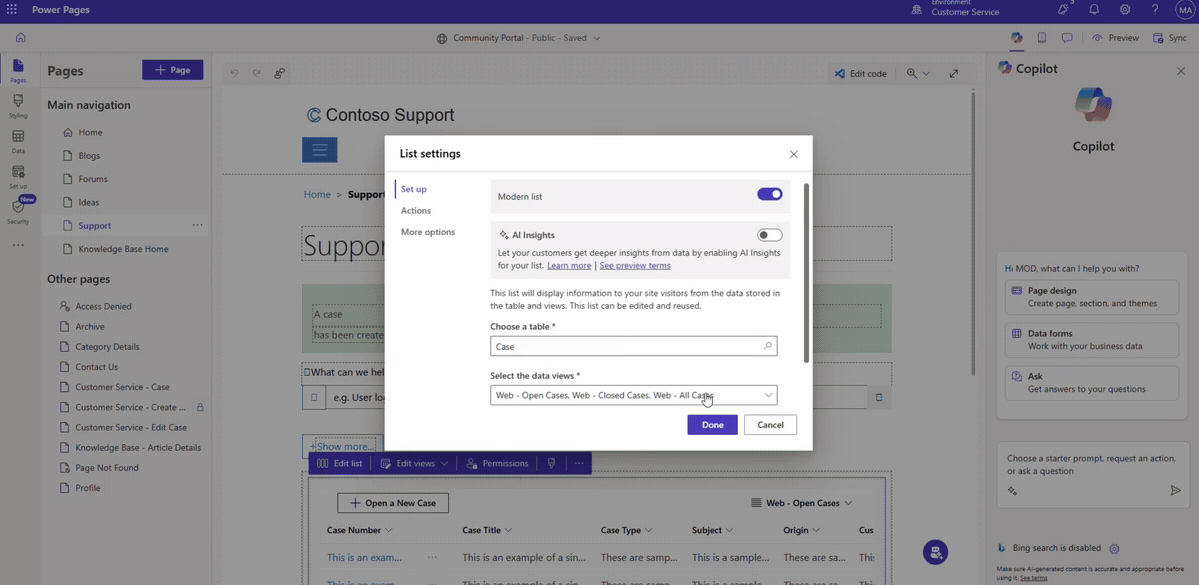
Microsoft has announced the general availability of Modern List in Power Pages, bringing a refreshed way to present Dataverse data with a more modern and customisable experience. The update also introduces greater flexibility for developers through custom JavaScript support via the Power Pages Client API.
What’s New with Modern List?
Modern List provides a refreshed way to showcase Dataverse data with a range of built-in capabilities. Makers can take advantage of infinite scrolling, inline filtering, shimmer loading, low-code customisation, and custom JavaScript support.
A More Flexible Default Experience
With general availability, Modern List is now the default list experience for newly created Power Pages sites. Existing classic lists remain unchanged, giving organisations the flexibility to transition at their own pace.
Extend Lists with Custom JavaScript
When built-in configuration isn't enough, developers can use the Power Pages Client API to add more advanced behaviours without replacing the Modern List with a separate data grid. This makes it possible to customise how data is displayed while retaining existing Dataverse views, actions, filtering, and security configurations.
What Can the Client API Do?
Developers can use the Client API to access and customise Modern List data, respond to user interactions, and style rows, columns, headers, and tooltips. For example, customer service portals can highlight high-priority requests or apply status-based styling while keeping existing list configurations intact.
Want to see what Power Pages can do for membership management? Explore how Human Resources New Zealand uses Power Pages to deliver a more streamlined member experience, and contact us to learn more.