Uploading and sending files to/from Dynamics 365 made easy

Infinity Buttons SharePoint Addon Benefit - Dynamics 365 - Attach files directly

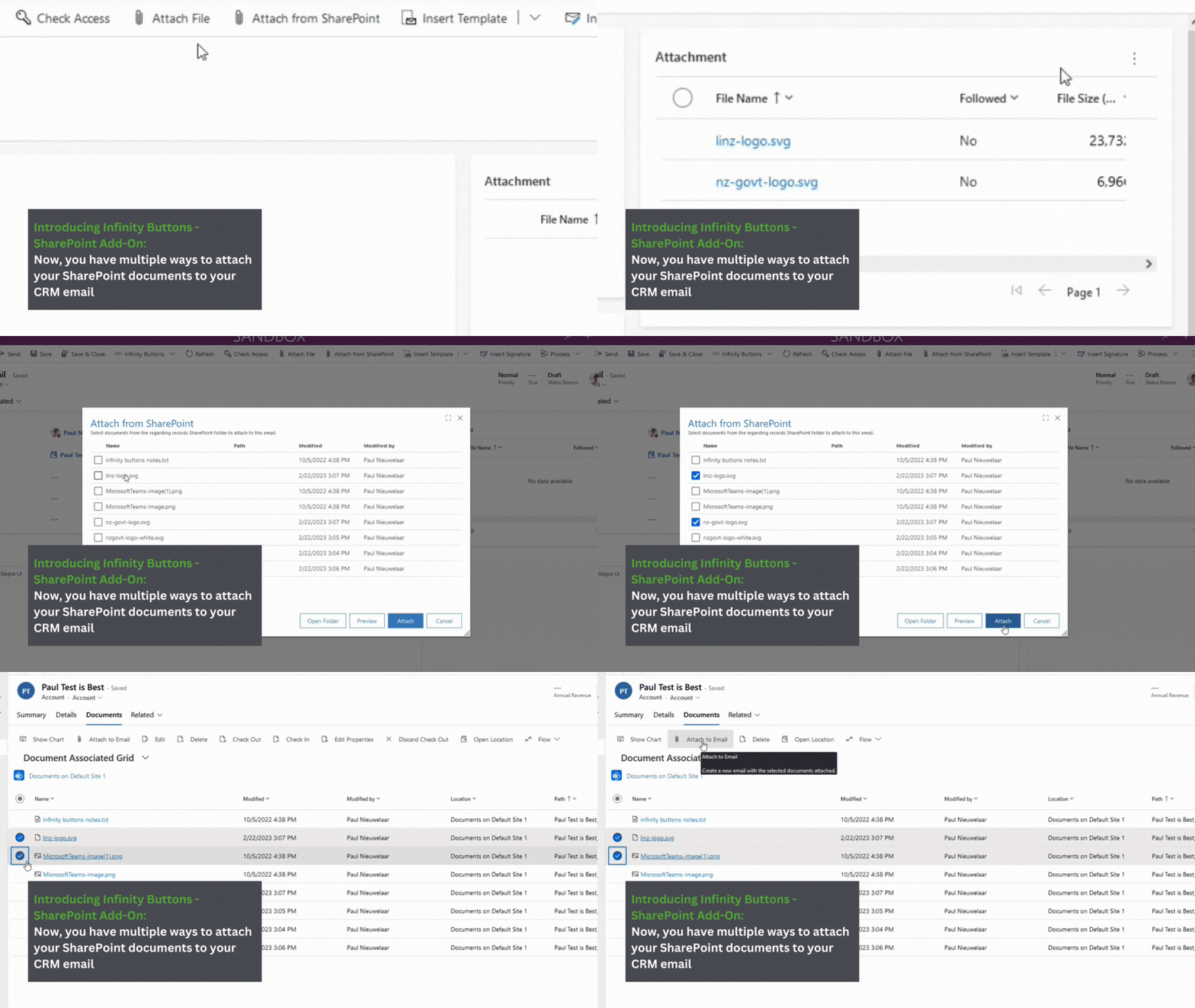
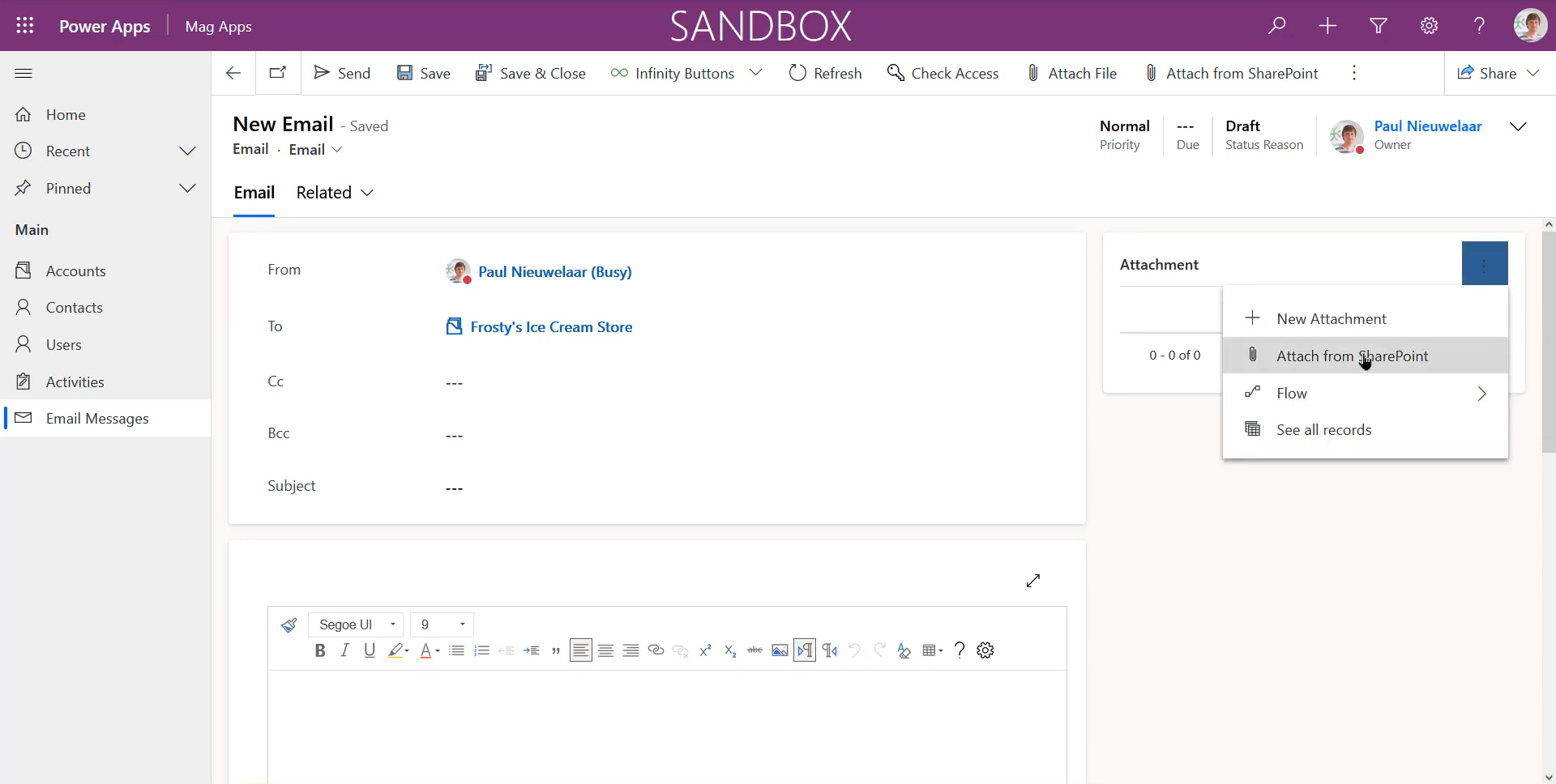
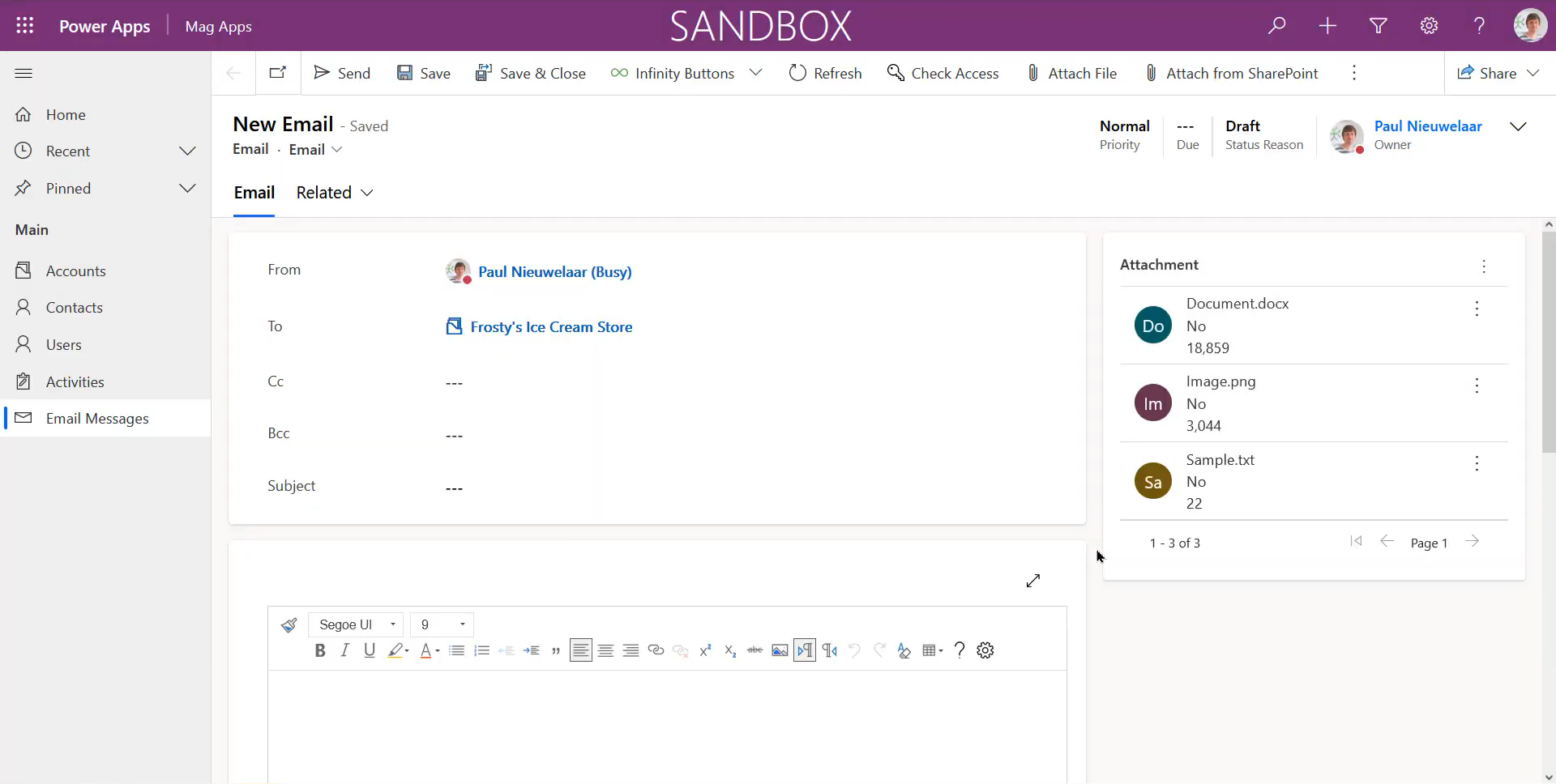
Attach files directly from SharePoint to D365 emails

Users can attach files from SharePoint to their Dynamics 365 emails easily. This eliminates the need to download files from SharePoint and upload them again to Dynamics 365, saving time and reducing frustration for users.

Infinity Buttons SharePoint Addon Benefit - Dynamics 365 - Multiple file upload

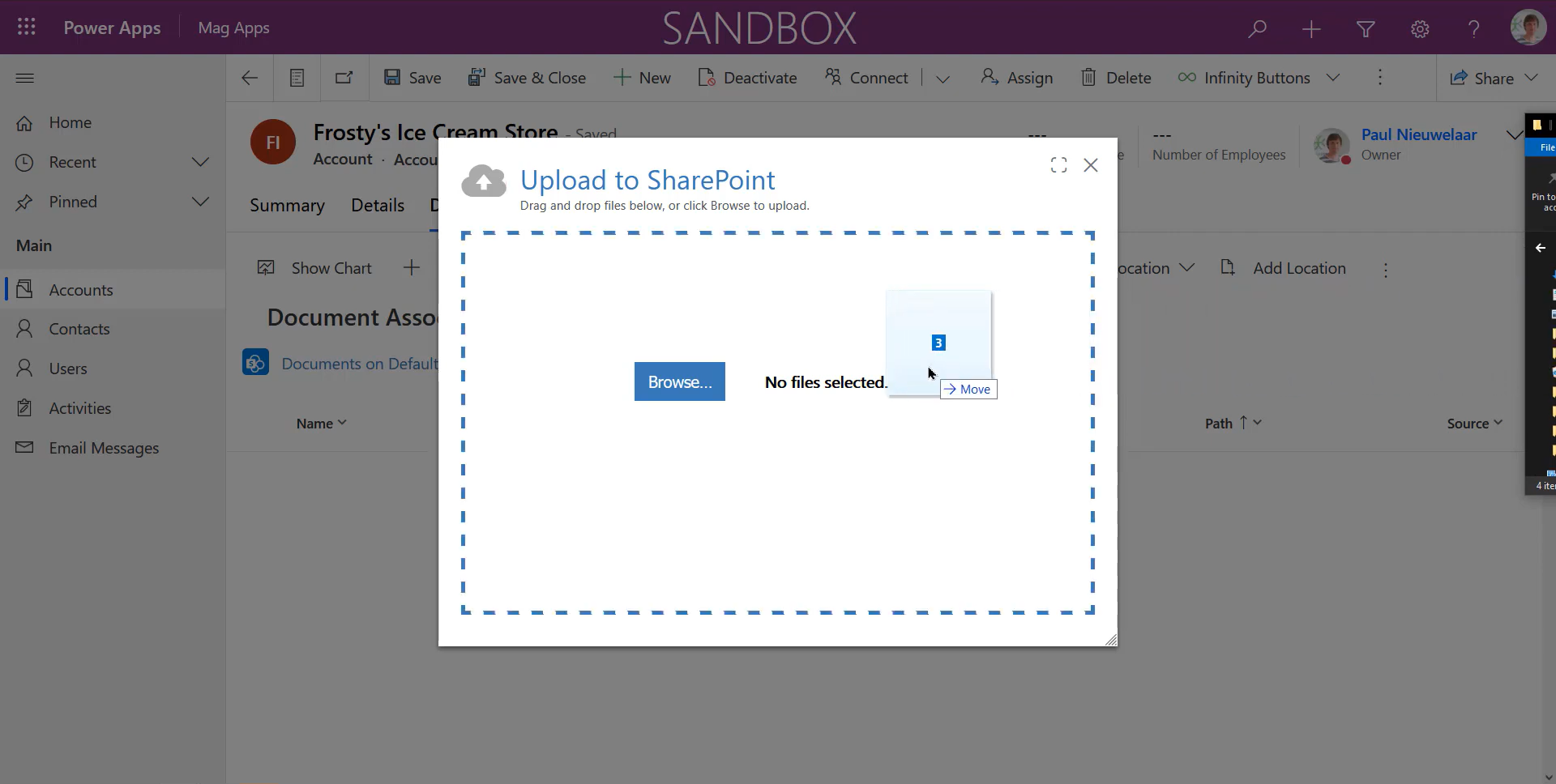
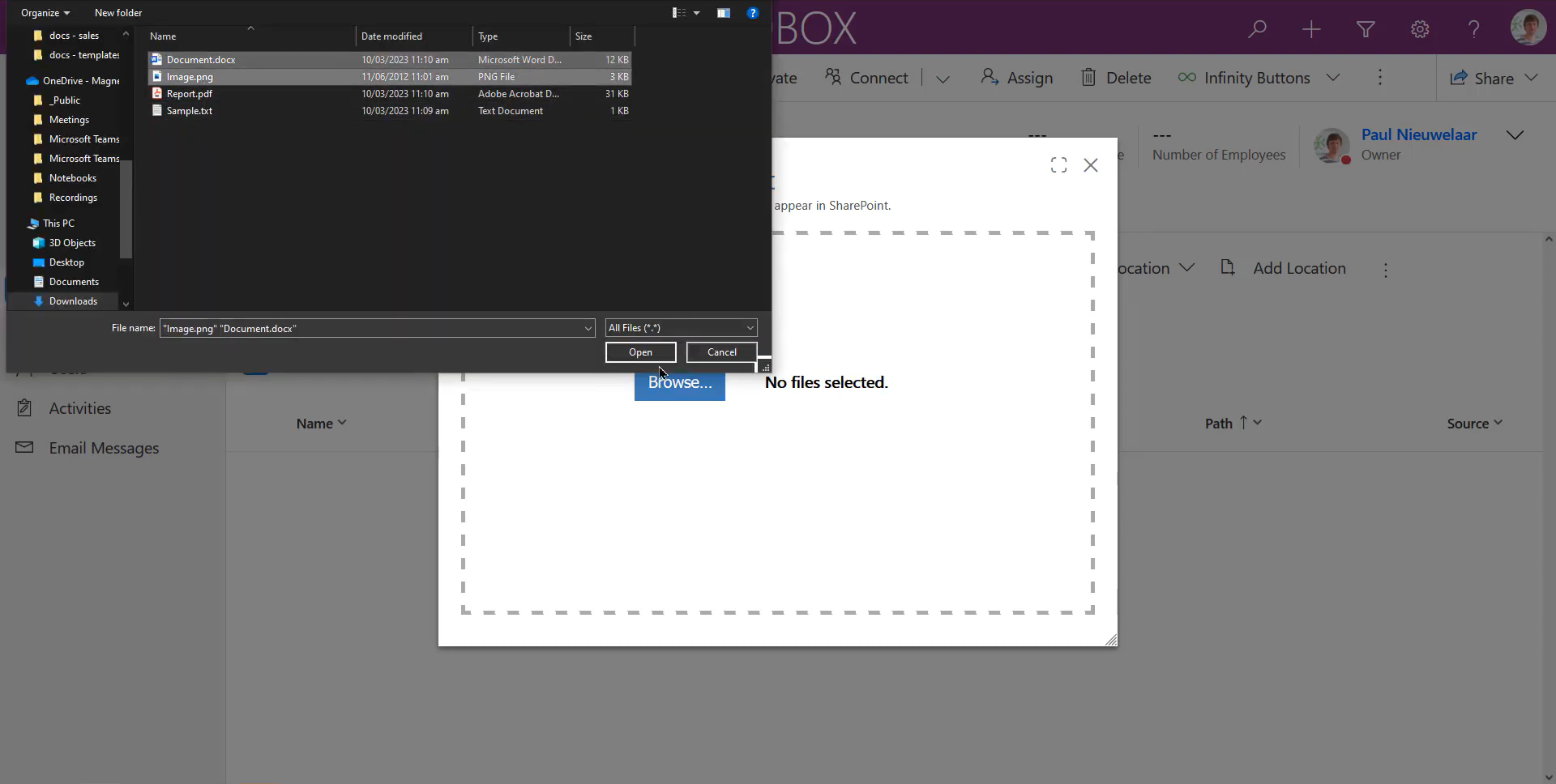
Quickly upload multiple SharePoint files

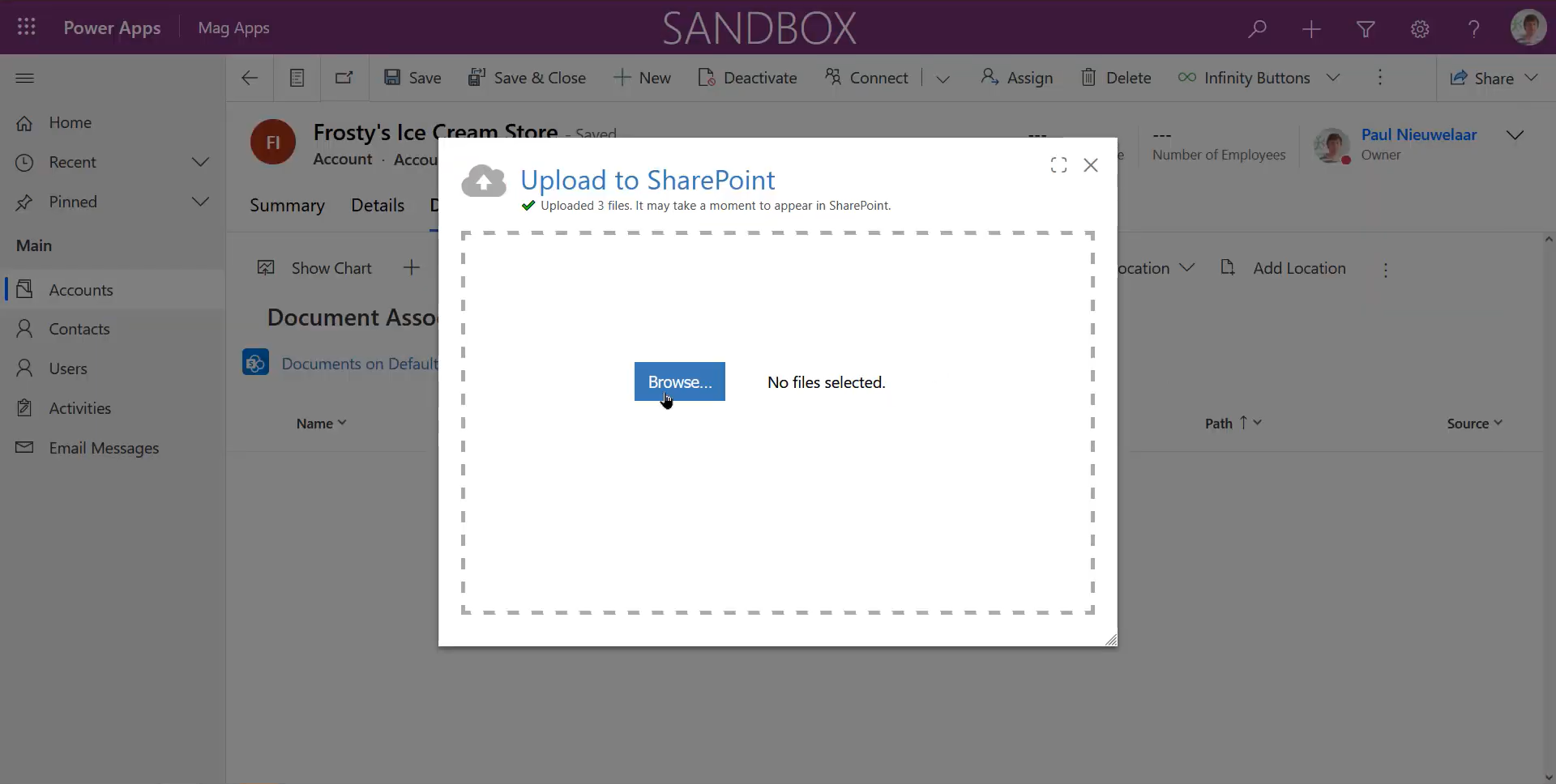
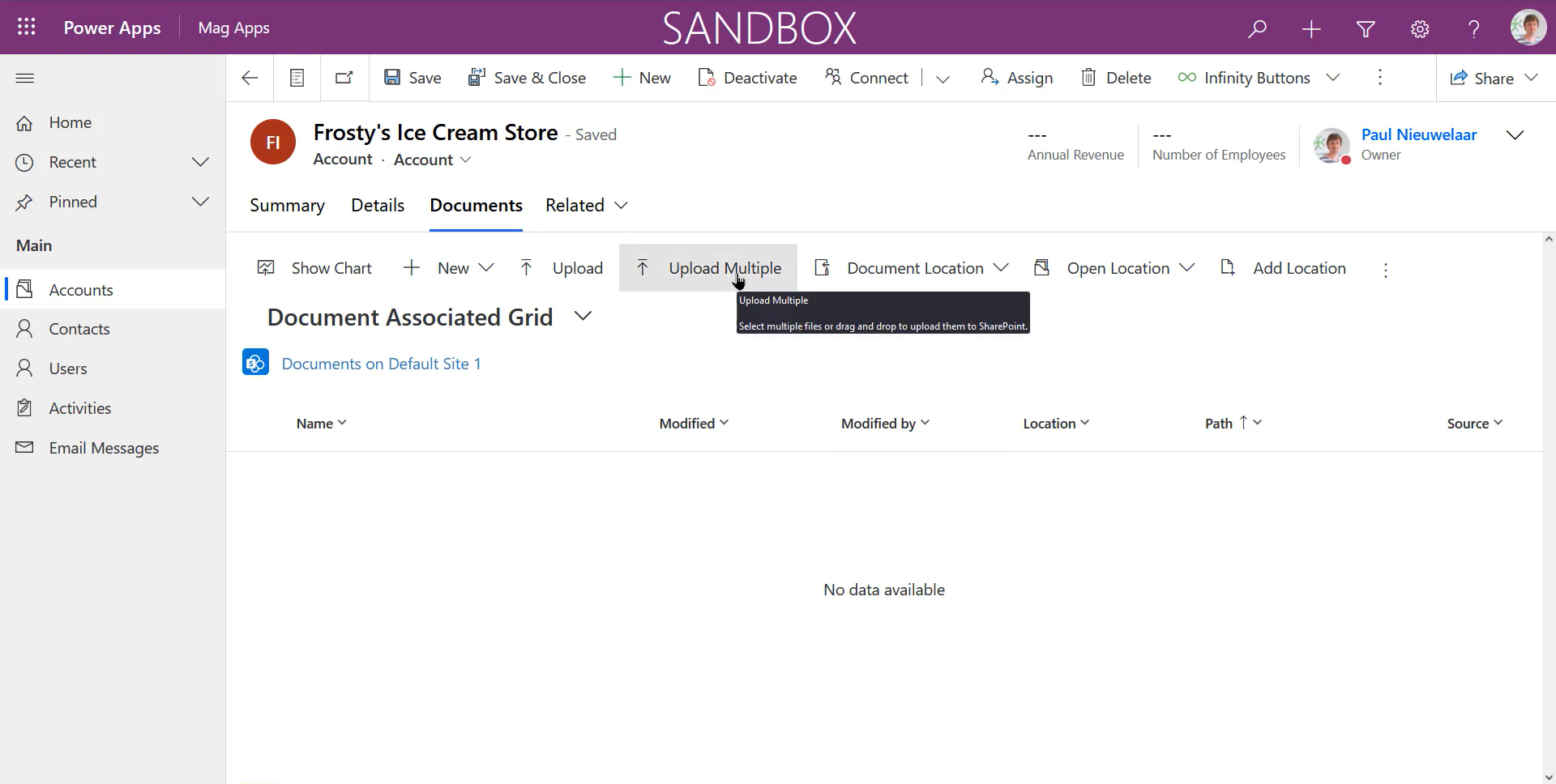
Use the drag-and-drop feature to upload multiple files at once into SharePoint directly within your Dynamics 365, saving you time and frustration and with no restrictions on uploaded file size.

Infinity Buttons SharePoint Addon Benefit - Dynamics 365 - Quick file access

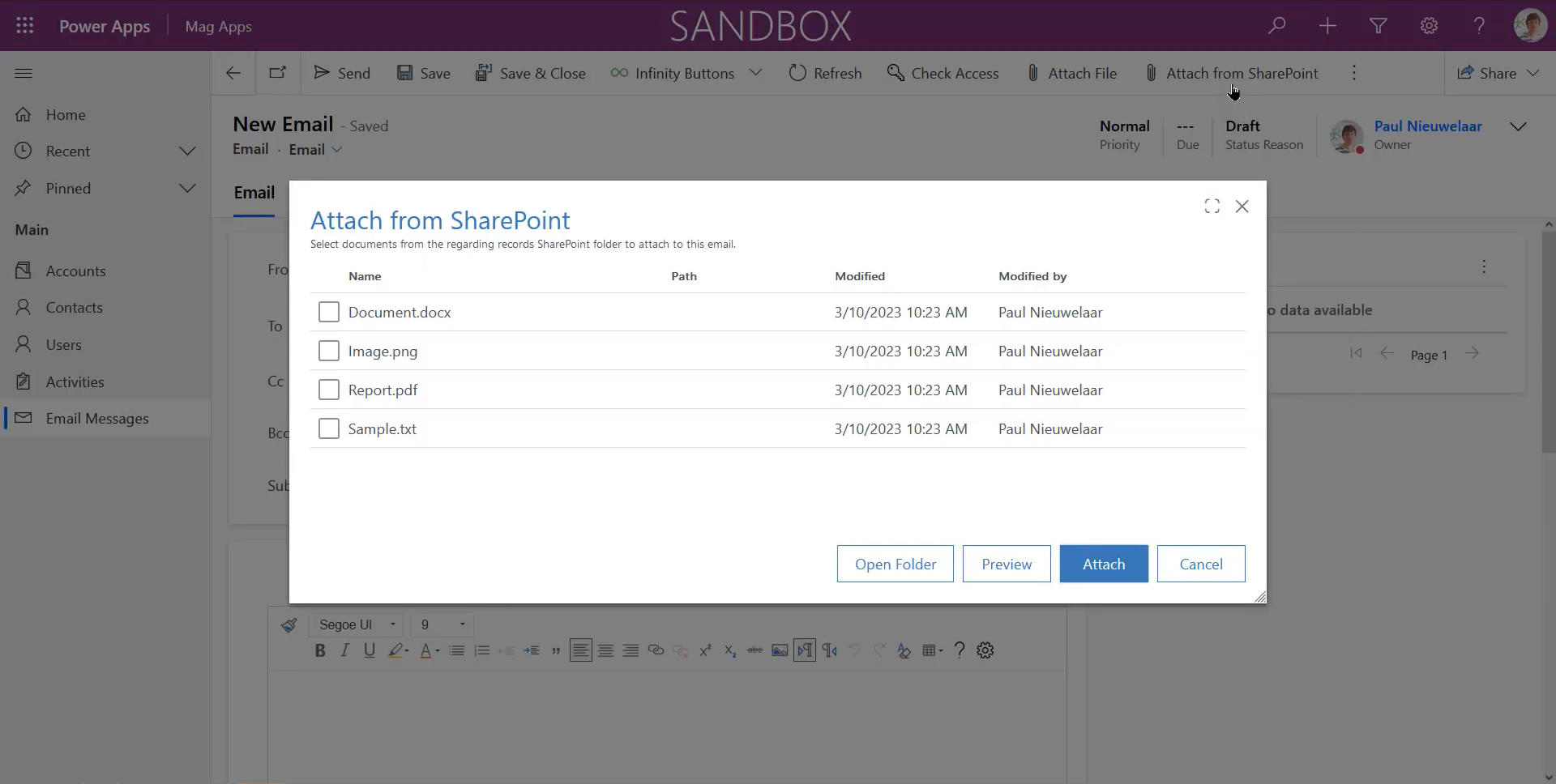
Quick access to SharePoint files from Dynamics 365 emails

Users can quickly access SharePoint files from Dynamics 365 emails without having to navigate to SharePoint manually. This saves time and effort for users, and ensures that the right files are attached to the email.

Infinity Buttons SharePoint Addon Benefit - Dynamics 365 - Files added in the background

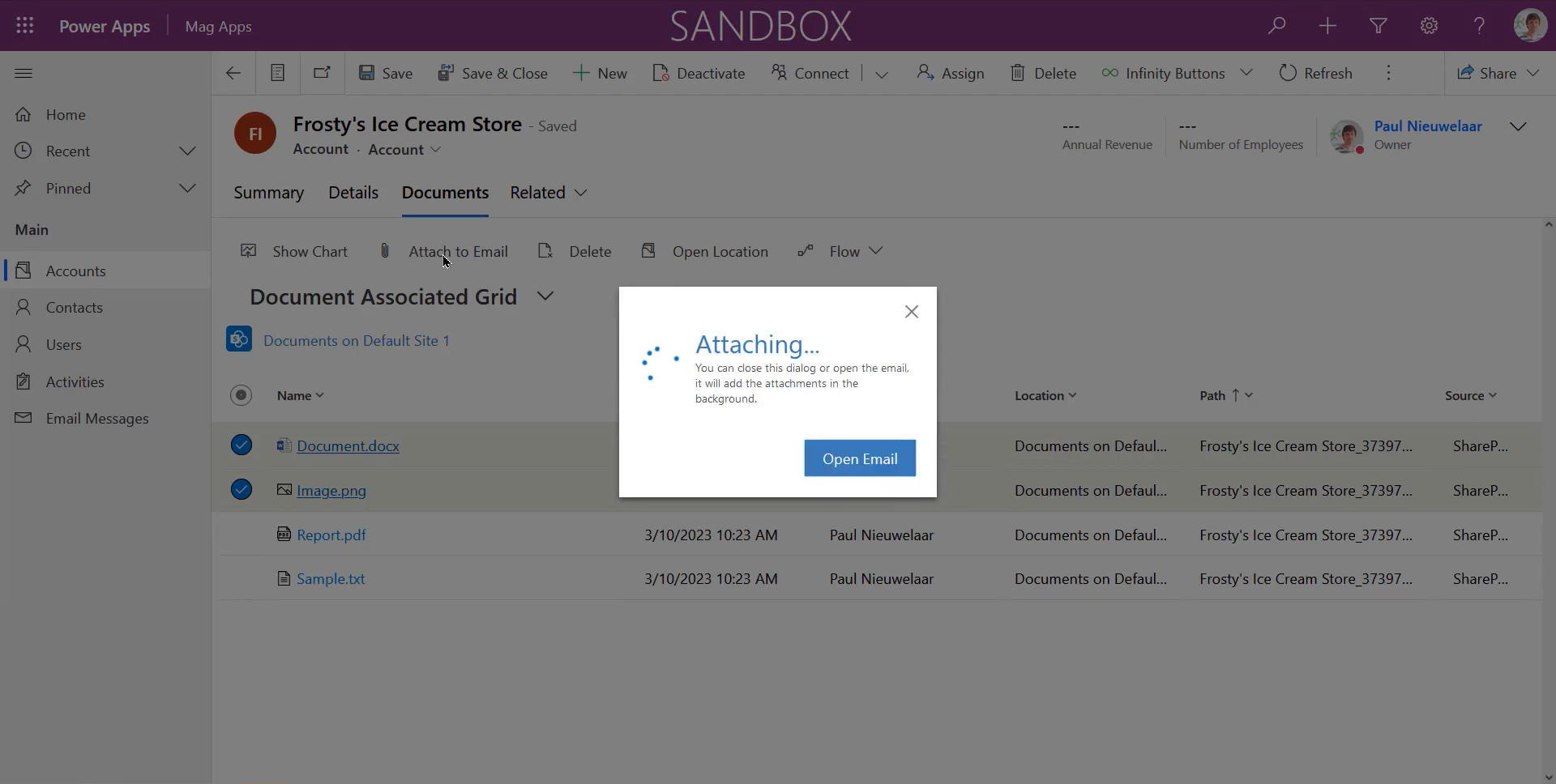
SharePoint files are added in the background

Users don’t need to wait for their files to upload, meaning they can focus on more important things while our SharePoint Add-on does the heavy lifting in the background.

What is Infinity Buttons: SharePoint add-on?

Introducing Infinity Buttons: SharePoint Add-on, the must-have tool for anyone using both SharePoint and Dynamics 365. Streamline your user experience and supercharge your productivity with both the Upload to SharePoint and Attach to Email functionality.

What’s included?

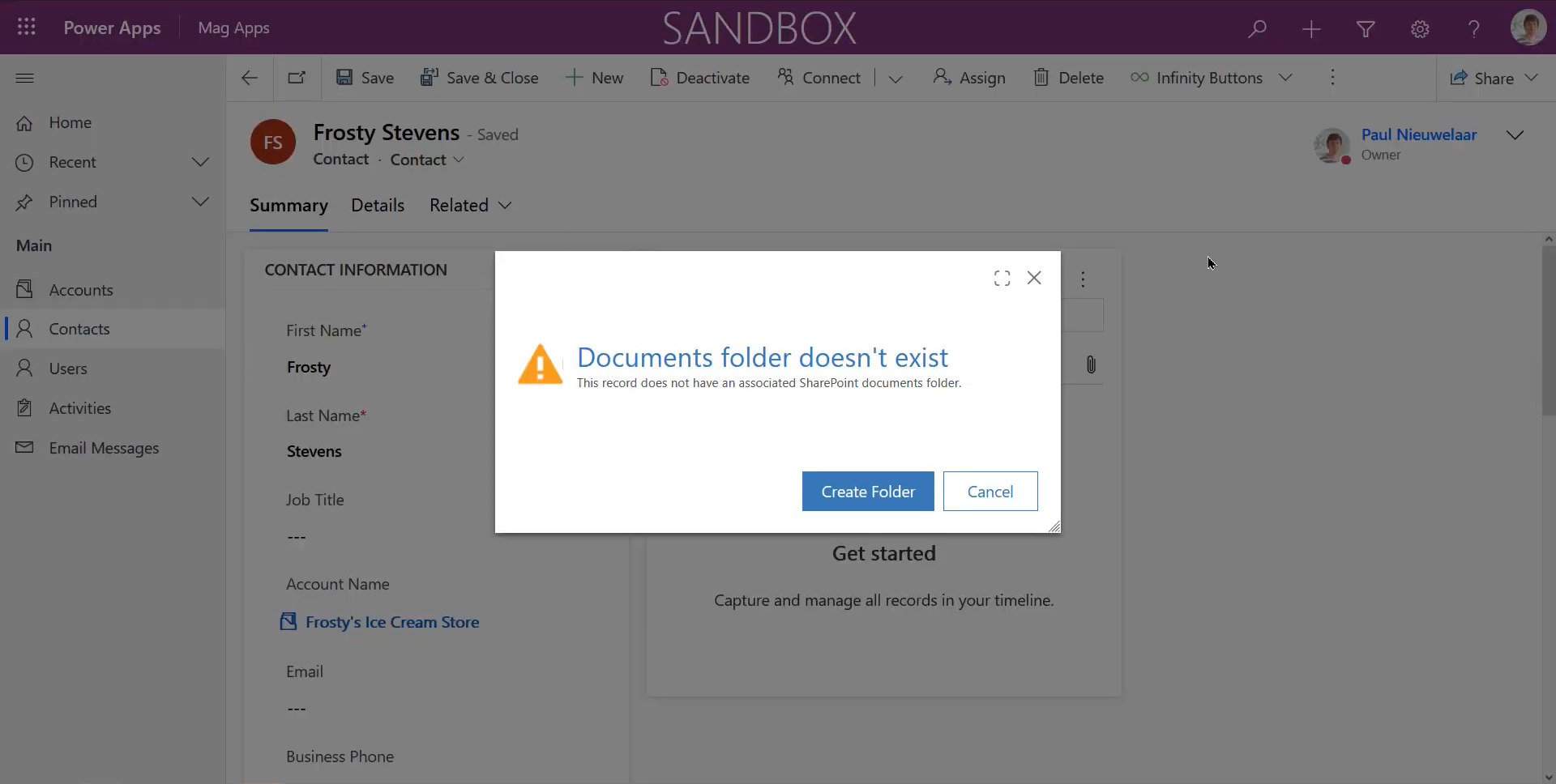
  • Easily upload files to SharePoint from CRM

  • Attach SharePoint files to CRM Emails
Magnetism Solutions - Dynamics 365 - Infinity Buttons SharePoint Add On

Take a tour

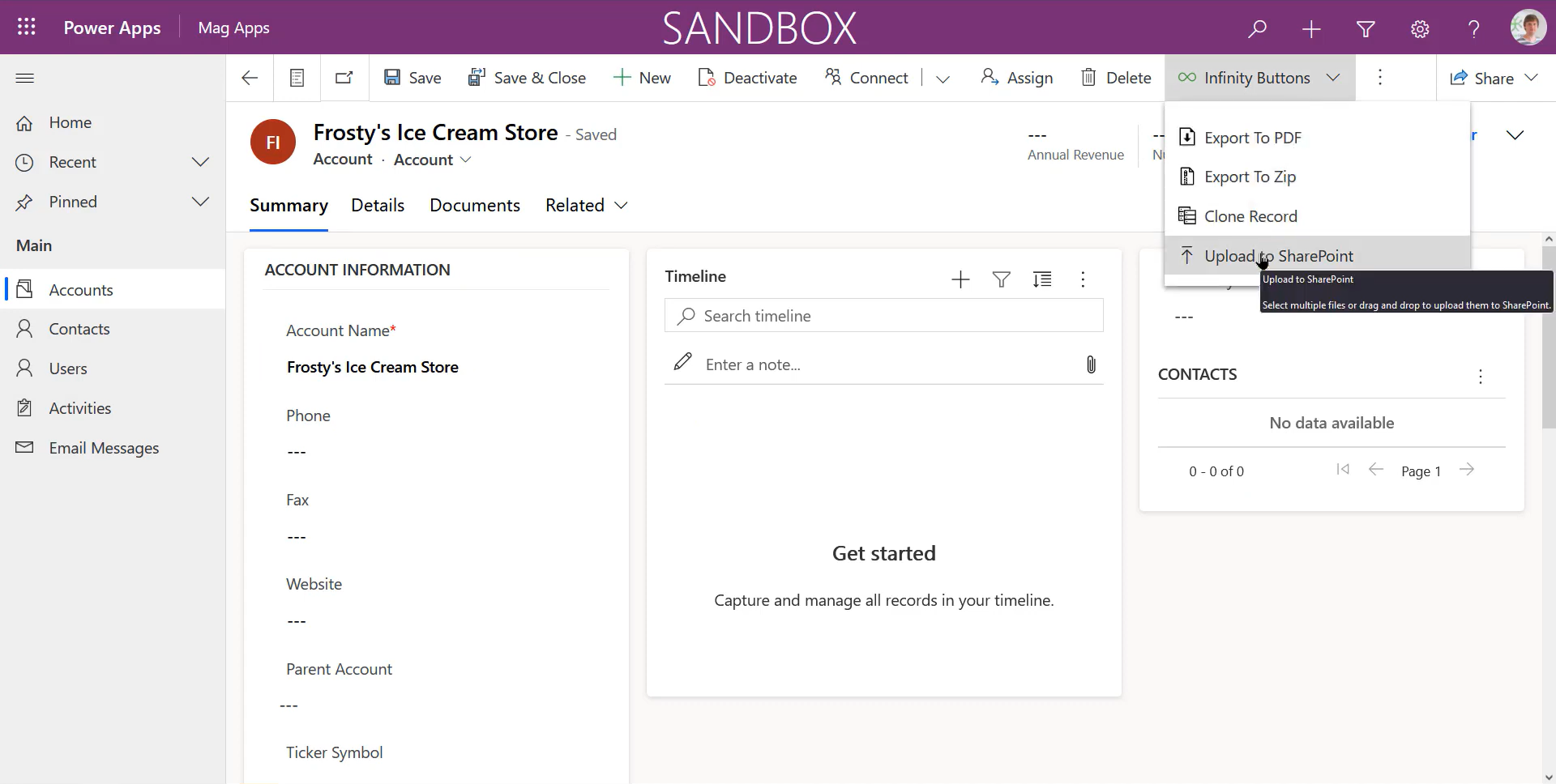
Upload to SharePoint feature

The Infinity Buttons SharePoint Add-On simplifies the frustrating task of uploading documents from Dynamics 365 to SharePoint.

The default Dynamics 365 upload tool only allows one file at a time, up to 50MB, which can be a time-consuming process when uploading multiple files. Our upload multiple button allows users to upload multiple documents at once, either by drag-and-drop or by file browsing without the 50MB file size limitation.

Try the 30-day free trial today and make uploading documents a breeze!

Attach from SharePoint feature

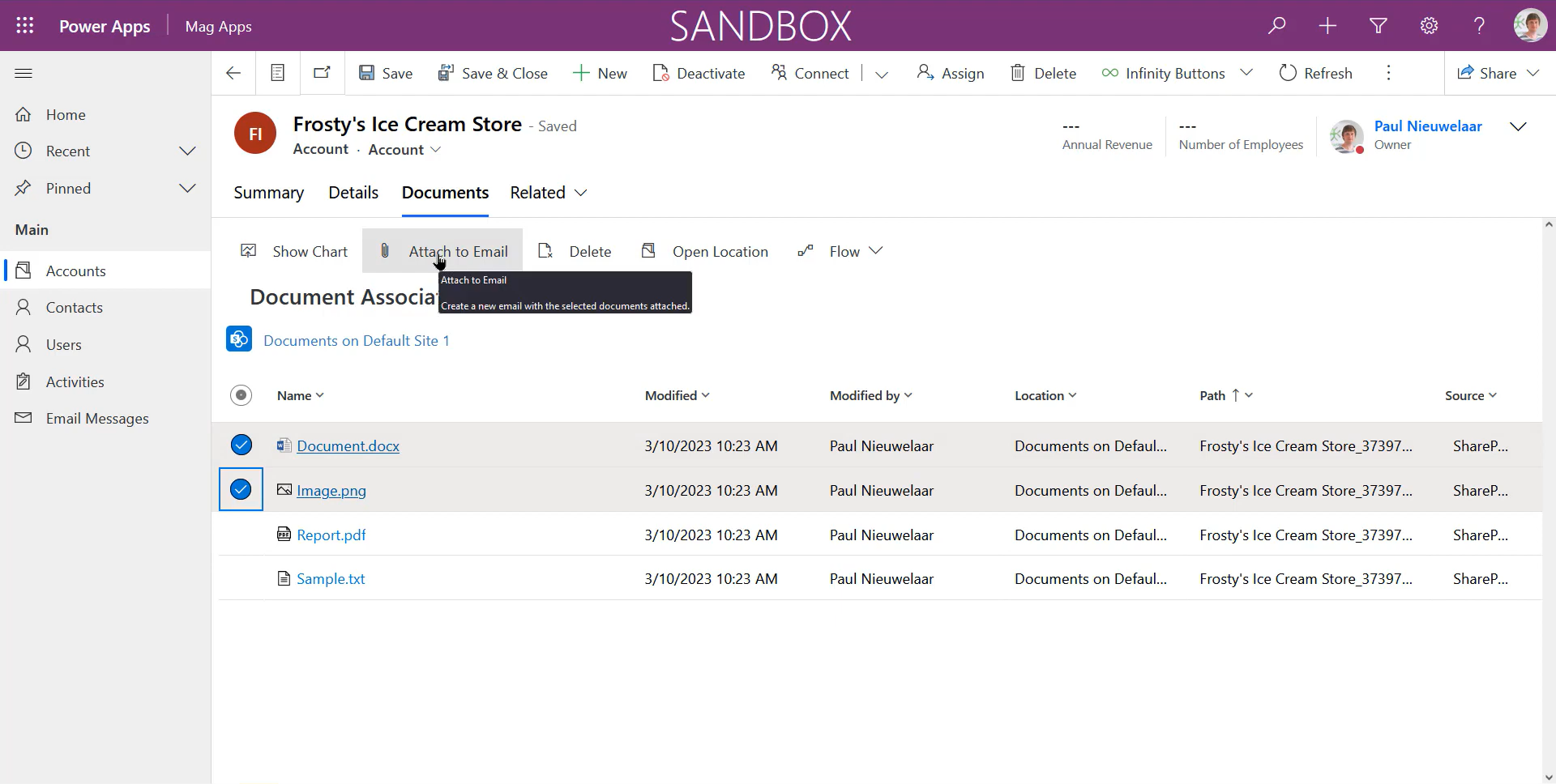
With the Attach from SharePoint button, users can select files directly from SharePoint to attach to a Dynamics 365 email. The system automatically retrieves the documents available from the regarding SharePoint location, so users can quickly and easily select the required files.

Users can also preview files in SharePoint before attaching them to ensure they've picked the right one. The Attach to Email button allows users to select one or more files and automatically create a new email with the selected files attached.

Try the 30-day free trial today and make sending emails with documents easier!

Magnetism Solutions - Microsoft Gold Partner
Magnetism Solutions - Cloud CRM Winner
Magnetism Solutions - Certified Development Partner

 Choose your pricing plan

What our customers say…

Frequently asked questions

You might also like…


Infinity Buttons:
Record to PDF

Infinity Buttons:
Record to Zip

Infinity Buttons:
Clone Record

Infinity Buttons:
Full Collection