Microsoft is introducing the Plan Agent in Visual Studio, a new AI-powered capability designed to help developers map out implementation plans before writing code. The feature enables developers to collaborate with AI by asking clarifying questions, refining requirements, and reviewing structured plans before execution begins. With planning-first workflows becoming more important in AI-assisted development, the Plan Agent aims to make coding more transparent, organized, and predictable.
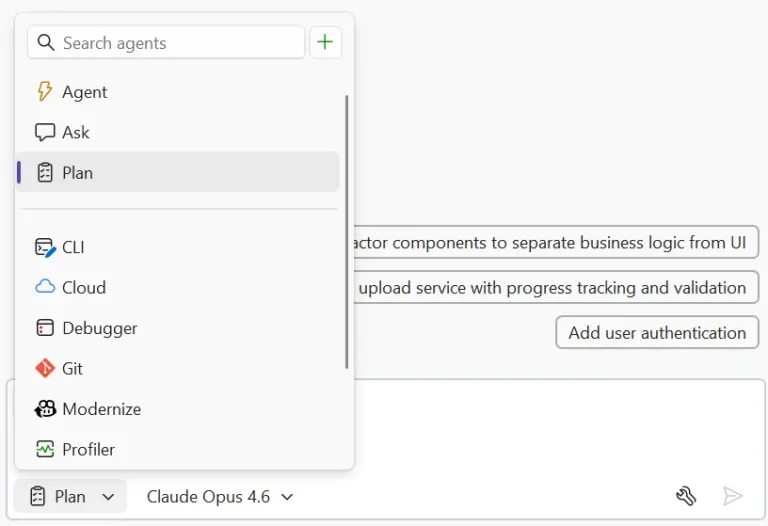
Here’s how it works:
Start with your idea
Choose the Plan Agent in Copilot Chat and describe what you want to build. Whether it’s “add authentication to this app” or “refactor the payment module for multiple providers,” the more context you provide, the better the plan becomes.
Explore and clarify
Copilot scans your codebase using read-only tools and asks clarifying questions when needed, helping it better understand your goals before drafting a plan.
Define and refine
A detailed implementation plan is generated for review. You can ask Copilot to rethink approaches, consider edge cases, break tasks into smaller steps, or adjust impacted files.
Edit collaboratively
Plans are saved as markdown files inside .copilot/plans/plan-{title}.md, making them easy to edit, review with your team, and continuously refine.
Implement when ready
Once you’re satisfied, select “Implement plan” to hand it over to Agent mode. No code changes happen until you approve them, giving you full visibility and control throughout the process.
Transform the way you work with AI in Dynamics 365 and Power Apps. Explore Infinity AI Agents and contact us today to see how AI can support your business operations.