Microsoft Unveils Latest Power BI Innovations for May 2026

Microsoft has released the May 2026 Feature Summary for Microsoft Power BI, introducing a new wave of updates across Copilot, reporting, modeling, and data connectivity experiences. The latest release focuses on helping users explore data more efficiently, generate insights faster, and create more polished reports. Several enhancements also continue Microsoft’s push toward AI-assisted analytics and streamlined business intelligence workflows.
Here are some of the standout updates:

  • Copilot and AI: Set Perspectives for Explore

    Make large data models easier to navigate by setting an Exploration perspective for reports. This gives report consumers a more focused list of tables and fields when using Explore, improving usability and reducing complexity.

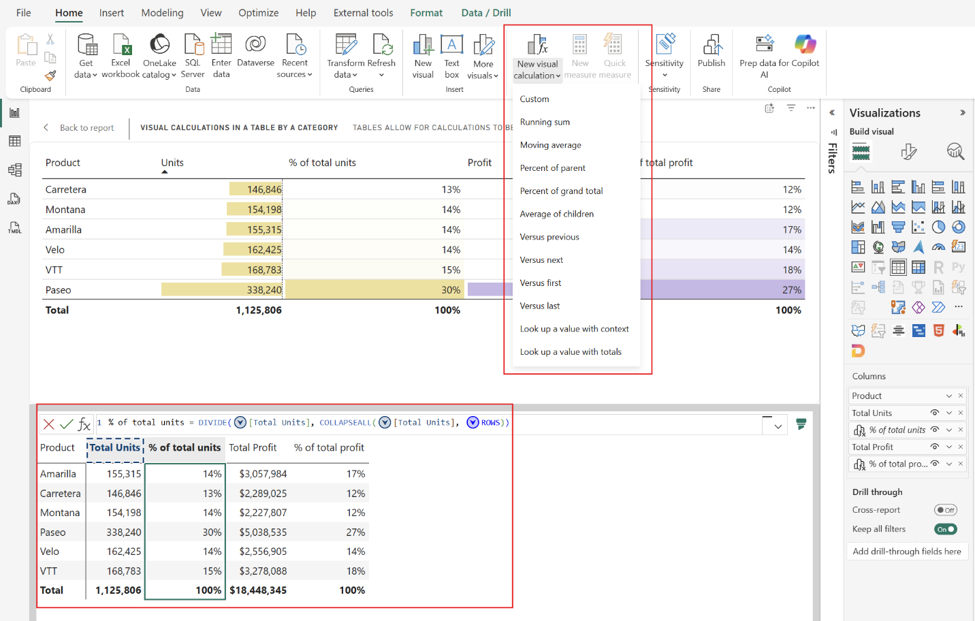
  • Reporting: Visual Calculations and Custom Totals (Generally Available)

    Create running sums, moving averages, percent of parent, and more directly inside visuals — without adding DAX measures to your semantic model. Visual calculations now provide greater flexibility and faster insights right where you need them.

  • Modeling: Faster Access to Web Modeling for Semantic Model Authors

    Power BI is streamlining the semantic model authoring experience by taking users with edit permissions directly into web modeling instead of the model details page, helping reduce extra navigation and speed up iteration.

  • Data Connectivity: New Get Data Experience in Power BI Desktop (Preview)

    The redesigned Power Query Get Data experience introduces a more unified and accessible way to discover and connect to data sources across Microsoft Fabric, Power BI Desktop, and Excel.

  • Visualizations: Card with States

    The popular Card with States visual by OKVIZ is back with a fully modernized experience, updated for the latest Power BI APIs and ready for the future of KPI storytelling.

See the full list of Power BI’s May 2026 updates!

Turn your data into actionable insights that drive smarter business decisions. Discover the power of Business Intelligence and contact us today!
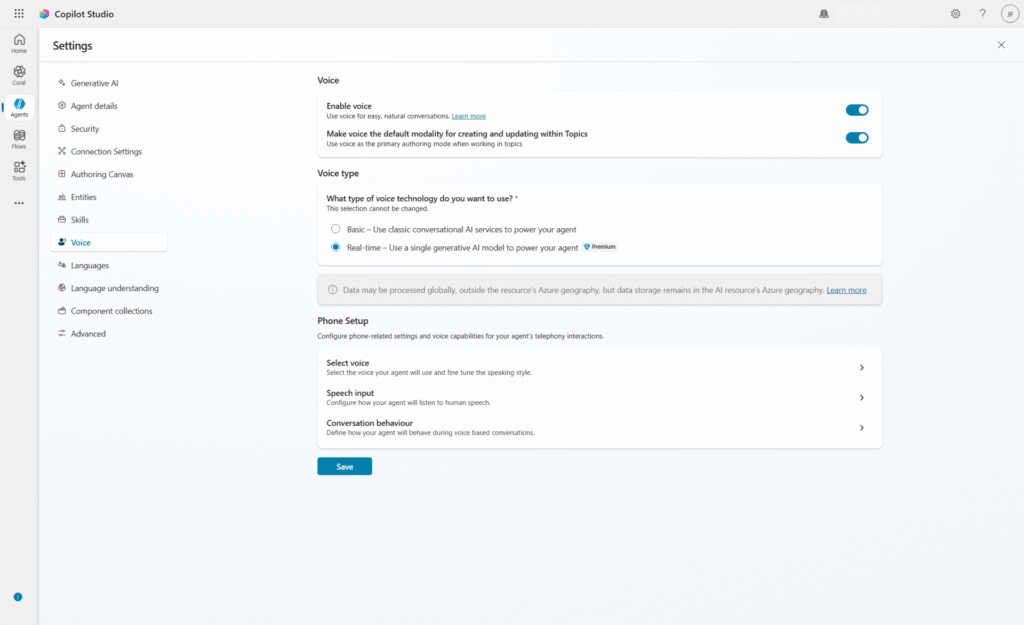
Microsoft Introduces Consent-Based Recording in Dynamics 365 Contact Center

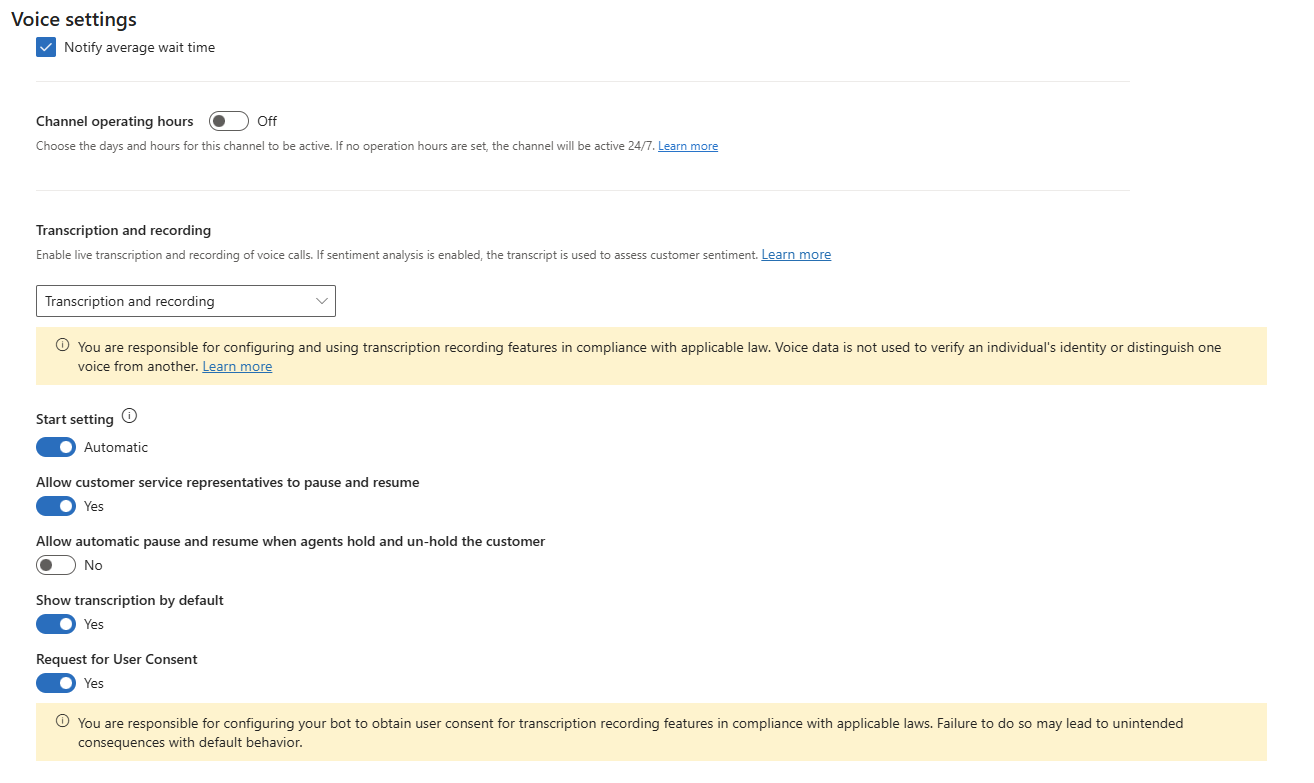
Microsoft is introducing Consent-Based Recording for voice interactions in Dynamics 365 Contact Center with Microsoft Copilot Studio, helping organisations better manage compliance and customer trust during AI-powered conversations. The new capability captures and maintains caller consent across both voice agents and live service representatives, ensuring recording preferences are consistently respected throughout the interaction. The update is part of Microsoft’s broader push to deliver more secure, transparent, and compliant customer engagement experiences.

Here’s what you need to know:

  • Why it matters

    Many regions now require explicit customer consent before calls can be recorded or transcribed. Consent-Based Recording makes consent a system-enforced signal, ensuring recording and transcription always align with the caller’s choice.

  • How it works

    A Voice Agent requests consent early in the conversation. If consent is granted, recording and transcription are enabled with pause and resume controls available to CSRs; if denied, the interaction continues without recording or transcription.

  • Key benefits

    Consent-Based Recording helps organisations support compliance, reduce operational risk, and create more transparent customer experiences. It also enables smoother AI Agent-to-CSR transitions in the contact center.

Strengthen customer trust with a reliable system that securely manages and records customer interactions. Discover how customer relationship management solutions can help your organisation deliver better experiences—contact us today!

Power BI Introduces New Semantic Model Settings Pane in Preview

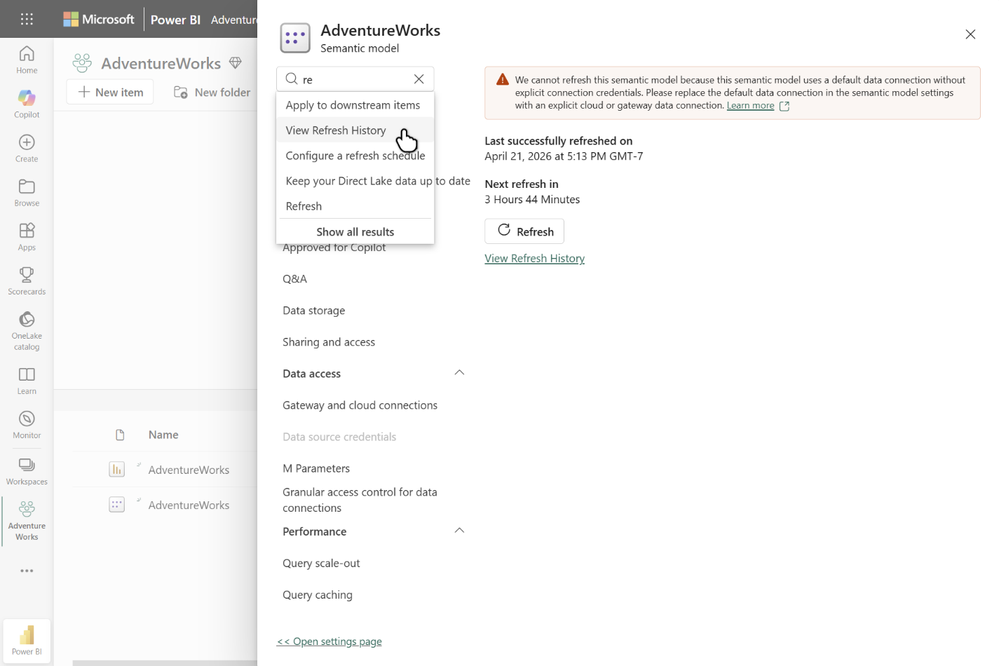
Microsoft has introduced a refreshed semantic model settings pane for Power BI, now available in preview. The redesigned experience aligns with the modern Microsoft Fabric interface and aims to make managing semantic models faster and more seamless by keeping users within their current workspace context. The update is part of Microsoft’s continued effort to improve usability and streamline modeling workflows across the Power BI ecosystem.

Here’s what you need to know:

  • Why it matters

    The new settings pane keeps you in context, opening instantly without page reloads or navigating away from your semantic model. With collapsible sections, improved organization, and built-in search, it’s now faster and easier to find settings like refresh history, credentials, query caching, and sensitivity labels.

  • Incremental rollout

    The settings pane is currently optional and can be opened from the existing settings page. In the coming months, it will become the default experience, while users will still have the option to switch back to the classic settings page during the transition period.

  • How to open the settings pane

    Navigate to your semantic model’s settings page from the model context menu and select Open settings pane at the top of the page.

Unlock deeper insights and smarter decision-making with Power BI. Discover how Business Intelligence can transform your organisation and contact us today!

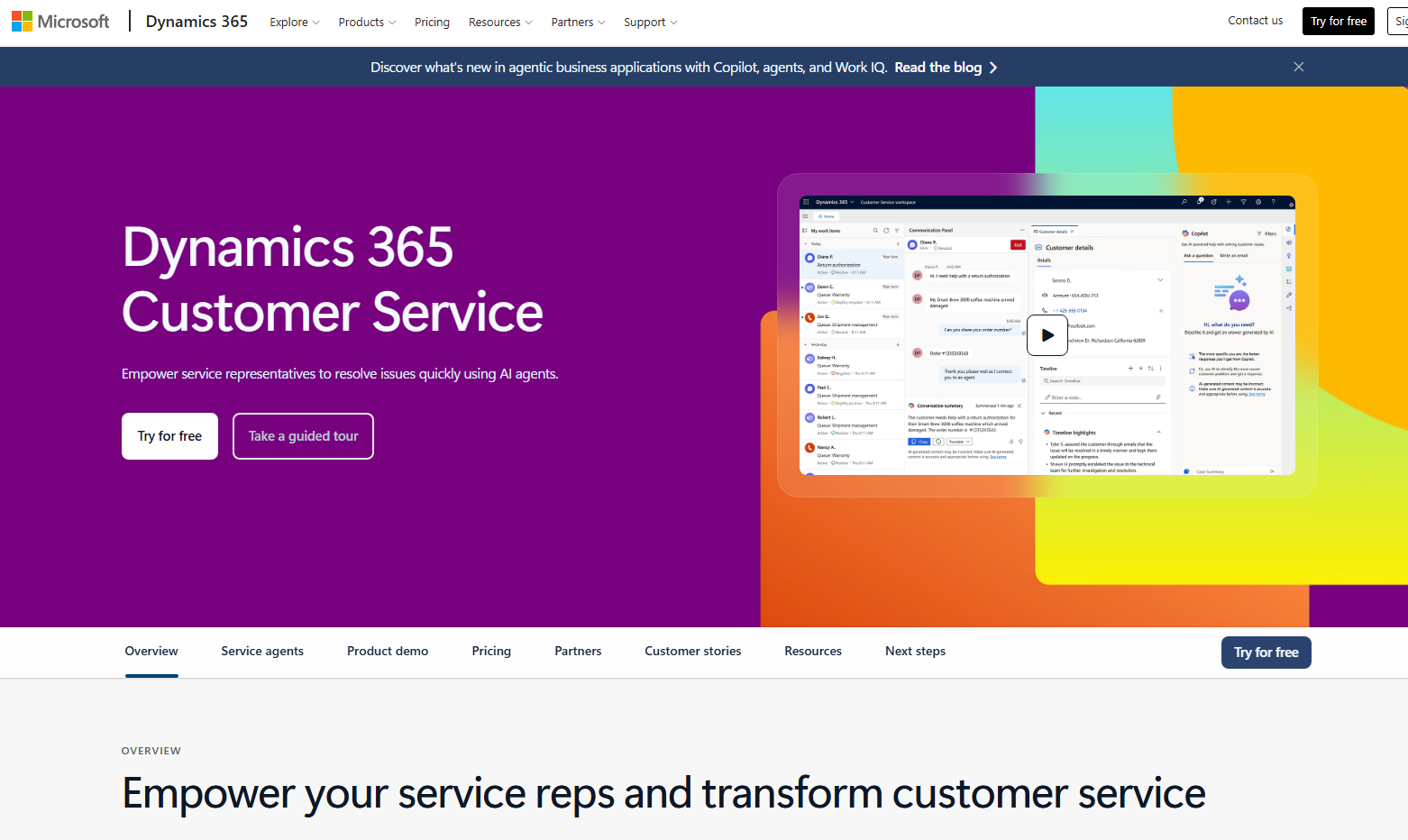
Microsoft Launches Case Enrichment Simulation in Dynamics 365 Customer Service

As AI continues to play a bigger role in customer service operations, organisations are looking for better ways to validate automation before rolling it out at scale. Microsoft is addressing that challenge with the introduction of case enrichment simulation in Dynamics 365 Customer Service. The new capability helps teams evaluate AI-powered field prediction accuracy using historical case data before enabling the feature in live environments.

Here’s what you need to know:

  • What It Does

    Admins can test AI-powered field predictions against real historical case data before rolling out case enrichment. This allows teams to evaluate results, refine field descriptions, and confidently enable the feature once accuracy meets business expectations.

  • Key Capabilities

    Case Management Agent simulations provide flexible testing with detailed field-level and case-level comparisons, exportable Excel reports, re-run capabilities, and shadow runs to help teams continuously validate and refine AI prediction accuracy.

  • Getting Started

    Open the Copilot Service admin center and navigate to: Case Settings → Case Management Agent → Case Creation and Update → Simulation. From there, you can run tests against historical cases and quickly identify where field descriptions may need tuning before enabling case enrichment.

Want to unlock more from your data in Dynamics 365 and Power Apps? From AI-powered sentiment analysis to automated phone number formatting, Infinity AI Agent helps streamline and enhance your business processes. Discover Infinity AI Agent and contact us today!

Microsoft Unveils Agentic CX Capabilities in Dynamics 365

Microsoft has announced new “agentic” customer experience capabilities in Microsoft Dynamics 365, positioning CX as a key driver of business growth. These innovations leverage AI to automate routine interactions across the customer journey while enabling more personalized and efficient engagement. The update also introduces real-time voice agents and AI-powered tools designed to unify and optimize the entire customer lifecycle.

Here’s what you need to know:

  • From IVR to real conversations

    With real-time voice agents in Microsoft Copilot Studio, customers can speak naturally—no more rigid menus. AI understands intent in real time and carries context across self-service and human support, creating a seamless experience from start to finish.

  • One connected contact center experience

    Dynamics 365 Contact Center unifies every interaction into a single journey. AI agents like Customer Assist, Quality Assurance, and Service Operations work together to automate, optimize, and elevate service across the entire lifecycle.

  • Smarter selling that keeps deals moving

    With Dynamics 365 Sales, signals turn into action automatically. AI-powered agents provide real-time insights, recommend next steps, and keep CRM data up to date—helping sellers move faster with confidence and less manual effort.

  • Conversations that drive real outcomes

    Dynamics 365 Customer Insights brings campaigns to life through two-way, AI-powered interactions. From voice to SMS, businesses can engage customers in real time, complete actions within conversations, and only involve humans when it truly matters.

Looking to boost productivity across Dynamics 365 and Power Apps with AI that actually works for you? Discover Infinity AI Agents—built to automate, optimize, and elevate your workflows. Get in touch today to see it in action.

Microsoft Introduces Governance Preview in Dynamics 365 Customer Service

Microsoft has introduced a preview of Governance in Dynamics 365 Customer Service, expanding its customer service platform with new policy-driven controls for communication oversight. The update is designed to help organizations enforce compliance, brand safety, and regulatory standards across customer interactions, including AI-generated content. It reflects Microsoft’s continued push toward more controlled, AI-assisted service operations in enterprise environments.

Here’s why this matters:

  • AI-ready compliance

    Ensure both human and AI-generated responses align with your organization’s policies before they ever reach the customer.

  • Policy-driven oversight

    Administrators can define rules that help enforce brand, legal, and communication standards at scale.

  • Visibility and control

    Track how policies are applied, what gets flagged, and how issues are resolved—bringing transparency to every interaction.

  • Safe testing with simulation

    Test governance policies before full enforcement to reduce risk and fine-tune controls.

Build stronger customer relationships with a trusted CRM system. Explore our customer relationship management solutions and contact us today.

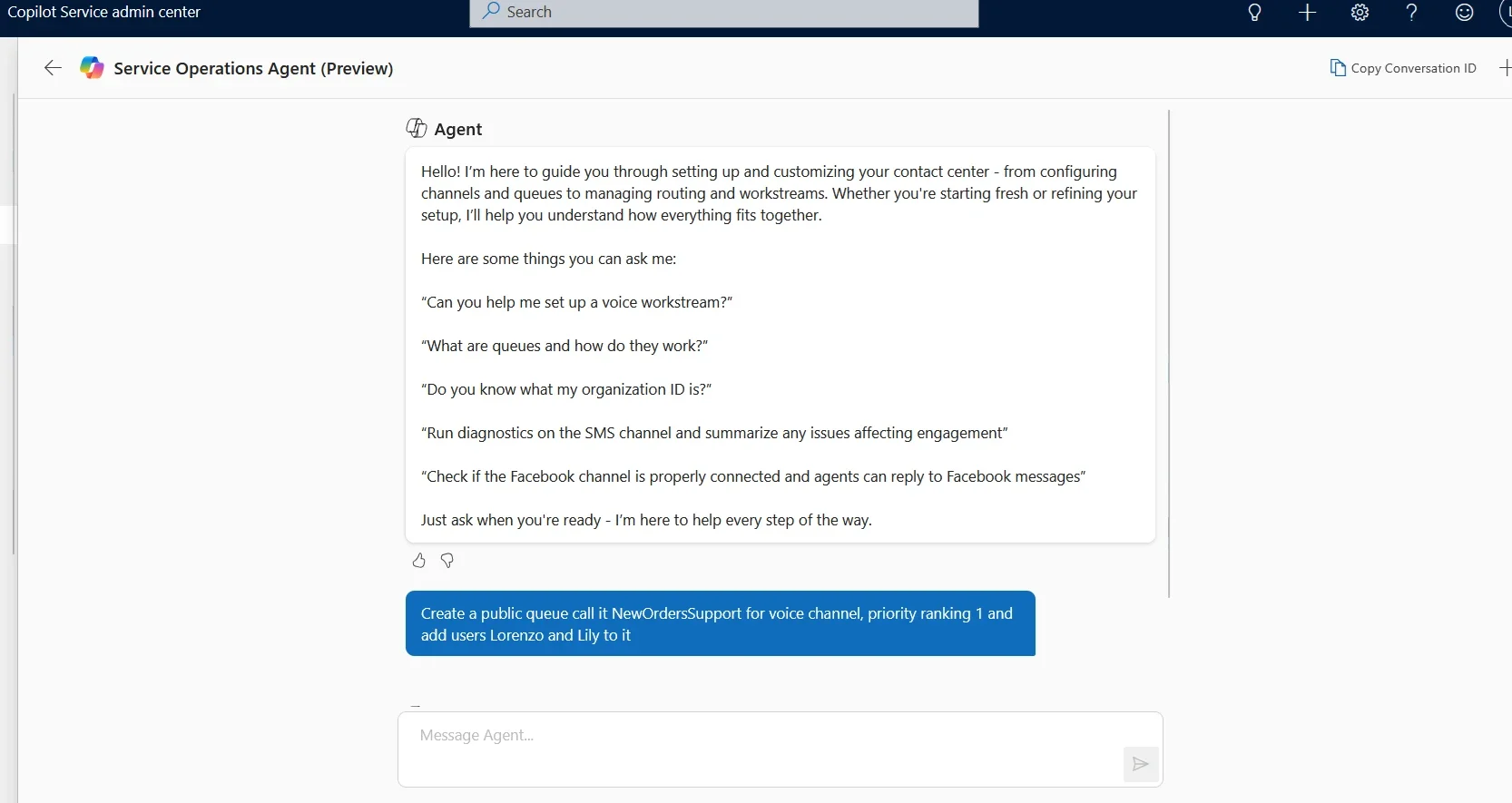
Meet the New Service Operations Agent in Dynamics 365 Contact Center

Microsoft is introducing Service Operations Agent in Dynamics 365 Contact Center, an AI-powered capability designed to simplify how administrators configure, manage, and optimize contact center operations. Built directly into the platform, it brings conversational setup, configuration validation, and operational guidance into a single intelligent experience. This latest addition reflects Microsoft’s broader push toward more autonomous, agent-driven customer experience solutions in 2026.

Here’s what you need to know:

  • Why this matters

    Managing a contact center often means juggling multiple tools, troubleshooting issues manually, and navigating complex configurations. Service Operations Agent simplifies this by bringing everything into a single, AI-powered conversational experience.

  • What’s new

    An AI-powered administration layer now lets you set up channels, manage users, receive recommendations, orchestrate conversations through playbooks, and proactively detect issues—all in one place.

  • How it works

    Built into the admin center, the agent uses natural language to guide you through setup, user management, orchestration, and troubleshooting with step-by-step assistance.

  • Key capabilities

    This preview focuses on three areas: setup, diagnostics, and real-time conversation orchestration to keep your contact center running smoothly.

  • Key benefits

    It speeds up onboarding, reduces errors, improves reliability, and enhances customer experience through proactive insights and automated in-queue management.

Want to build stronger customer relationships with a system you can rely on? Discover the power of a customer relationship management solution—get in touch with us today.

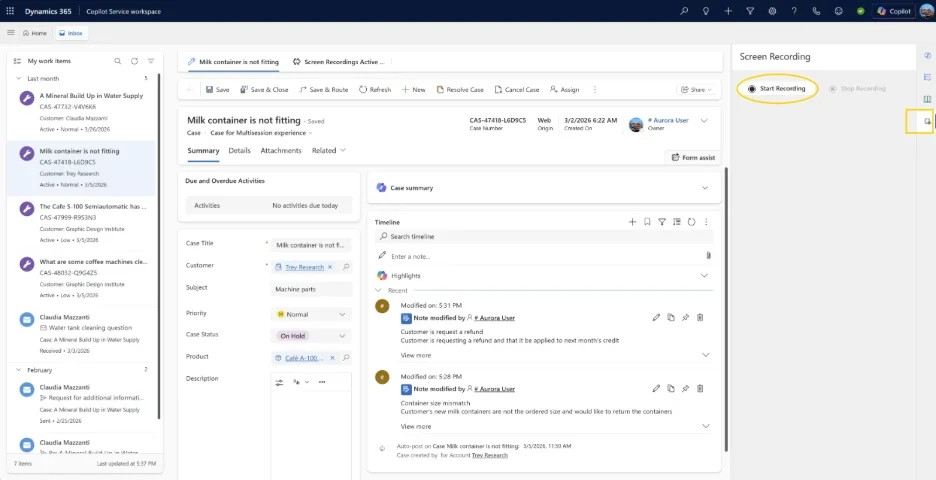
Dynamics 365 Introduces Screen Recording for Deeper Service Insights

Microsoft has introduced screen recording capabilities in Dynamics 365 Customer Service and Contact Center, addressing a long-standing gap in visibility across customer interactions. The new feature enables organizations to capture on-screen workflows, giving supervisors deeper insight beyond voice and chat transcripts. By combining interaction data with real-time screen context, businesses can improve coaching, quality evaluation, and compliance efforts.

Here’s what you need to know:

  • See what really happens behind every interaction

    Go beyond guesswork. Screen context helps supervisors deliver more accurate evaluations, uncover training gaps and process inefficiencies, speed up resolution times, and confidently validate compliance.

  • Built for both calls and casework

    Whether it’s call handling or case management, this feature adapts to both. Automatically record screens during calls or manually capture sessions across chats and cases—then securely store everything in Dataverse with role-based access.

  • Protect data while gaining insights

    Screen recordings can contain sensitive data, so security isn’t optional—it’s built in. With role-based permissions and enterprise-grade governance, only the right people can access recordings, helping you balance operational insights with compliance and trust.

Looking to equip your customer service team with a smarter, more reliable system? Explore our customer relationship management solutions and get in touch today.

Microsoft Brings Cloud-Based AI Agents Directly Into Visual Studio

Microsoft’s April 2026 update for Visual Studio marks a major step toward more agent-driven development, introducing cloud agent integration directly within the IDE. Developers can now start cloud-based AI agent sessions to handle tasks remotely, streamlining workflows without leaving their coding environment. This update reinforces Microsoft’s push toward scalable, AI-assisted development by enabling asynchronous, agent-powered task execution.

Here are the new features:

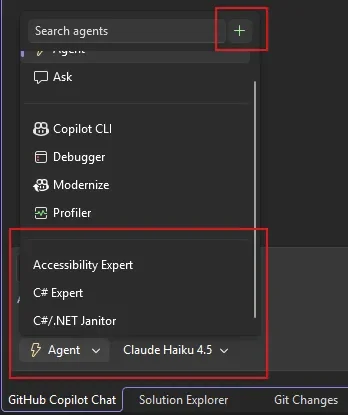
  • Cloud Agent Integration

    Start a session directly in Visual Studio, describe the task, and let the cloud agent take over—from creating an issue to delivering a pull request—while you keep working (or even step away).

  • Build Your Own Custom Agents

    Create reusable agents tailored to your workflow—now available at both repo and user level, so your setup follows you across projects.

  • C++ Agentic Code Navigation (GA)

    Copilot now understands your C++ code structure more deeply—tracing class hierarchies and function calls to support smarter refactoring and edits.

  • Agentic Issue-to-Resolution Debugging

    Move beyond static analysis. The Debugger Agent replicates issues, analyzes runtime behavior, and walks you through fixes—step by step, in real time.

  • Smarter IntelliSense Prioritisation

    Less noise, more focus. IntelliSense now takes priority, with Copilot stepping in only when you need it.

  • Custom Copilot Shortcuts

    Fine-tune how you accept suggestions—by word, line, or full completion—based on how you code best.

Empower your team to work from anywhere with custom-built business apps. Discover what’s possible—contact us today.

Azure Test Plans Introduces “Actual Result” for Manual Testing

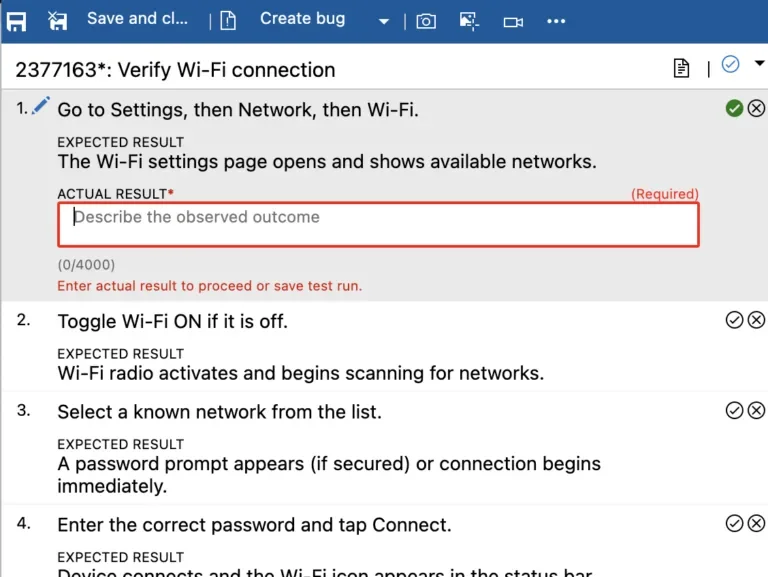
Microsoft has rolled out the “Actual Result” capability in Azure Test Plans, giving teams a more precise way to document what actually happens during manual test runs. The feature is now in public preview and aims to strengthen audit readiness and testing accuracy.

Here’s what you need to know:

  • Why it matters

    Manual testing is essential—but often lacks detailed visibility. The new Actual Result field lets you record precise outcomes per test step, improving traceability, audit readiness, and team collaboration.

  • Key capabilities

    Capture step-level actual results with flexible configuration at the test plan level, while improving audit support and making test runs easier to review and automate.

  • Getting started

    Enable it in your Test Plan Settings (requires Azure Test Plans license), select your preferred mode, and start a manual test run. You’ll be able to capture and review actual results directly in the Test Run Hub.

Looking for a more secure way to manage your organisation’s sensitive data? Discover Secret Vault—built on top of Azure Key Vault—and get in touch with us today!