Visual Studio Expands AI Flexibility with Bring Your Own Model

Microsoft is bringing Bring Your Own Model (BYOM) to Visual Studio in Preview, giving developers more flexibility to choose the AI models they want to use within their development workflow. The new capability supports connections to Microsoft Foundry and other supported providers, helping developers work with models that better fit their technical, performance, cost, and organisational requirements.
Here’s what you need to know:

  • Bring Your Own Model to Visual Studio

    BYOM is now available in Preview across Visual Studio Community, Professional, and Enterprise editions. It lets developers connect supported AI models and providers directly within the Visual Studio experience.

  • Connect to the Models You Choose

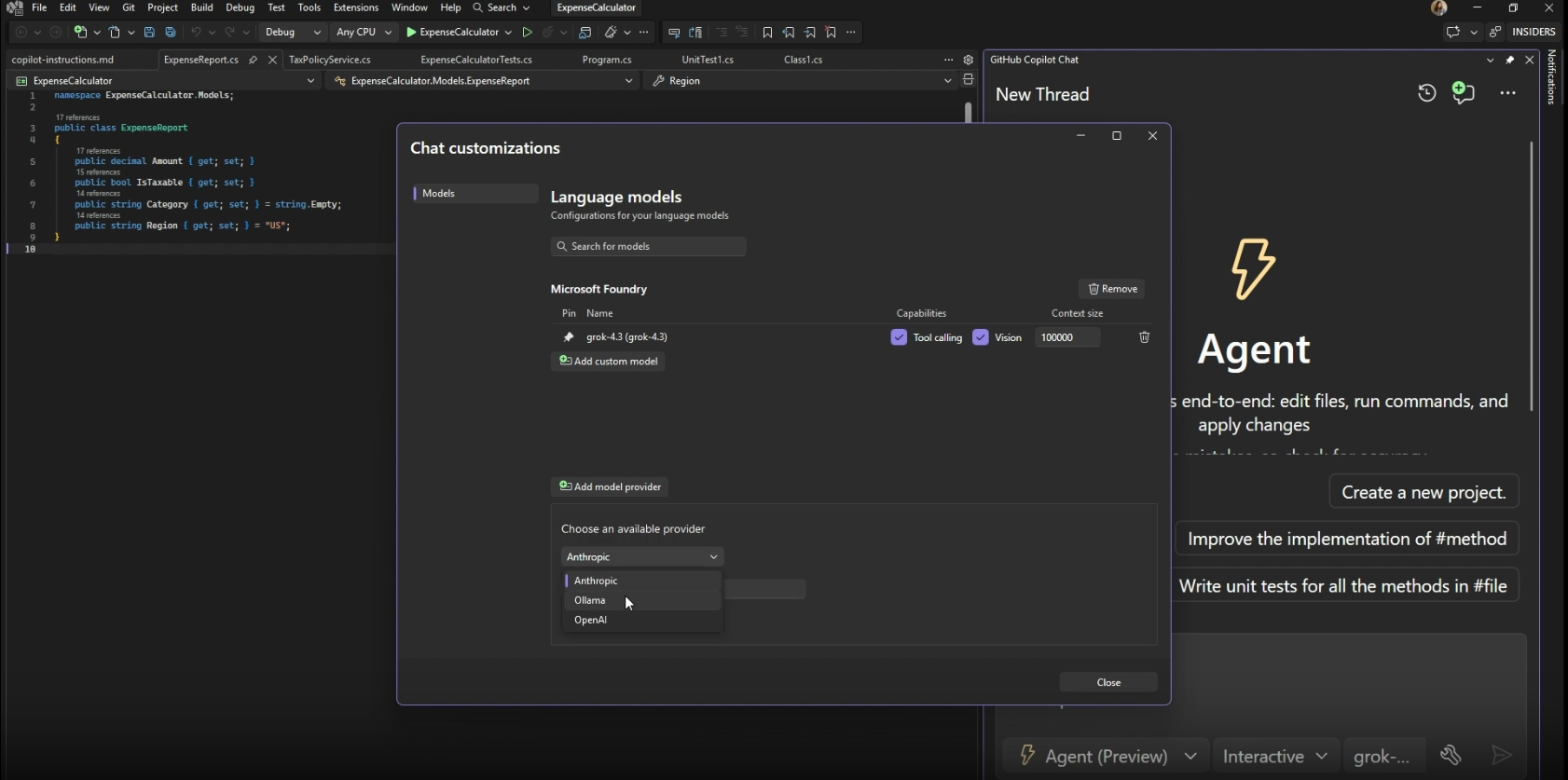
    You can connect to a Microsoft Foundry deployment or use your own key from another supported provider in Agent (Preview) Mode. Supported providers currently include Microsoft Foundry, OpenAI, Anthropic, and Ollama, with custom URL support for OpenAI and Ollama.

  • Designed for Developer Flexibility

    BYOM gives teams more control over the models they use based on their workflow, budget, performance, security, and organisational requirements. It can also help organisations make use of approved models and deployments while keeping developers in the familiar Visual Studio environment.

  • Getting Started

    BYOM is available in Preview through the Visual Studio 18.10 Insiders Release and works with the new Agent (Preview) experience. Developers can add a model provider through the model picker, connect their preferred provider, and start working in Agent Mode.

  • What’s Next for BYOM

    Microsoft plans to expand BYOM with stronger enterprise governance, centralised model configuration, more granular model controls, broader provider support, and deeper Microsoft Foundry integration. Feedback from this Preview will help shape what comes next.

Want AI that works the way your business needs it to? Explore Infinity AI Agents for Dynamics 365 and Power Apps, and contact us today to get started!
Power BI Upgrade Wizard Simplifies Dataflows Gen1 to Gen2 Migration

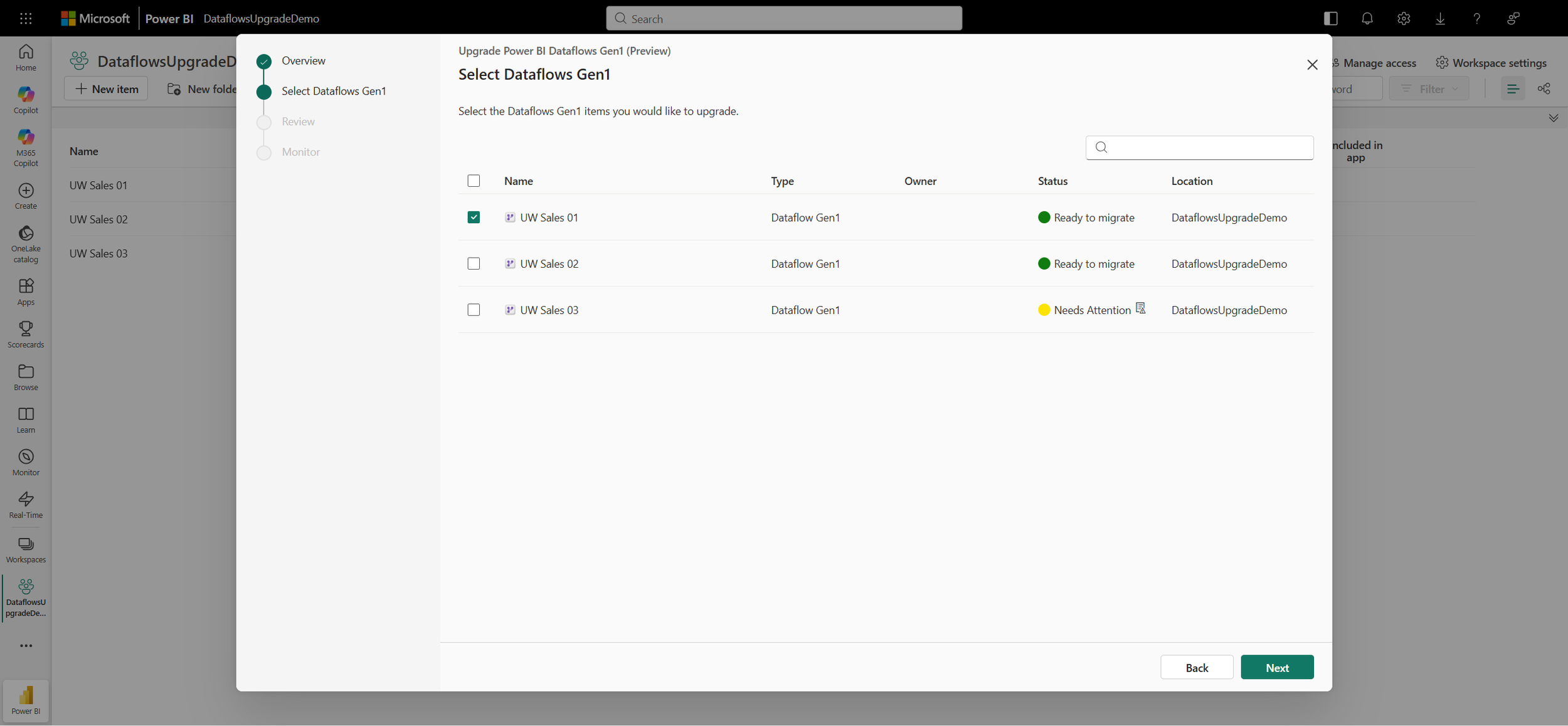
Migrating your Power BI Dataflows just became much easier. Microsoft has introduced the Dataflows Upgrade Wizard (Preview), a guided experience that helps eligible Fabric workspaces upgrade Dataflows Gen1 to Dataflows Gen2 while preserving key metadata and reducing migration complexity.

Here’s what you need to know:

  • Modernise When You’re Ready

    You don’t need to upgrade your entire dataflow estate at once. The Upgrade Wizard provides a guided, self-service path to modernise selected Power BI Dataflows Gen1 while preserving your existing Power Query logic.

  • Unlock the Benefits of Dataflows Gen2

    Fabric Dataflows Gen2 (CI/CD) builds on the familiar Power Query experience while adding capabilities for development, operations, integration, and scalability. With Git integration, Fabric deployment workflows, multiple data destinations, performance features such as Fast Copy and Partitioned Compute, and Copilot-assisted authoring, teams can build a more modern data workflow.

  • Upgrade with Confidence

    The wizard assesses your dataflows before the upgrade and highlights whether they are Ready to migrate, Need Attention, or Upgrade unavailable. Once completed, the upgraded item preserves key elements such as its ID, schedule, queries, and connections, helping downstream reports and semantic models continue working without source remapping.

  • Validate and Move Forward

    After upgrading, refresh your dataflows, rebind downstream dataflows, address any remaining recommendations, and update consumers using the legacy Power BI Dataflows connector. Because the upgrade cannot be reversed, start with a representative set of dataflows, validate the results, and expand your migration at a pace that works for your organisation.

Want to discover what more you can do with Power BI? Read our Sport Wellington case study to see how better data visibility helped the organisation track participant progress and make more informed decisions. Contact us today to explore what Power BI can do for your organisation.

What’s New in Power BI: August 2026 Feature Updates

Microsoft has released the Power BI August 2026 Feature Summary, bringing a new set of updates across reporting, modeling, data connectivity, mobile, and embedded analytics. The latest release introduces enhancements designed to improve how users build reports, work with data, and deliver analytics across different experiences.

Here’s a look at what’s new in Power BI this August:

  • Reporting: More Flexible Themes and Visual Defaults

    Power BI now makes it easier to create consistent, polished reports with modern visual defaults and improved theme customisation. The updated Theme pane gives you more control over colours, fonts, visual properties, page settings, and filter pane styling across your entire report.

  • Modeling: More Control Over Semantic Model Refresh

    Refreshing semantic models in Power BI Service is now more flexible, with separate options for refreshing schema, data, or both. You can also refresh individual tables, giving you greater control while reducing unnecessary processing and model changes.

  • Data Connectivity: Better Accessibility and Dark Mode

    The Power Query experience gets usability and accessibility improvements, including better colour contrast across light and dark themes. Connector icons also receive improved visibility in Dark Mode, making data sources easier to identify.

  • Mobile: Rotate Reports for a Wider View

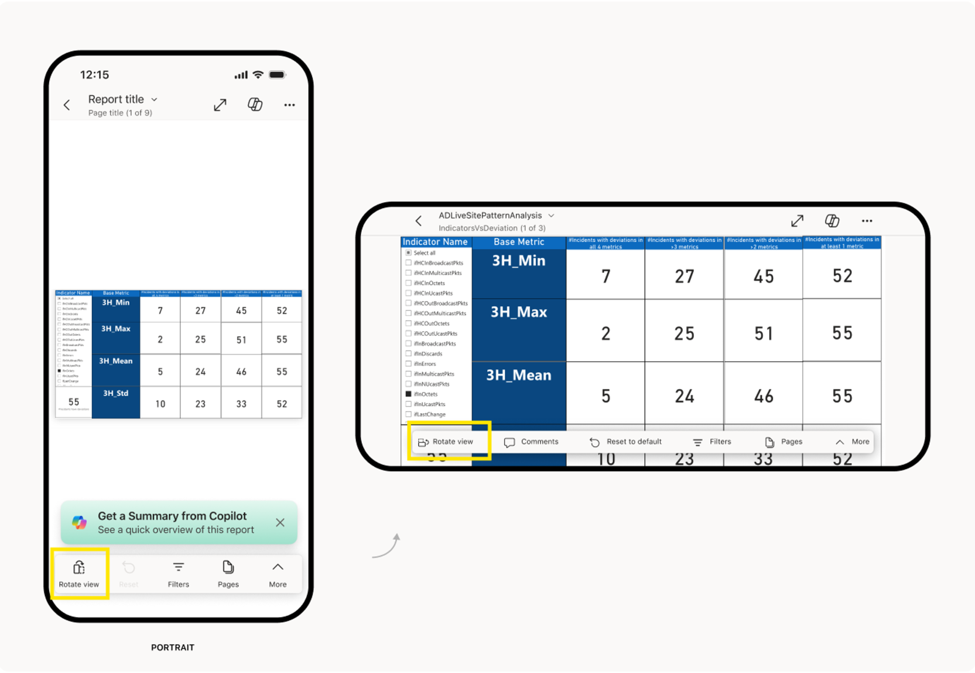
    Power BI Mobile is introducing a new Rotate view option that lets users switch between portrait and landscape with one tap. This makes reports easier to view on smaller screens, especially when a mobile-optimised layout isn't available.

  • Embedded Analytics: Easier Power BI Embedding in SharePoint

    Embedding Power BI content in SharePoint Online is becoming simpler with a new workspace and report selection experience. You can also embed individual visuals, giving you more flexibility in how Power BI insights are shared across your organisation.

Check out the full list of Power BI’s August 2026 updates!

Want to unlock more value from your data? Explore our Business Intelligence solutions and see how Power BI can help your organisation make better decisions. Contact us today!

Power BI’s Semantic Layer: A Foundation for AI

Power BI semantic models could already be giving organisations the foundation they need for more effective AI-driven analytics. Microsoft highlights how the semantic layer in Power BI can provide trusted business context, helping AI understand data in a way that aligns with how organisations actually operate.

If you use Power BI, you have likely spent years building something AI needs most: a trusted understanding of what your business data actually means.

  • Your Power BI Semantic Model Is the Foundation

    Every Power BI report is built on a semantic model that defines your data, metrics, relationships, and business logic. It captures decisions such as what counts as revenue, an active customer, or churn—turning raw data into trusted business meaning.

  • AI Needs More Than Just Data

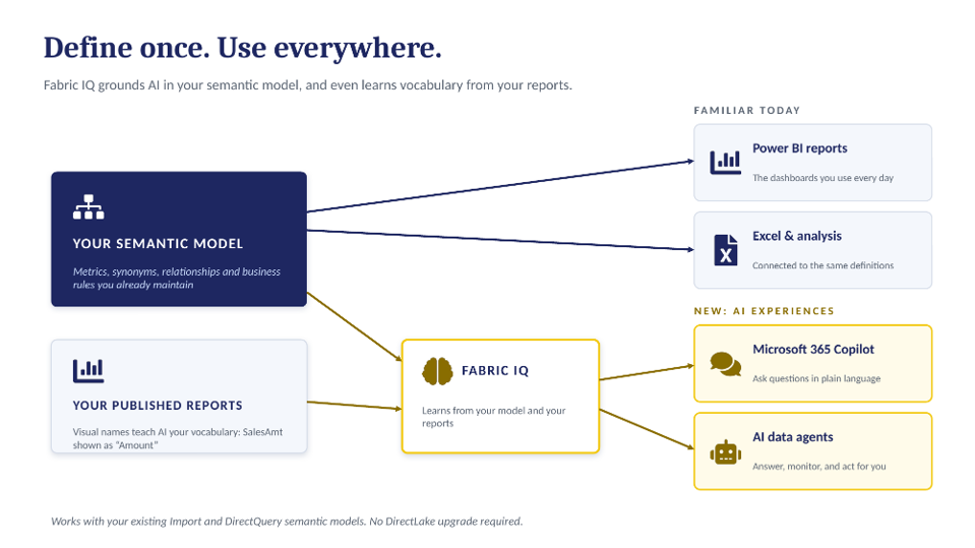
    AI can generate impressive answers, but without business context, it can produce answers that sound right while being completely wrong. Microsoft Fabric IQ helps ground AI in the definitions and terminology already established in your Power BI semantic models.

  • One Definition, Used Everywhere

    Your existing Power BI semantic models can provide business context for AI agents and Microsoft 365 Copilot. This means the same definitions, measures, filters, and business logic can support reports, conversations, automation, and AI-driven decisions.

  • Turn Your Existing BI Investment Into an AI Advantage

    You don't necessarily need to start a new data project to prepare for AI. By identifying trusted Power BI semantic models, refining business definitions, and preparing them for AI, your organisation can build on the data foundation you already have.

  • Ready to Put Your Power BI Data to Work?

    Your Power BI environment may already contain years of business knowledge. The next step is making that knowledge useful not just for dashboards, but for the AI agents and experiences shaping the future of work.

Want to see how Power BI can help streamline case management in the real world? Read our Independent Police Conduct Authority case study to see the impact, then contact us to discuss how we can help your organisation.

.NET Strengthens NuGet Supply Chain Security with Shorter API Key Lifetimes

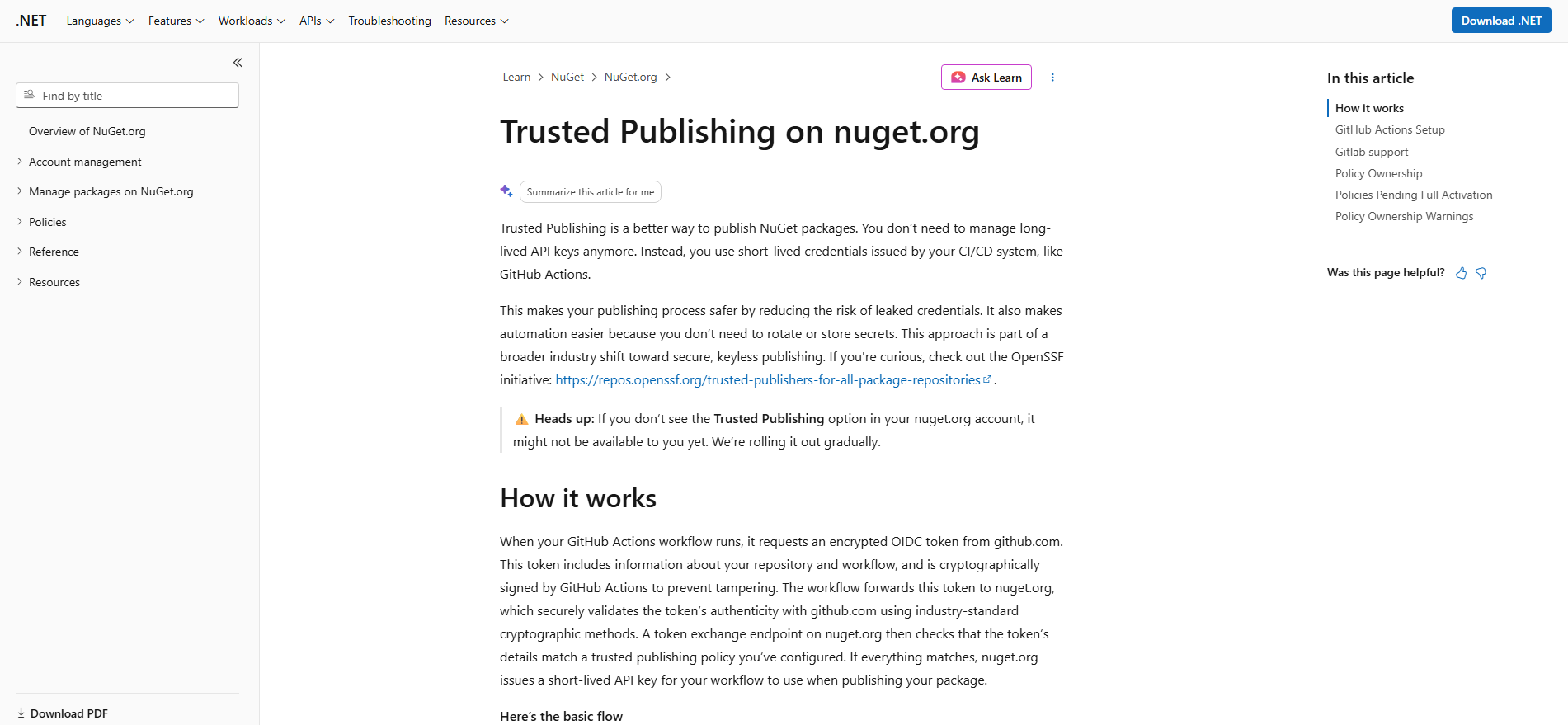
Microsoft is strengthening NuGet supply chain security by reducing the lifetime of API keys used to publish packages. Starting August 17, 2026, new NuGet API keys are limited to a maximum of 30 days, while Microsoft is encouraging developers to adopt Trusted Publishing for a more secure publishing workflow.

Here's what you need to know:

  • Why Is This Changing?

    Long-lived API keys can give attackers extended access if they are exposed through repositories, build configurations, or CI/CD systems. Shortening credential lifetimes can help reduce the potential impact of a compromised key.

  • API Key Duration Is Changing

    Starting 17 August 2026, new NuGet.org API keys will have a maximum duration of 30 days, with the 365-day option removed. Existing keys created before this date will expire on 1 November 2026, so package maintainers should review their publishing workflows now.

  • Consider .NET Trusted Publishing

    Trusted Publishing uses OpenID Connect (OIDC) to authenticate CI/CD workflows without relying on long-lived publishing secrets. It provides short-lived credentials, workload identity validation, and automatic credential expiration—reducing the risks associated with reusable API keys.

  • What If You Still Use API Keys?

    If your workflow isn’t ready to migrate, inventory your NuGet publishing workflows and update them to support shorter-lived keys. Use the narrowest permissions possible, never commit keys to source control or logs, and immediately revoke any exposed credentials.

  • Take Action Now

    If you maintain NuGet packages, review your publishing setup and start planning your move to Trusted Publishing. For .NET teams using GitHub Actions or GitLab, now is a good time to begin the transition to a more secure publishing workflow.

Want secure, trusted custom business applications that complement your CRM and help your team work more efficiently? Contact us today and let’s talk!

Microsoft Azure Explores the Economics of AI Agent Optimisation

As organisations move AI agents from experimentation into production, the focus is shifting from proving that AI works to understanding the value it delivers. Microsoft Azure explores how agent optimisation can help businesses balance cost, performance and outcomes as AI adoption scales.

Here’s how Microsoft Foundry on Azure can help organisations understand, optimise, and manage AI costs.

  • Understand What Drives AI Costs

    AI costs depend on more than the model you choose. Prompts, conversation history, retrieved content, tool calls, and agent workflows can all increase consumption and make costs harder to predict.

  • Gain Visibility Across AI Workloads

    A single AI bill doesn’t tell the full story. Foundry helps provide visibility into spending across models, agents, applications, and workflows so teams can identify what is driving costs and where improvements can be made.

  • Optimise AI Performance and Spend

    Cost optimisation isn’t simply about choosing a cheaper model. Matching requests to the right models, reducing unnecessary context, limiting tool usage, and improving agent workflows can help achieve better efficiency.

  • Optimise at Every Level

    Effective AI cost management requires action at different speeds. Foundry supports optimisation at the request level, workflow level, and governance level, helping organisations continuously improve how their AI workloads operate.

  • Ask These Four Questions

    Do you know what you’re paying for? Are you paying the right amount for each request? Are your agents operating efficiently? And will your spending controls hold when usage spikes? For organisations investing in AI, these questions can help turn AI experimentation into a more measurable and sustainable investment.

Take your Dynamics 365 and Power Apps further with AI that works alongside your team. Discover Infinity AI Agents and contact us today to get started.

Cloud Academy Brings Hands-On Azure Learning to Visual Studio Subscribers

Visual Studio subscribers now have another way to strengthen their Azure skills through the Cloud Academy learning benefit. The offering provides hands-on learning designed to help developers build practical Azure knowledge, prepare for certifications, and keep up with evolving cloud technologies.

Here's what you need to know:

  • Learn Azure by Doing

    Cloud Academy goes beyond traditional courses with hands-on Azure labs and real-world environments. You can practice your skills while building knowledge you can apply to everyday cloud projects.

  • Choose Learning That Fits Your Goals

    Whether you're new to Azure, expanding your cloud expertise, or preparing for advanced projects, Cloud Academy offers flexible learning paths for different experience levels. You’ll also get interactive assessments, sandbox environments, and AI-powered guidance to support your learning.

  • Prepare for Azure Certifications

    Cloud Academy combines guided lessons, hands-on labs, and assessments to help you prepare for Microsoft Azure certifications. Learning resources include AI-900: Microsoft Azure AI Fundamentals, AZ-104: Microsoft Azure Administrator, AZ-400: Designing and Implementing Microsoft DevOps Solutions, and AZ-305: Designing Microsoft Azure Infrastructure Solutions.

  • Build Practical Cloud Skills

    Explore real-world scenarios including container deployment, Azure Functions, workflow automation, Azure Container Registry, storage cost optimisation, Microsoft Entra ID security, Azure AI, prompt engineering, and more. This hands-on approach helps turn learning into skills you can use on real projects.

  • Keep Your Azure Skills Current

    As Azure continues to evolve, Cloud Academy helps you keep learning without stepping away from your day-to-day responsibilities. Whether you're exploring Azure AI, developing cloud-native applications, strengthening DevOps skills, or preparing for certification, you can continue building your expertise at your own pace.

  • Activate Your Visual Studio Benefit

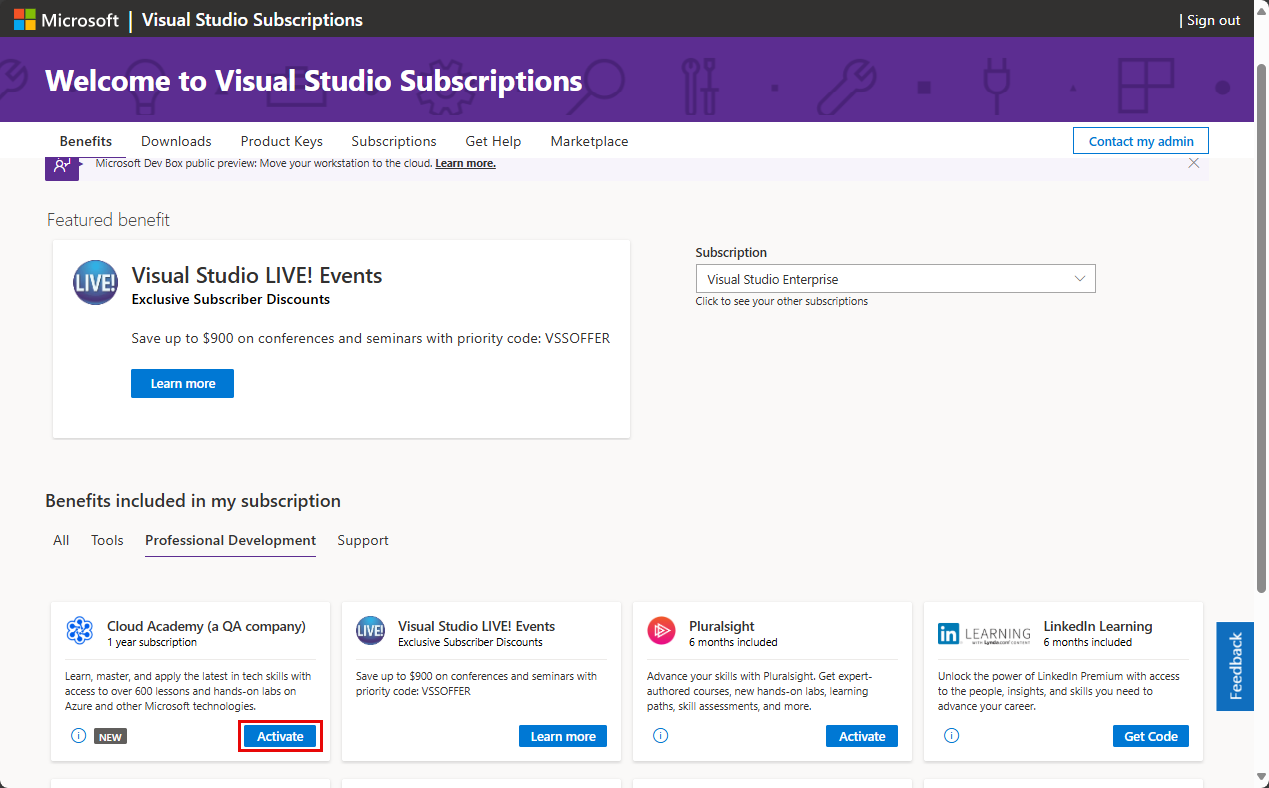
    If you're an eligible Visual Studio subscriber, your subscription includes access to valuable learning benefits through Cloud Academy. Visit the Visual Studio Subscriptions portal to access your benefits and activate Cloud Academy today.

Want to protect your organisation’s sensitive data with a secure password management solution built within your Azure environment? Explore Secret Vault and contact us today to get started!
Microsoft Introduces AI Routing and Failover for .NET

Microsoft has introduced new experimental routing and failover capabilities in Microsoft.Extensions.AI, giving .NET developers more flexibility when working with AI models and providers. The new primitives are designed to help applications manage key challenges such as cost, uptime, and latency by routing requests between AI services and providing failover options when issues occur.

Here’s what you need to know:

  • Route AI Requests Where They Make the Most Sense

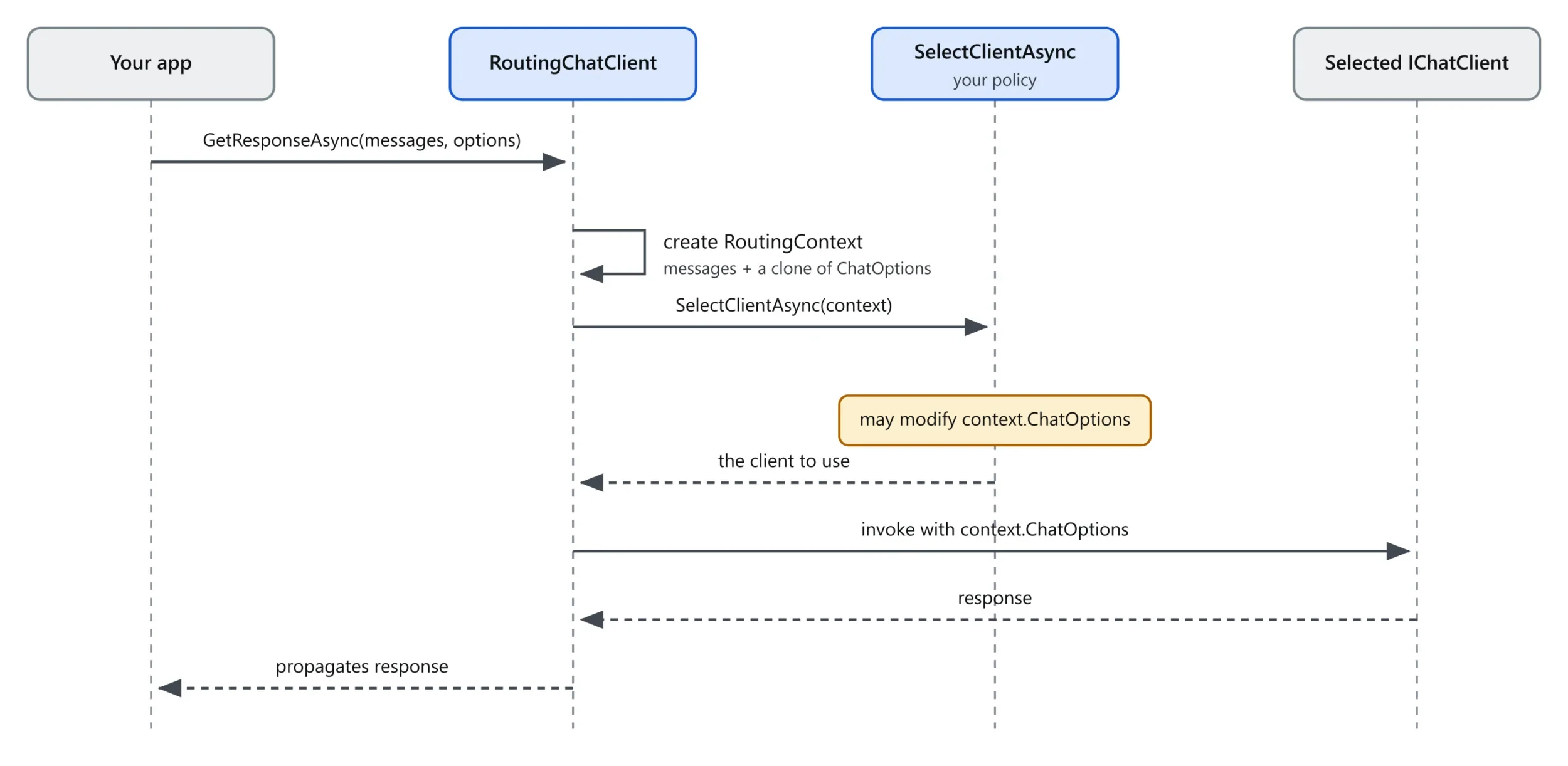
    RoutingChatClient lets your application choose an AI client for each request based on your own rules. For example, you could send simple requests to a lower-cost model while directing more complex tasks to a more capable one.

  • Route Based on What the User Is Asking

    SemanticRoutingChatClient takes routing a step further by looking at the meaning of a message, rather than relying only on predefined rules. It compares the request with example messages and sends it to the client with the strongest semantic match.

  • Keep AI Applications Running with Failover

    FailoverChatClient can retry a request with another AI client when the selected provider fails before any response is sent to the user. This can help applications remain available when a model or provider experiences an issue.

  • Use a Simple Backup Order

    OrderedFailoverChatClient provides a ready-to-use approach for failover by trying AI clients in a defined order. If the primary client fails, the request moves to the next available option.

  • Build Smarter Routing Strategies

    These capabilities can also support cost-aware, latency-aware, health-aware, capability-aware, and region-based routing. Developers can use performance data such as response time and time to first update to make better routing decisions over time.

  • Get Started

    The new routing and failover types are available in Microsoft.Extensions.AI version 10.9.0, although they are currently marked experimental. Developers can add the package with dotnet add package Microsoft.Extensions.AI.

Ready to take productivity to the next level? Explore Infinity AI Agents for Dynamics 365 and Power Apps, and contact us today!

Microsoft Announces PPCC 2026: A Bigger Power Platform Community Experience

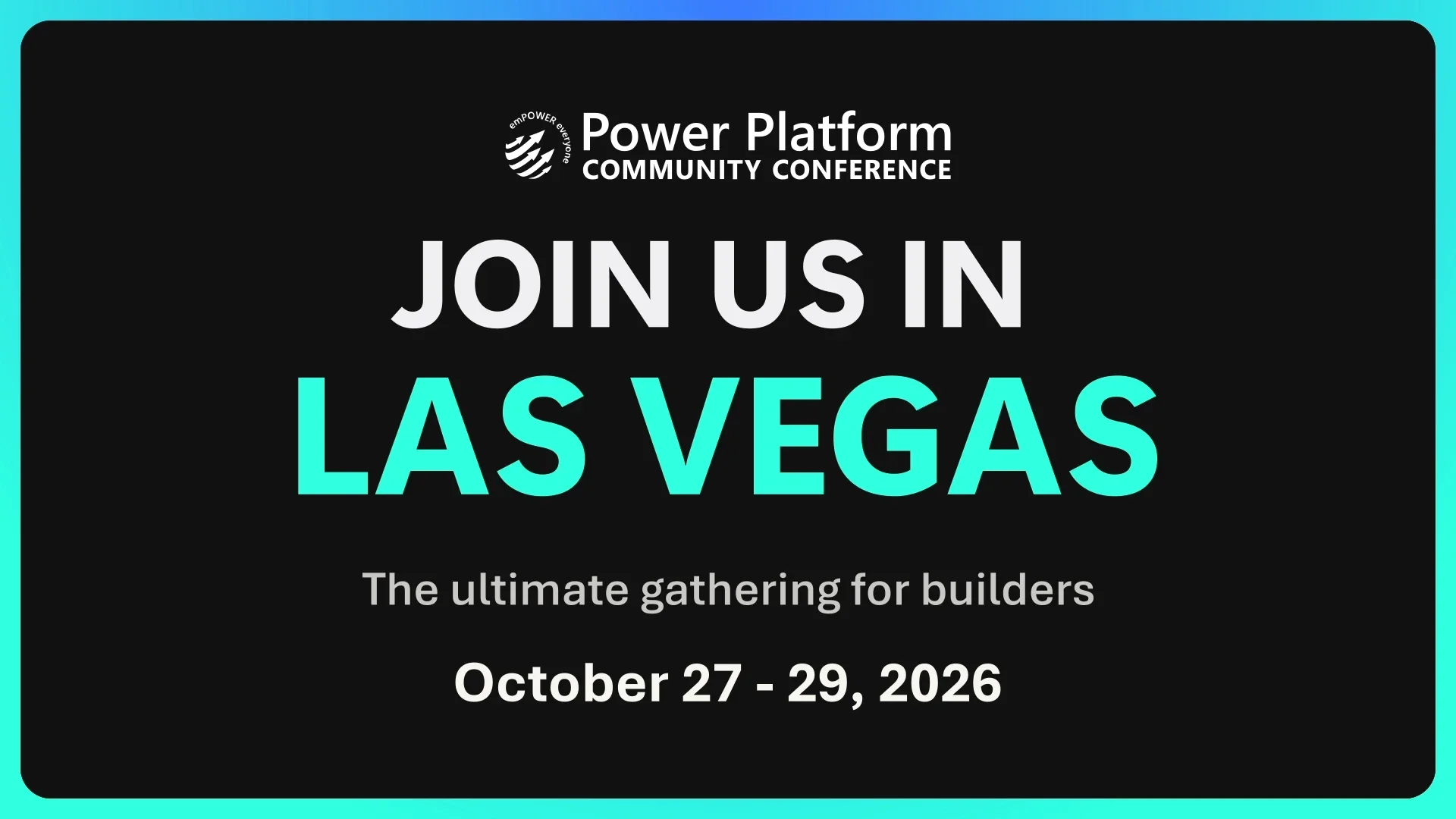
The Power Platform Community Conference (PPCC) is returning for its fifth annual event, bringing solution makers from around the world together from October 27–29, 2026, in Las Vegas. This year’s conference will focus on the latest developments across Microsoft Power Platform, AI, agents, apps, automation, and data, while creating opportunities for attendees to learn directly from Microsoft experts and the community.

Here’s what you need to know:

  • Discover What’s Next for Power Platform

    PPCC 2026 will feature 200+ sessions, dozens of hands-on workshops, three days of keynotes, onsite AI and agent certification opportunities, and a global community focused on what’s next with AI. Dive into Copilot, Copilot Studio, Power Apps, Power Automate, Power BI, Power Pages, and Dataverse while learning how agents, apps, workflows, automation, and trusted data can come together as complete business solutions.

  • Hear from the Experts Shaping the Platform

    The conference opens with Charles Lamanna, Executive Vice President at Microsoft, sharing a forward-looking perspective on Copilot, agents, and the future of the platform. You’ll also hear from Microsoft product leaders such as Ryan Cunningham, Corporate Vice President of Copilot Studio & Power Platform, alongside engineers, product managers, enterprise practitioners, MVPs, and community experts.

  • Take AI from Ideas to Real-World Solutions

    Explore how solution development is evolving through sessions covering Copilot-first app design, multi-agent systems, AI evaluation and governance, intelligent automation, enterprise architecture, and adoption. PPCC will show how organisations can move beyond isolated AI experiments and build secure, scalable solutions that connect people, processes, applications, automation, and trusted data.

  • Build Skills Through Hands-On Learning

    Full-day workshops on October 25, October 26, and October 30 give attendees the opportunity to go deeper through guided, practical learning. You can add one, two, or three workshops to your conference pass and take advantage of onsite AI and agent certification opportunities designed to help you build practical skills and advance your career.

  • Connect, Collaborate, and Grow with the Community

    PPCC is more than a conference—it’s a place to meet people tackling similar challenges, learn from experienced practitioners, and discover ideas you can bring back to your organisation. Connect with experts in the Expo Hall, explore what makers are building in the Makers Market, meet community leaders in the Community Lounge, and continue conversations through meetups, networking activities, and the Night Market.

  • Experience the Conference Beyond the Sessions

    On Wednesday, October 28, 2026, attendees can turn up the energy at an exclusive celebration featuring a live performance by Pitbull. Don’t just watch the next era of AI-powered solution building take shape—come to PPCC and help shape it.

  • Mark Your Calendar for PPCC 2026

    The conference will be held on October 27-29, 2026 at the MGM Grand in Las Vegas.

Discover how we used Microsoft Power Platform to help the New Zealand Police Association (NZPA) deliver more services to its members. Read the case study and get in touch with our team to explore what’s possible for your organisation.

Build More Powerful Power Pages Experiences with Liquid Server Logic

Microsoft is expanding the capabilities of Liquid in Power Pages with the introduction of server logic, giving developers more flexibility when building custom web experiences. The new capability allows developers to extend Liquid beyond the predefined platform-provided objects and bring additional server-side functionality into their Power Pages solutions.

Here's what you need to know:

  • Your Struggle

    Liquid provides powerful capabilities in Power Pages, but developers have often needed to adapt their requirements to available objects or move custom logic to other layers.

  • Bring Your Logic to Liquid

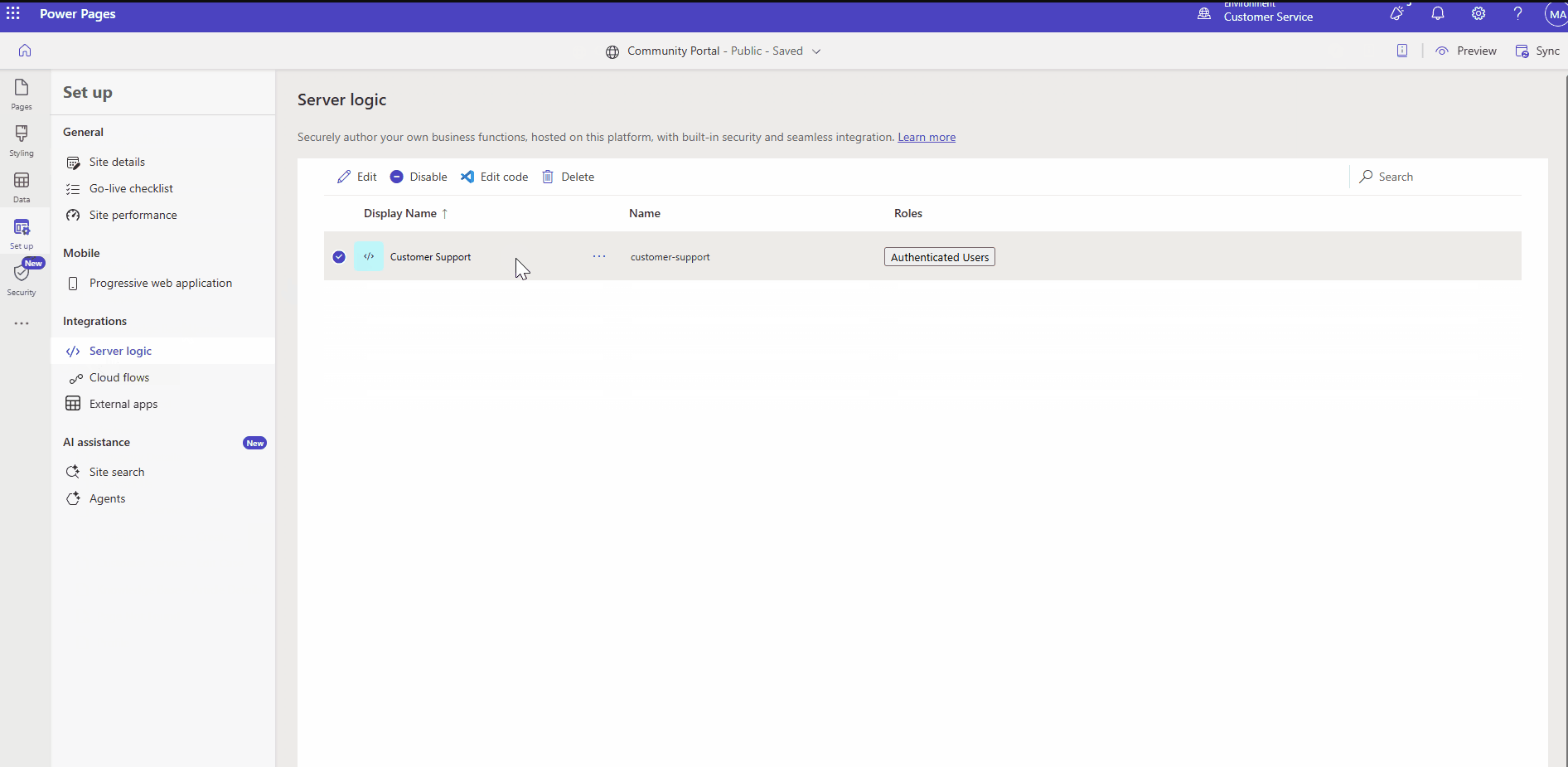
    With Server Logic, you can invoke your own server-backed capabilities directly from Liquid templates, extending what you can accomplish beyond built-in Liquid objects. Your logic runs securely on the server and can work with request and website context alongside Power Pages security capabilities.

  • Build More Dynamic Experiences

    Combine custom server logic with contextual information and Power Pages security to create more dynamic experiences while maintaining consistent access control. This gives developers greater flexibility without compromising how business logic is securely handled.

  • Get Started

    Ready to extend what you can do with Liquid in Power Pages? Explore the Server Logic overview, learn how to call Server Logic from Liquid templates, and discover how server objects and context work together to start building.

See how we used Power Pages to enhance Human Resources New Zealand’s membership management system. Read the case study to discover the solution, and contact us to explore how we can help with your organisation’s digital needs.