
Microsoft has released the Power BI August 2026 Feature Summary, bringing a new set of updates across reporting, modeling, data connectivity, mobile, and embedded analytics. The latest release introduces enhancements designed to improve how users build reports, work with data, and deliver analytics across different experiences.
Here’s a look at what’s new in Power BI this August:
Reporting: More Flexible Themes and Visual Defaults
Power BI now makes it easier to create consistent, polished reports with modern visual defaults and improved theme customisation. The updated Theme pane gives you more control over colours, fonts, visual properties, page settings, and filter pane styling across your entire report.
Modeling: More Control Over Semantic Model Refresh
Refreshing semantic models in Power BI Service is now more flexible, with separate options for refreshing schema, data, or both. You can also refresh individual tables, giving you greater control while reducing unnecessary processing and model changes.
Data Connectivity: Better Accessibility and Dark Mode
The Power Query experience gets usability and accessibility improvements, including better colour contrast across light and dark themes. Connector icons also receive improved visibility in Dark Mode, making data sources easier to identify.
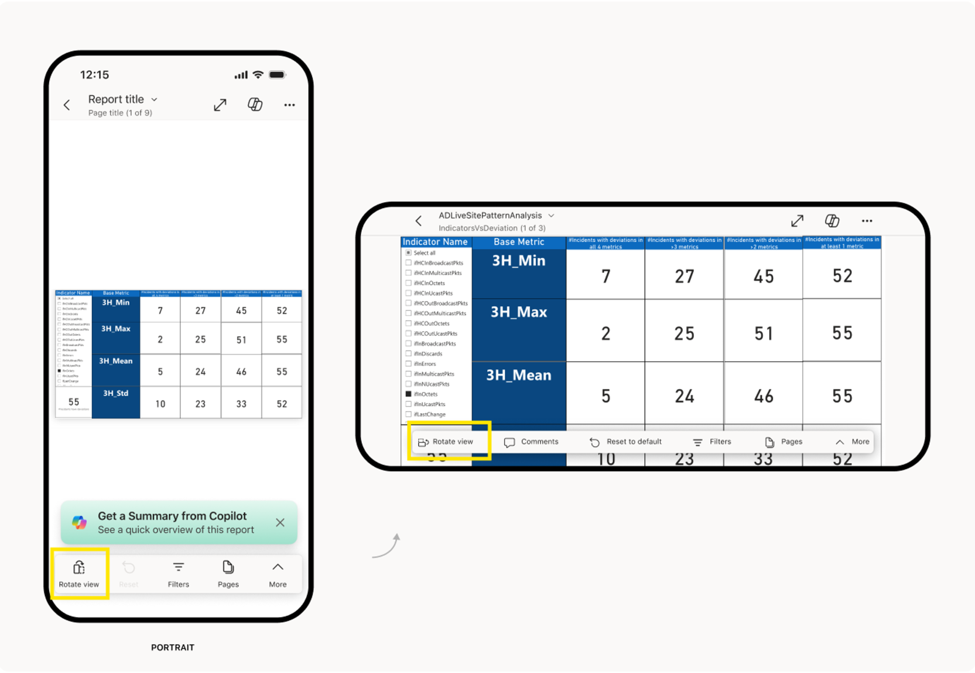
Mobile: Rotate Reports for a Wider View
Power BI Mobile is introducing a new Rotate view option that lets users switch between portrait and landscape with one tap. This makes reports easier to view on smaller screens, especially when a mobile-optimised layout isn't available.
Embedded Analytics: Easier Power BI Embedding in SharePoint
Embedding Power BI content in SharePoint Online is becoming simpler with a new workspace and report selection experience. You can also embed individual visuals, giving you more flexibility in how Power BI insights are shared across your organisation.
Check out the full list of Power BI’s August 2026 updates!
Want to unlock more value from your data? Explore our Business Intelligence solutions and see how Power BI can help your organisation make better decisions. Contact us today!