
Microsoft has announced preview support for Outbound Access Protection (OAP) in Power BI paginated reports. This update gives organisations more control over external connections used by their reports, helping strengthen security and governance across Power BI workspaces.
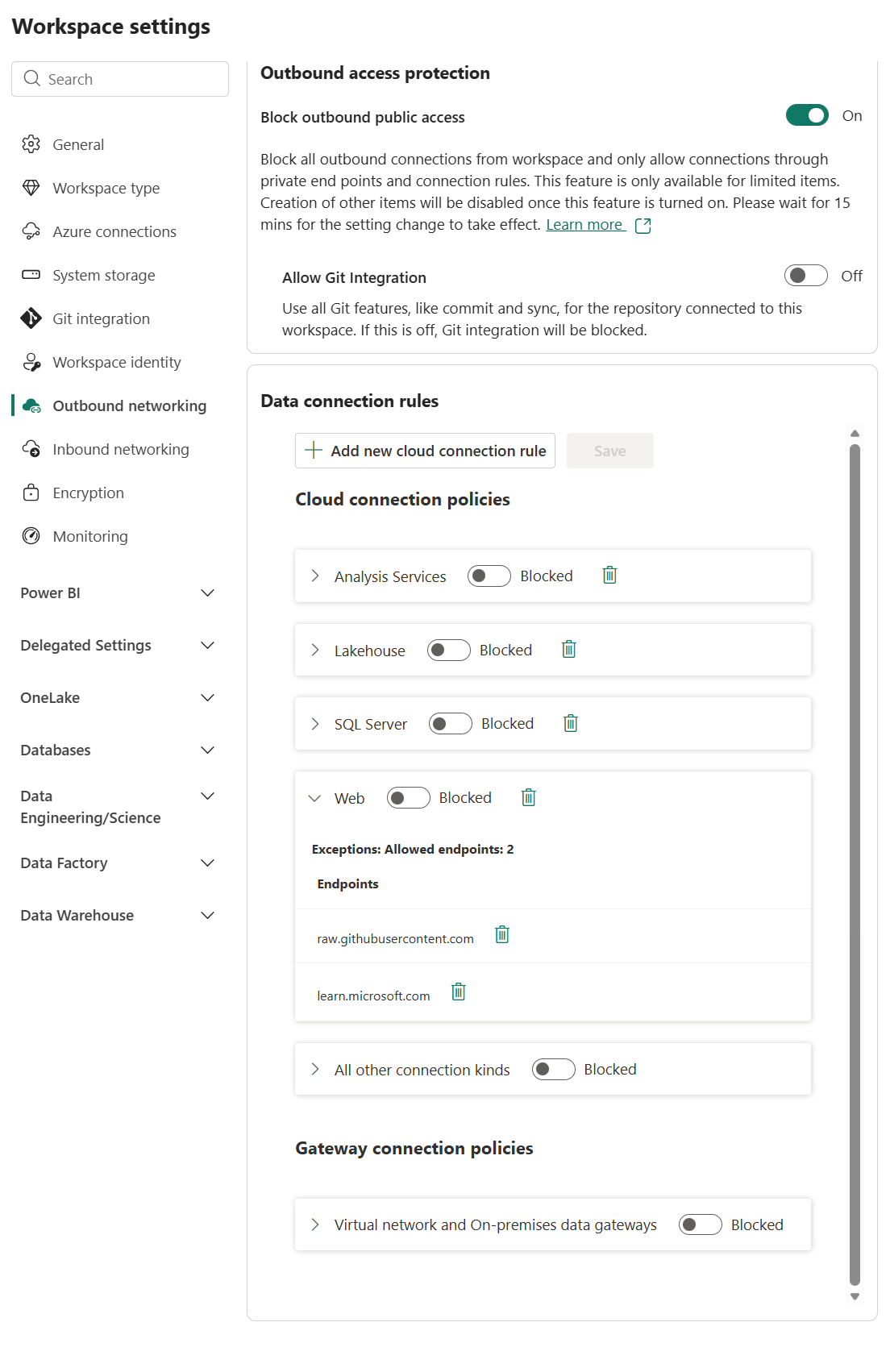
Here's what you need to know:
Strengthen Security with Workspace-Level Access Controls
OAP gives workspace administrators control over which external connections the Power BI service can access when rendering paginated reports. This helps prevent unintended data access while allowing report authors to work with approved data sources and resources.
Understand How OAP Controls Report Connections
When rendering paginated reports, the Power BI service retrieves data and content from sources such as Fabric lakehouses, Azure SQL databases, semantic models, and external image hosts. OAP checks these outbound requests against workspace rules and blocks connections that haven't been approved.
Set Up Approved Data Connections
Start by reviewing your paginated reports to identify the data sources, semantic models, gateways, maps, and external images they require. Then, enable OAP and configure the appropriate data connection rules to allow only the necessary connectors and destinations.
Verify Your Outbound Access Policies
After configuring your OAP policy, run representative paginated reports in a test workspace to verify that all required connections work correctly. Check data retrieval, parameters, subscriptions, maps, and external images while confirming that unapproved destinations remain blocked.
Discover how Business Intelligence can turn your data into actionable insights, support smarter decision-making, and drive better business outcomes. Explore our Business Intelligence solutions and contact us today to learn more!