
Microsoft is making Power BI development more flexible with a new preview capability that lets users edit Power BI Projects (PBIP) files outside Power BI Desktop and instantly reload those changes. The update brings a more developer-friendly workflow for teams using source control, automation, and external development tools.
Here's what you need to know:
Edit Anywhere, Apply Changes Instantly
Power BI Desktop can now detect changes made to PBIP files outside the application. Simply select Apply external changes to reload your latest updates without restarting Power BI Desktop.
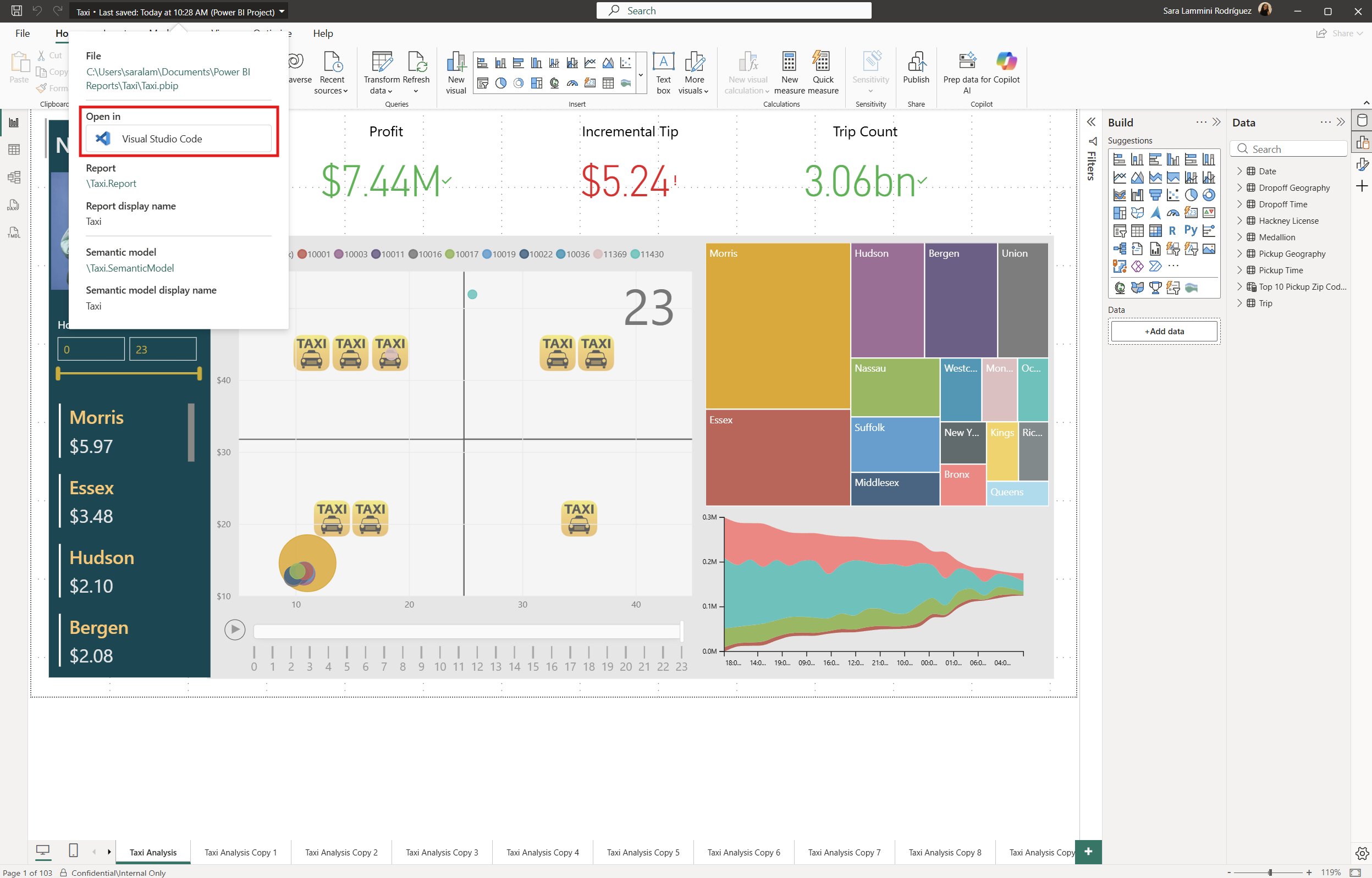
Open Your Project Directly in VS Code
The new Open in VS Code option launches your PBIP project as an active workspace in Visual Studio Code. This gives you quick access to your report and semantic model files for easier editing.
Built for Modern Development Workflows
These updates make PBIP projects easier to use with source control, scripts, automation, external tools, and AI-assisted development. You can modify your project files using the tools that best fit your workflow while continuing to work in Power BI Desktop.
Switch Between Tools Seamlessly
Open your PBIP project, select Open in VS Code, make and save your changes, then return to Power BI Desktop. When prompted, select Apply external changes and continue working without restarting.
Want to see how Power BI can deliver real results? Explore our Independent Police Conduct Authority success story and contact us today to learn how we can help your organisation.