
Power BI Desktop is becoming more extensible with the launch of Power BI Desktop Bridge (Preview). The new feature enables external tools and AI-powered agents to connect to Power BI Desktop, opening the door to more automated and interactive report development experiences.
Here's what you need to know:
Capabilities
Power BI Desktop Bridge lets external tools check your Desktop's capabilities, identify which report is currently open, detect unsaved changes, capture PNG screenshots of reports, and reload report files from disk—all through secure local APIs.
Why it matters
AI agents can already generate code and automate repetitive tasks. With Desktop Bridge, they can also interact with your live Power BI environment, helping accelerate report creation, testing, and refinement—reducing work that often takes hours to just minutes.
Getting started
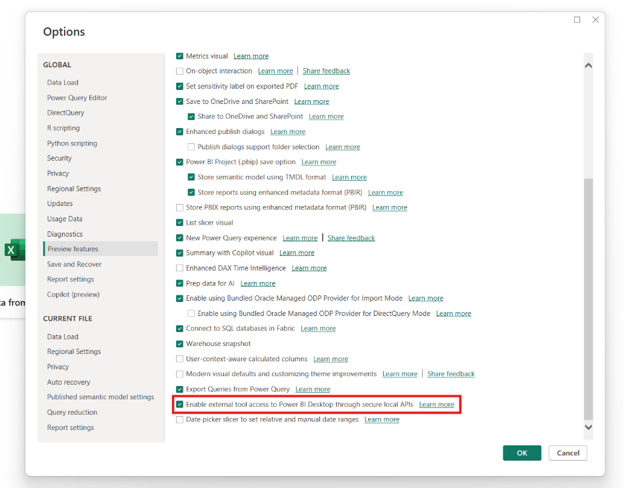
Desktop Bridge is enabled by default. If you've turned it off, go to File > Options and settings > Options > Preview features, then enable External tool access to Power BI Desktop through secured local APIs.
Ready to create smarter, more impactful reports? Discover our Business Intelligence solutions powered by Power BI and contact us today!