
Microsoft is enhancing AI-assisted development in Visual Studio with the introduction of the find_symbol tool. The update gives AI agents richer, language-specific context so they can better understand relationships across a codebase instead of relying on plain text search. It’s part of Microsoft’s continued push to make Copilot more reliable inside real-world projects.
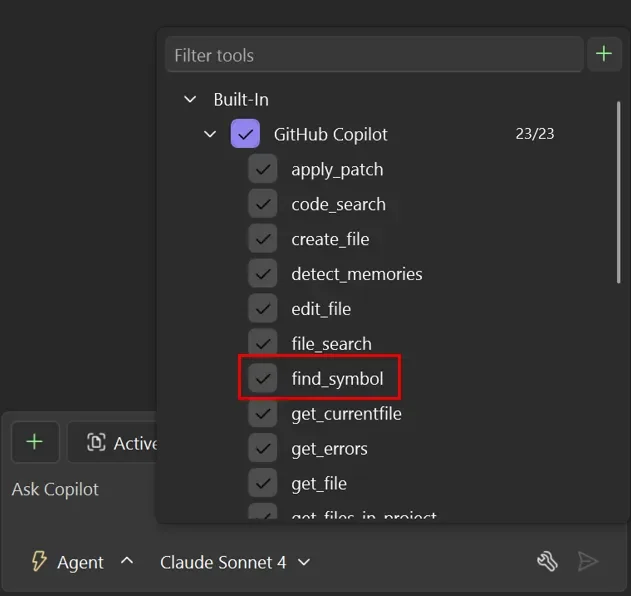
Here’s why it matters:
What is find_symbol?
find_symbol gives Copilot deep, language-aware insight into your code. It understands functions, classes, interfaces, and variables, including their declarations, implementations, scope, and every reference across the codebase—so the agent can reason, not just search.
Example #1: Enhancing existing functionality
Need to add logging, telemetry, or performance metrics without breaking anything? Copilot can quickly identify all related symbols and references, helping ensure updates are complete and accurate.
Example #2: API refactoring
Hardening or refactoring an API requires knowing exactly how it’s used. With symbol-level insight, Copilot can trace call paths, understand dependencies, and suggest safer refactors with minimal risk.
Go beyond CRM — streamline your operations with custom business applications. Talk to us today.