

Save time, eliminate errors, connect anything to Xero using Power Automate
Seamlessly connect Xero with any business system using Power Automate

Universal Integration Made Simple
Connect Xero to any system in your business ecosystem through Power Automate. Whether it's your CRM, ERP, or custom business applications, our connector ensures seamless data synchronization across all your platforms with minimal setup time.

Automate Your Way
Build powerful automated workflows that match your unique business processes. Transform manual data entry into streamlined automated flows, letting you focus on strategic tasks while our connector handles the heavy lifting of keeping your systems in sync.

Enterprise-Grade Reliability
Make confident business decisions with real-time data synchronization across all your connected systems. Whether you're checking financial data, customer information, or payment status, trust that you're always working with the latest information, regardless of where it originated.

Leverage Our Battle-Tested Xero Expertise
Benefit from our 15 years of Xero integration experience packaged into a flexible Power Automate connector. Skip the expensive custom development and maintenance cycles – our continuously supported connector adapts to your needs while staying current with all API changes.
What is the Power Automate Xero Connector?
Our Power Automate Xero Connector helps you connect any business system with Xero. Create invoices, manage payments, handle credit notes, update contact information and more – all through Power Automate's intuitive interface. Connect Xero to any system that Power Automate supports, without writing a single line of code.
Setup takes minutes, not days, and requires no technical expertise. Simply configure your flows through Power Automate's drag-and-drop interface and watch as your systems work in harmony. Whether you're connecting with popular business applications or custom solutions, our connector handles the complex Xero integration seamlessly.
Stop letting manual data entry slow your business down. When it comes to financial data accuracy and workflow efficiency, automation is no longer optional – it's essential.
Our Power Automate Xero Connector empowers you to:
Build custom workflows that match your business processes
Create and sync invoices automatically
Manage contact information
Configure Xero account and tax rates
Add tracking categories
Handle credit notes and payments
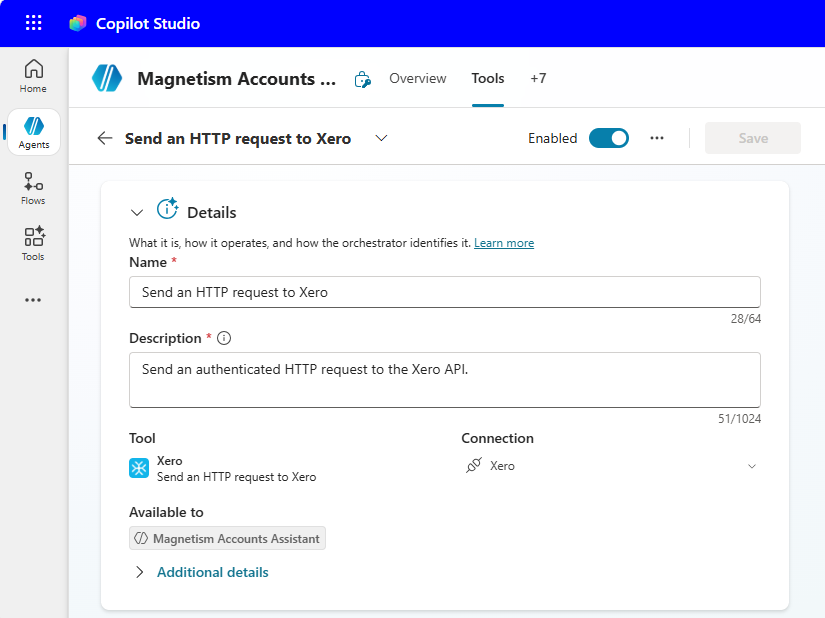

Use Xero as a Tool in Microsoft Copilot Studio
Microsoft Copilot Studio lets you build AI agents that can answer questions as well as take action. Our connector plugs straight into that experience as a tool, so your agent can create and retrieve Xero data through natural conversation.
Because the connector is a fully published Microsoft Power Platform connector, there's nothing to build. The same Xero actions you already use in Power Automate like create invoices and bills, manage contacts, handle credit notes and payments, list records, and more become capabilities your Copilot Studio agent can call on demand. The agent figures out which action to run and gathers the details it needs as part of the conversation.
With Xero added as a tool, your agent can:
Create invoices, bills, and credit notes on request
Create and update contact records
Look up customers, invoices, and payment status in real time
Surface financial information inside the chat experience your team already uses
No custom code, no separate integration project, just the connector you already trust, now working inside your AI agents.
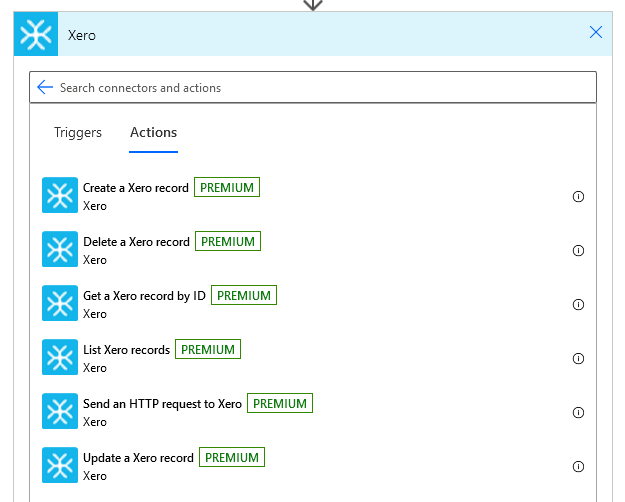
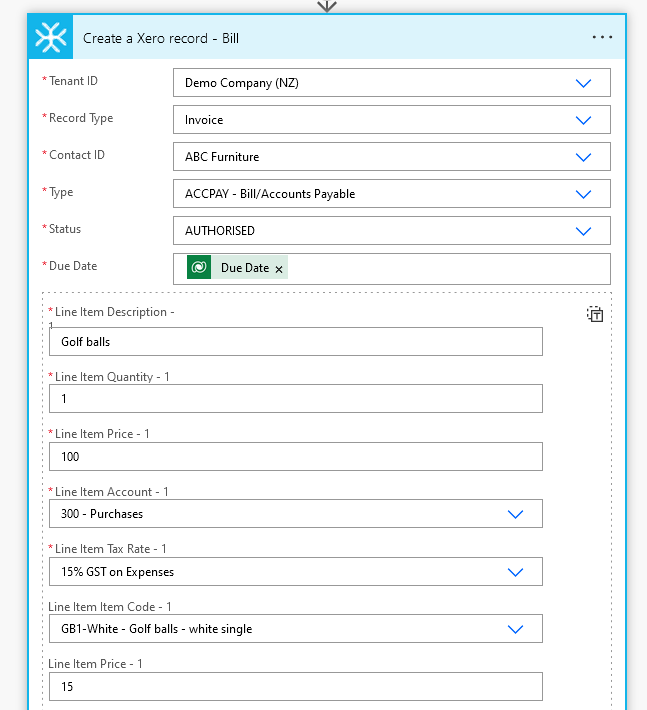
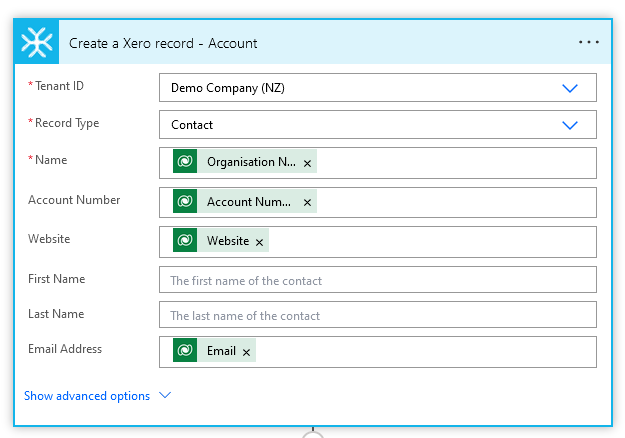
Take a Tour
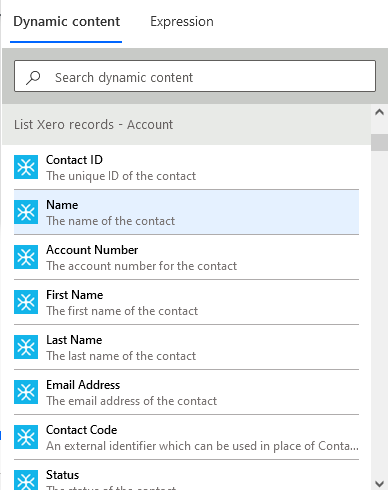
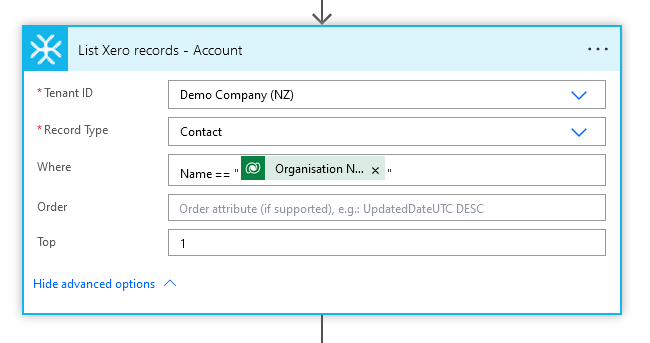
How to get value from your 7 day free trial of the Power Automate Xero Connector
Your free trial gives you enough time to prove the connector works for your business. Follow this simple path to connect Xero, build your first automation and confirm the workflow is worth keeping before the trial ends.
Day 1: Connect Xero to Power Automate
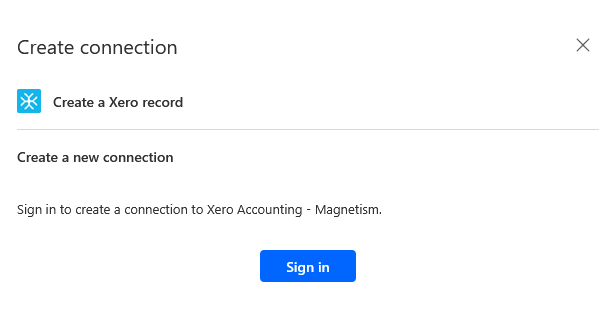
Start by adding the Xero Accounting - Magnetism connector in Power Automate and authorising your Xero organisation. Once connected, you can select your Xero tenant and start using Xero actions and triggers inside your cloud flows.
Goal: Confirm your Xero connection is authorised and ready to use. Click here to view the setup guide.
Days 2-3: Build one useful automation
Pick one real workflow that currently takes time or creates errors. For most teams, the best first automation is one of these:
Create a Xero invoice from another business system
Create or update a Xero contact automatically
Retrieve invoice or payment status from Xero
Sync Xero data into Dynamics 365, Power Apps, or another system
Goal: Build one working flow using real business data. Click here to view available operations.
Days 4-5: Test the workflow with your team
Run the automation with sample records and confirm the output in Xero. Check that required fields, tax rates, tracking categories, contacts, invoices, and payments are coming through correctly.
Goal: Prove the connector handles your actual business process. Contact us if you need any help.
Days 6-7: Decide whether to keep it running
If the automation saves time, reduces manual entry, or removes a recurring integration headache, activate a paid license before the trial ends so your flows keep running without interruption.
Ready to test it with your own Xero data?
Start your free trial, build one real automation, and activate a license before the trial ends if it saves time or removes manual work.
No credit card required. Your trial simply expires after 7 days unless you choose to purchase a license.

Choose your pricing plan
Each license gives you continued access to the Xero Accounting - Magnetism connector, including supported Xero actions and triggers for invoices, contacts, payments, credit notes, tracking categories, tax rates, and more. If you are unsure which license you need, contact us before purchasing and we will help confirm the right option for your setup.
What our customers say…
JN
Nice little tool
We use this to automate a few regular high volume tasks. Slot into our stack nicely.
EC
Great App
Great experience so far. Helped us automate some part of our AR and AP with no code. We appreciate working with this tool.
CX
Good Xero PowerApps connector
Product works well, and good local NZ based support team.
CG
This connector has worked perfectly for us allowing us to interface Xero with our Dynamics 365 solution.
Frequently asked questions
-
The Power Automate Xero Connector can be used by anyone who has a Xero account and access to Microsoft Power Automate. It's particularly valuable for:
Business users who want to automate their Xero workflows without coding knowledge
System administrators looking to connect Xero with their existing business applications
Finance teams who need real-time synchronization between Xero and other systems
Operations managers seeking to streamline their business processes
Small business owners who want enterprise-grade automation without the enterprise price tag
IT professionals who want to quickly implement reliable Xero integrations
Consultants and system integrators building solutions for their clients
No coding experience is required - if you can use Power Automate's drag-and-drop interface, you can use our connector. Whether you're a small business owner handling your own accounting or part of a large enterprise IT team, the connector is designed to be both powerful and user-friendly.
-
The Power Automate Xero Connector can be set up in minutes with no technical expertise required. All you need is:
A Xero account with full Accounting access.
A Microsoft Power Automate account
The setup process is straightforward:
Add the Xero Accounting - Magnetism Connector from the Power Automate connector library
Authenticate your Xero account
Start creating your flows
Watch our step-by-step video where we demonstrate the complete setup and create a basic workflow in under 5 minutes. Most users are able to have their first automation flow running within their first session.
Even complex workflows can be set up in minutes rather than the days or weeks typically required for custom integrations. Since everything is done through Power Automate's visual interface, you won't need to involve developers or IT specialists - if you can use Power Automate, you can set up our connector!
-
Yes. You can start a free 7-day trial with no credit card required. During the trial, we recommend connecting Xero, building one real automation, and testing it with your own business process.
You can also start the free trial straight away and contact us during setup if you need help.
-
Of course. If you are unsure which workflow to test first, or whether the connector is right for your Xero and Power Automate setup, contact us before starting your trial. We can help you choose a practical first automation so you get value from the 7-day trial quickly.
You can also start the free trial straight away and contact us during setup if you need help.
-
Yes. The Power Automate Xero Connector is a published Microsoft Power Platform connector, which means it can be added directly to a Copilot Studio agent as a tool. On your agent's Tools page, select Add a tool → Connector, search for Xero Accounting - Magnetism, and choose the Xero actions you want your agent to use. The same actions available in Power Automate are available to your agent.
-
No. Because we maintain the connector and keep it current with Xero's API, there's nothing for you to build or maintain. Add it as a tool, authorise your Xero connection, and your agent can start creating and retrieving Xero data straight away.
-
No. You do not need to cancel your free trial. No credit card is required to start the trial, and it will not automatically renew or convert into a paid subscription.
If you decide the Power Automate Xero Connector is right for your business, you can purchase a license before the trial ends so your flows keep running.
-
Use separate connections for Xero and other services, use a least-privilege automation account, restrict that account’s permissions, and review the Flow actions to confirm they only reference the intended data.