
Microsoft is rolling out agentic AI capabilities in Dynamics 365 Sales to dramatically cut down manual CRM tasks by automating data entry and natural language exploration. Early previews show these AI agents helping sellers focus more on customer engagement and less on routine data management.
Here’s what you need to know:
Capture leads instantly with Smart Paste
Copy details from an email, paste them into a lead or contact form, and let AI automatically extract names, company info, emails, and phone numbers—suggested inline for quick review.
Turn physical documents into CRM records
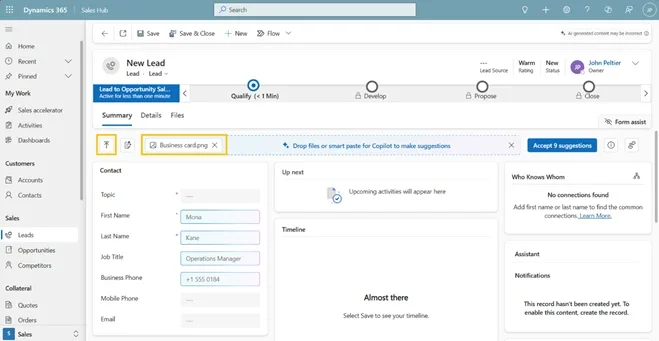
Upload business cards or documents (.pdf, .jpg, .docx, and more), and AI will analyze and populate relevant CRM fields in seconds.
Find records faster with Natural Language Views
Skip complex filters. Simply describe what you’re looking for in plain language and let Dynamics 365 surface the right leads or contacts.
Visualize trends directly from your views
No dashboards or exports needed. Instantly turn filtered data into interactive charts—without breaking your flow.
How to enable these features
Go to Power Platform Admin Center → Settings → Product → Features, then turn on AI form fill assistance, Natural Language grid and view search, and AI-generated charts to activate these capabilities for your users.
Want to elevate your Dynamics 365 CRM further with AI? Discover Infinity AI Agents and contact us today.